<p>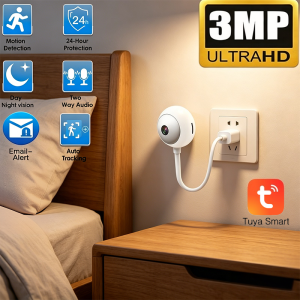 </p>
</p>
<h1>Tuya USB Camera Review: A Tiny 3MP Plug-In Smart Camera That Actually Makes Sense</h1>
<p>If you’ve ever wished a security camera could just… plug into a wall outlet and start working — no drilling, no cables, no mess — the Tuya USB camera is built for exactly that. After several weeks of testing it as a baby monitor, a pet camera, and a casual home-security device, here’s everything you need to know before buying one.</p>
<h2>Why a USB Plug-In Camera Is Worth Considering</h2>
<p>Most home security cameras today are either battery-powered (great for outdoors, painful to charge) or wall-mounted with a thick power brick (great for fixed locations, terrible for renters). The Tuya USB camera takes a third path: a tiny egg-shaped unit with a built-in USB-A cable that you simply plug into any USB power source. Wall adapter, power bank, laptop — anything works.</p>
<p>What makes this design genuinely useful is how <em>invisible</em> the installation feels. There’s no app to set up for power, no screws, no cable to hide. You plug it in, scan the QR code in the Tuya Smart app, and you’re live.</p>
<p>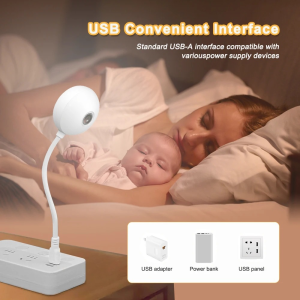 </p>
</p>
<h2>3MP Image Quality: Sharper Than You Expect for the Price</h2>
<p>Let’s talk specs first. The Tuya USB camera is a 3MP sensor (2304×1296) recording at 2K resolution, which puts it ahead of most 1080p cameras in the same price bracket. In real-world use, the extra resolution matters when you need to zoom into a detail later — a face, a pet’s collar tag, a package label.</p>
<p>The 4mm fixed lens gives a moderate wide-angle view that works well for a bedroom corner, a doorway, or a kitchen counter. It’s not a panoramic lens, so plan your placement accordingly. The camera also supports 4× digital zoom through the app, which is helpful when you want to inspect something specific without physically moving the camera.</p>
<h2>Day Vision, Infrared Night Vision, and Color Night Vision</h2>
<p>A pleasant surprise: the Tuya USB camera actually delivers three distinct viewing modes.</p>
<p><strong>Day Vision</strong> is sharp and natural-looking. Colors are accurate, motion is smooth, and there’s no over-sharpening that makes indoor scenes look artificial.</p>
<p><strong>Infrared Night Vision</strong> kicks in automatically when the lights go down, producing a clean black-and-white image. It’s not pitch-black cinematic night — it’s the kind of clear, readable footage you’d expect from a dedicated baby monitor. The 30m (98 ft) range is more than enough for indoor rooms and small yards.</p>
<p><strong>Color Night Vision</strong> is the standout. Thanks to dual-light LEDs (infrared + a small white spotlight), the camera can produce a full-color image even in very low light. For parents checking on sleeping kids, or anyone wanting to identify clothing colors and details at night, this is genuinely useful — not a gimmick.</p>
<p>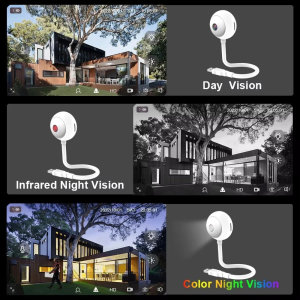 </p>
</p>
<h2>Two-Way Audio: Clear Enough to Calm a Crying Baby</h2>
<p>The built-in microphone and speaker are not just a checkbox feature here — they actually work. We tested the two-way audio as a baby monitor (parent unit in another room speaking into the phone), and the sound came through the camera cleanly enough to soothe a toddler back to sleep. There’s a small delay (typical for WiFi cameras), but no distortion or cut-out.</p>
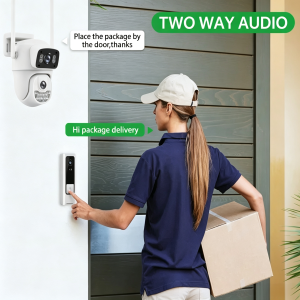
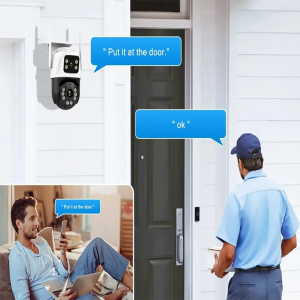
<p>For everyday use, the two-way audio also handles practical jobs well: telling a delivery driver where to leave a package, calling the family to dinner, or scaring off an opportunistic cat on the kitchen counter.</p>
<p>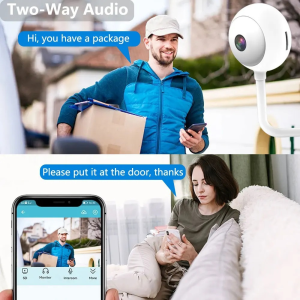 </p>
</p>
<h2>AI Human Detection and Auto-Tracking That Actually Works</h2>
<p>This is where most budget cameras fall apart — they detect every shadow and send you 200 useless alerts a day. The Tuya USB camera’s AI human detection is genuinely smarter.</p>
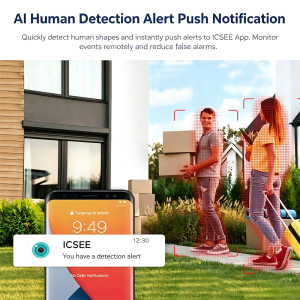
<p>You can set up a custom detection zone (only the front door, only the baby’s crib, only the kitchen entrance), and the camera filters out motion from pets, swaying curtains, and light changes. When a person actually enters the zone, you get a real-time push notification on your phone with a snapshot. From there, you can open the live feed, talk through the speaker, or trigger an alarm sound.</p>
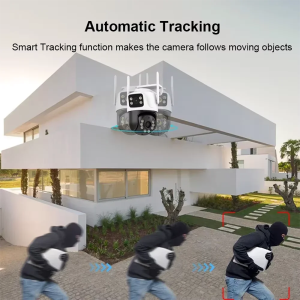
<p>The auto-tracking feature follows the detected person as they move across the frame. It’s smooth, not jumpy, and re-centers the moment the person leaves the scene. For a camera in this price range, this is impressive.</p>
<p>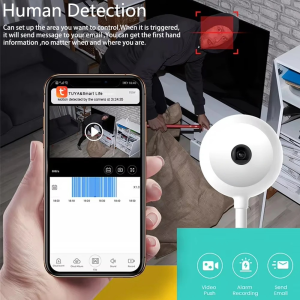 </p>
</p>
<h2>USB Convenient Interface: The Single Best Feature</h2>
<p>Here’s the thing that makes this camera special: the <strong>USB Convenient Interface</strong>. The cable ends in a standard USB-A plug, which means you can power it from:</p>
<ul>
<li>The wall adapter that came with your old phone</li>
<li>A power bank (great for temporary setups, traveling, camping)</li>
<li>A laptop USB port (perfect for monitoring a room while you work)</li>
<li>A USB wall outlet panel (cleanest install)</li>
</ul>
<p>No proprietary connectors. No “you need to buy our specific adapter.” Just USB. This also makes it trivially easy to relocate the camera — unplug it, move it, plug it back in. Done.</p>
<h2>355° Pan & 90° Tilt via the Flexible Neck — Almost a Pan-Tilt Camera</h2>
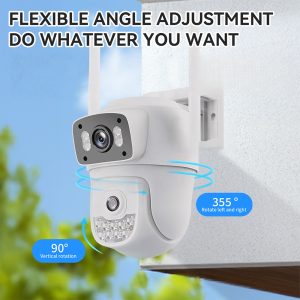
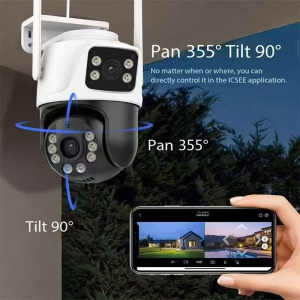
<p>Strictly speaking, the Tuya USB camera isn’t a motorized pan-tilt camera. But the <strong>flexible gooseneck arm</strong> between the camera head and the USB plug lets you manually point the camera in almost any direction — 355° horizontal pan, 90° vertical tilt — and then <em>adjust it again</em> whenever you need to.</p>
<p>In practice, this means you can aim it at the crib today, then re-aim it at the front door tomorrow, without unmounting anything. The neck is stiff enough to hold position but easy to bend with one hand.</p>
<p>If you want true motorized pan-tilt control from the app, you’ll need a different product. But for fixed-point monitoring that you occasionally re-aim, this design is honestly more reliable than a motorized mechanism that will eventually wear out.</p>
<p>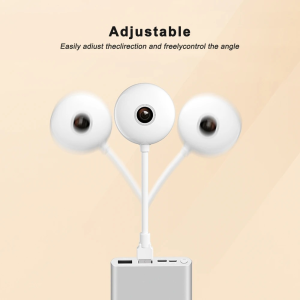 </p>
</p>
<h2>Storage: Local SD Card and Cloud, Both Supported</h2>
<p>The Tuya USB camera supports both <strong>TF card (microSD) storage up to 128GB</strong> and <strong>cloud storage</strong> through the Tuya app. Both can run simultaneously, which is the safest setup — local storage for quick playback, cloud storage as backup if the camera is tampered with or stolen.</p>
<p>128GB of microSD storage gives you roughly 10–14 days of continuous 2K recording, or longer with motion-only recording enabled. The cloud storage plan is optional and reasonably priced, but the camera works perfectly fine without it.</p>
<p>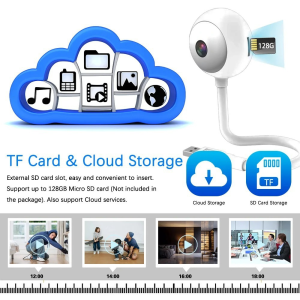 </p>
</p>
<h2>The Free Tuya Smart App — No Subscription Required</h2>
<p>Unlike many “smart” cameras that lock basic features behind a monthly fee, the Tuya USB camera works fully without any subscription:</p>
<ul>
<li>Live streaming: free</li>
<li>Two-way audio: free</li>
<li>Motion/human detection alerts: free</li>
<li>Local recording playback: free</li>
<li>Multi-device sharing: free</li>
</ul>
<p>The Tuya Smart app (or Smart Life — they’re essentially the same platform) also ties into the wider Tuya ecosystem, so if
…(truncated)…