Posted on Leave a comment

U9 Solar Video Doorbell — Wireless Security | Xingliao

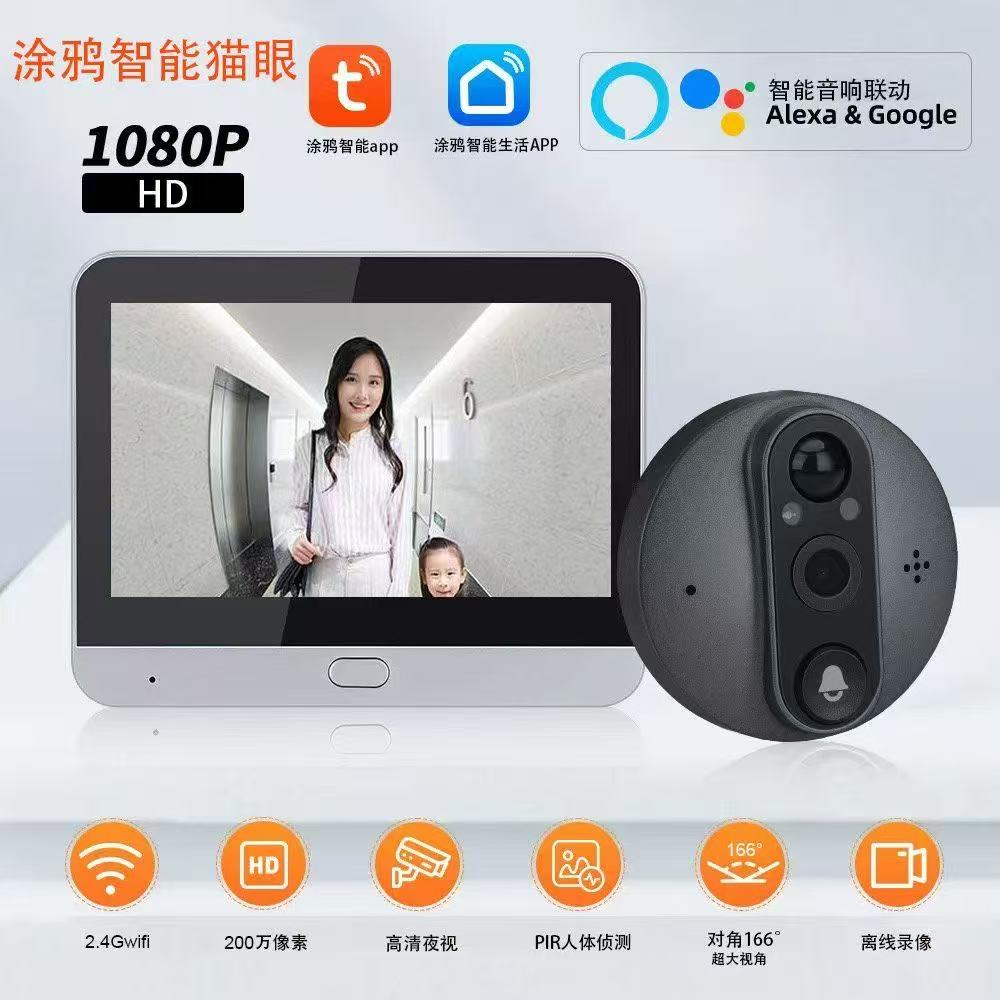
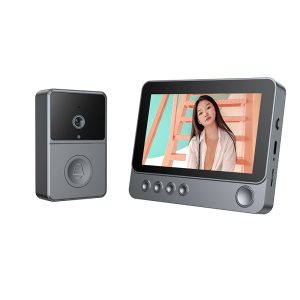
U9 Solar Video Doorbell camera unit and Dingtone P1 indoor chime receiver

U9 Solar Smart Video Doorbell — Wire-Free Front Door Security, Powered by the Sun


正文

Tired of charging your video doorbell every few weeks? Meet the U9 Solar Smart Video Doorbell — a wire-free, solar-powered security solution that keeps your front door protected 24/7 without ever touching a power cable.

🔋 Solar-Powered, Hassle-Free

The built-in solar panel continuously charges the dual 18650 batteries (3600mAh total), so you never worry about dead batteries again. Rain or shine, it keeps running.

📹 See Who's There, Anytime, Anywhere

  • 720P HD video with 1-megapixel clarity
  • Solar Charging Smart Doorbell with 1080P Camera and Night Vision
    Solar Charging Smart Doorbell
  • 90° wide viewing angle — no blind spots
  • U9 Solar Video Doorbell retail box highlighting key features and package contents layout
    Front and side view of the U9 Solar Video Doorbell packaging box displaying product images and specifications
  • Real-time two-way talk with echo cancellation
  • U9 Smart Doorbell — PIR Motion Detection & Instant Mobile Alert

  • PIR motion detection — instant alerts when someone approaches
  • U9 Solar Video Doorbell Installation Guide Instructions
    Easy installation guide for U9 Solar Video Doorbell
  • Night vision with 850nm infrared, effective up to 2 meters
  • U9 Solar Video Doorbell camera unit and Dingtone P1 indoor chime receiver
    XINGLIAO Solar Doorbell Outdoor Camera with Indoor Chime

🔔 Smart Indoor Chime Included

The Dingtone P1 wireless chime plugs into any USB port and rings instantly when someone presses the doorbell. No wiring, no installation headaches.

🌧️ All-Weather Protection

Optional transparent or brown rainproof cover made from high-toughness PC flame-retardant material. Waterproof, impact-resistant, and UV-protected — your doorbell stays safe in any storm.

📱 Full App Control

Answer the door from your phone, check live video, review visitor records, and share device access with family — all through one intuitive app. Supports iOS 11.4+ and Android 5+.

⚡ Quick Specs

  • Resolution: VGA 720×1280, 1MP
  • U9 Smart Doorbell — PIR Motion Detection & Instant Mobile Alert

  • Viewing Angle: 90°
  • Transparent Rainproof Cover for U9 Doorbell

  • Night Vision: Auto-switch IR, 2m range
  • Power: Solar + dual 18650 batteries (3600mAh)
  • Connectivity: 2.4G Wi-Fi
  • Doorbell Size: 136×72×35mm
  • Chime Size: 55×42×25mm
  • Working Temp: -20°C to 45°C

🛒 Available Now at Xingliao Shop

5 Bundle Options:

Bundle Price
U9 Doorbell Only $29.99
Transparent Rain Cover $34.99
Brown Rain Cover $34.99
U9 + Transparent Cover Combo $59.99
U9 + Brown Cover Combo $59.99

🔗 Shop now: https://xingliaoshop.com/product/solar-video-doorbell-u9-wifi-doorbell/


标签

#SolarDoorbell #SmartHome #VideoDoorbell #WirelessSecurity #Xingliao #HomeSecurity #SolarPowered #SmartLiving


Posted on Leave a comment

Smart Pet Feeder 2026: How to Choose the Best Automatic Feeder for Your Cat or Dog

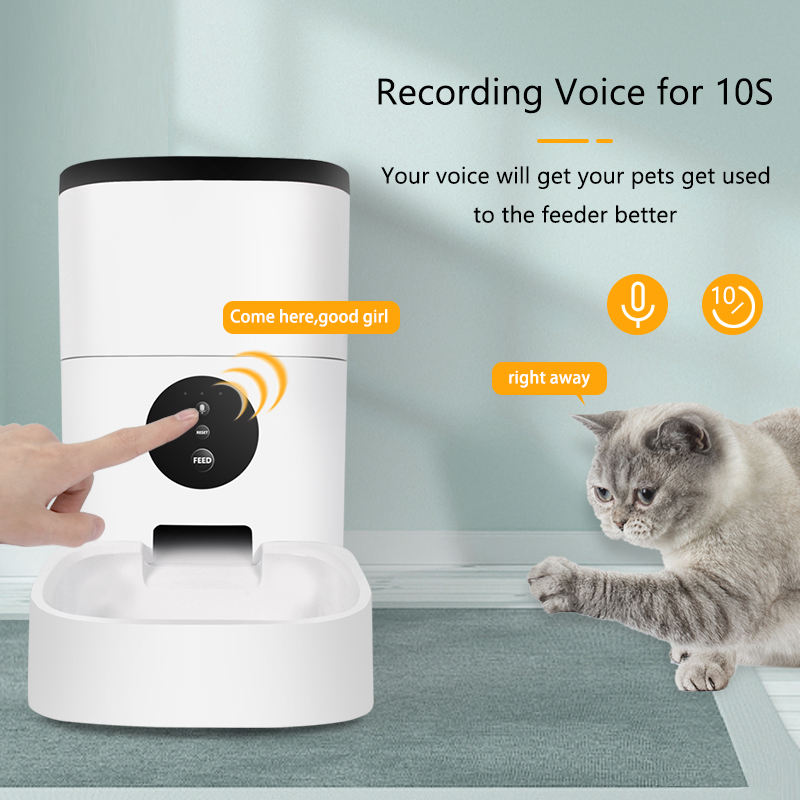
Automatic pet feeder with camera and app control - Tuya Smart WiFi pet feeder

Smart Pet Feeder 2026: How to Choose the Best Automatic Feeder for Your Cat or Dog

One meal. One schedule. One less worry when you are away.


Wait — Is Your Pet Hungry Right Now?

It is 8 PM. You are stuck at work. Your cat is home alone. Dinner was supposed to be at 6 PM.

Your pet does not understand deadlines. They do not understand traffic. They only know one thing. Their bowl is empty. And you are not there.

This happens every day. To millions of pet owners. The guilt. The worry. The rush home to feed them.

But what if your pet never missed a meal? Even when you are away. Even when you forget. Even when life gets busy.

A smart pet feeder is not a luxury. It is peace of mind. It is a full bowl. Every time. On time.

But not all feeders work well. Some jam. Some spill. Some fail when you need them most.

Let us fix that. Here is what matters in 2026.


The 2026 Smart Pet Feeder Checklist

1. Feeding Accuracy: Every Gram Counts

Your pet needs the right amount. Not too much. Not too little. Exact portions.

2026 accuracy standards:

  • Excellent: Within 2 grams per serving
  • Good: Within 5 grams per serving
  • Average: Within 10 grams per serving
  • Poor: Over 10 grams variation

Why accuracy matters:

  • Overfeeding leads to obesity and health problems
  • Underfeeding causes hunger and anxiety
  • Consistent portions maintain healthy weight
  • Exact tracking helps vet visits

The technology:

  • Weight sensors: Measure each portion precisely
  • Rotating dispensers: Control flow with precision
  • Anti-jam design: Prevents kibble from sticking
  • Portion memory: Saves your settings permanently

2. Three Versions: Which One Do You Need?

In 2026, smart pet feeders come in three levels. Each adds more features.

Feature Basic Timer WiFi Remote WiFi + Video
Price range $35-55 $55-85 $85-150
Scheduling On-device buttons App control App control
Remote feeding No Yes, anywhere Yes, anywhere
Camera No No Yes, HD video
Two-way audio No No Yes
Food level alerts No Yes Yes
Eating notifications No Yes Yes + video clip
Night vision No No Yes
Best for Budget, simple needs Most owners Anxious owners, multi-pet

Our recommendation:

  • Basic timer: If you have a regular schedule and just need backup
  • WiFi remote: If you travel, work late, or want full control
  • WiFi + video: If you worry about your pet, have multiple pets, or want to check in

3. Capacity: How Much Food Does It Hold?

Capacity matters. Too small. You refill every day. Too large. Food goes stale.

2026 capacity guide:

  • Small (2-3 liters): Cats, small dogs, 3-5 days
  • Medium (4-6 liters): Medium dogs, 1-2 weeks
  • Large (6+ liters): Large dogs, multi-pet homes, 2-4 weeks

Pro tip: Choose slightly larger than you need. But not too large. Fresh food matters.

4. Food Compatibility: Not All Kibble Is Equal

Feeders handle different food types. Check before you buy.

Food type compatibility:

  • Dry kibble: Standard for most feeders
  • Small kibble (under 10mm): Needs precision dispenser
  • Large kibble (over 15mm): Needs wide chute
  • Semi-moist: Rarely supported, check specs
  • Wet food: Requires refrigerated feeder

The 2026 standard: Most quality feeders handle 4-15mm kibble. Always check your food size.

5. Power and Backup: Never Miss a Meal

Power outages happen. Your feeder needs backup.

2026 power options:

  • AC power primary: Standard wall plug
  • Battery backup: D-cell or lithium, 48-72 hours
  • USB-C power: Easy replacement, universal
  • Solar option: For outdoor pet areas

Must-have: Battery backup. Without it, one power outage means hungry pets.

6. Smart Home Integration

A smart feeder should talk to your other devices.

2026 integration features:

  • Voice assistants: “Alexa, feed the cat”
  • Smart displays: Show feeding schedule on kitchen screen
  • Smart cameras: Record pet eating when feeder opens
  • Smart locks: Link to pet sitter access
  • Health apps: Sync feeding data to pet health trackers

Real automation examples:

  • Feeder dispenses → Camera records → Notification sent with video
  • Food low → Alert sent → Add to shopping list
  • Pet did not eat → Alert sent → Check camera
  • Voice command → Instant feeding → Confirmation sound

7. Cleaning: Because Hygiene Matters

Pet feeders get dirty. Food residue. Saliva. Dust.

2026 cleaning features:

  • Dishwasher-safe bowl: Remove and wash easily
  • Removable hopper: Clean inside thoroughly
  • Stainless steel bowl: Bacteria-resistant
  • Smooth surfaces: No cracks for food to hide
  • Desiccant compartment: Keeps food dry and fresh

Cleaning schedule: Weekly for bowl. Monthly for hopper. This prevents mold and bacteria.

8. Durability: Built for Pets

Pets are curious. They paw. They bite. They knock things over.

2026 durability standards:

  • Anti-tamper lid: Pets cannot open and overeat
  • Non-slip base: Stays in place during feeding
  • Chew-resistant cord: Protects power cable
  • Stable design: Hard to tip over
  • Food-grade materials: BPA-free, safe for pets

The Hidden Costs
…(truncated)…

Posted on 4 Comments

How to Install a Video Doorbell Without Drilling: Complete DIY Guide

Target keyword: “How to install a video doorbell without drilling?” | Category: Installation Guides | Reading time: 6 min
Worried about drilling holes in your door frame? Good news — you can install most modern video doorbells without a single screw. Here’s how.
Why Install Without Drilling?
Renters, apartment dwellers, and homeowners who don’t want permanent modifications all look for no-drill installation options. Drilling can:
• Void your rental deposit
• Damage brick, tile, or metal door frames
• Require professional tools and skills
• Leave unsightly holes if you move or upgrade
Method 1: Use an Adhesive Mount (Easiest)
What You Need
• Video doorbell with adhesive mount option (e.g., UOBX Video Doorbell)
• 3M VHB adhesive tape or industrial-strength double-sided tape
• Rubbing alcohol and cloth for cleaning
• Level (or use your phone’s level tool)
Step-by-Step
1. Clean the surface — Use rubbing alcohol to remove dirt and grease. Let it dry completely (2-3 minutes).
2. Mark the position — Hold the doorbell at eye level (about 55-60 inches from the ground). Use a level to make sure it’s straight.
3. Preheat the adhesive (optional) — Use a hair dryer to warm the adhesive tape for 10-15 seconds. This increases bonding strength.
4. Apply the mount — Press the adhesive mount firmly against the surface. Hold for 30-60 seconds of firm pressure.
5. Wait 24 hours — For maximum strength, let the adhesive cure for 24 hours before attaching the doorbell unit.
6. Snap on the doorbell — Attach your doorbell to the mount.
⚠️ Pro Tip: Adhesive works best between 10-40°C (50-104°F). Avoid installing in direct sunlight or below-freezing temperatures.
Method 2: Door Frame Mount (No Wall Marks)
Door-hanging brackets hook over the top of your door and hold the doorbell on the front side. Great for:
• Apartment doors
• Temporary installations
• Homes with brick or concrete walls
Method 3: Command Strips (Lightweight Only)
For lightweight non-WiFi doorbells (under 500g), Command strips work well. Use outdoor-rated Command large strips, clean surface thoroughly, press for 30 seconds, wait 1 hour before attaching.
Best Video Doorbells for No-Drill Installation
🥇 UOBX Wireless Video Doorbell
• Weighs only 380g — lightweight enough for adhesive mounts
• Built-in rechargeable battery — no wiring needed
• Includes adhesive mounting plate
• 7-inch built-in screen — no phone required
• No WiFi needed either — truly wireless
FAQ
Will adhesive damage my door?
High-quality adhesives like 3M VHB are removable. Heat with a hair dryer and slowly peel off. Residue can be cleaned with rubbing alcohol.
How long will adhesive hold?
With proper installation, up to 2-3 years outdoors. Check annually and replace if weakening.
🔗 Ready for a drill-free doorbell? The UOBX Video Doorbell at Xingliaoshop.com — no tools, no holes, no mess.

Posted on 3 Comments

Best Video Doorbell Without WiFi: What You Need to Know in 2026

Target keyword: “What is the best video doorbell that doesn’t require WiFi?” | Category: Smart Doorbells | Reading time: 5 min
Many homeowners want security without depending on home WiFi. Here’s everything you need to know about non-WiFi video doorbells and why they’re becoming a popular choice.

What Is a Non-WiFi Video Doorbell?
A non-WiFi video doorbell operates independently of your home internet network. Instead of relying on cloud services through WiFi, these doorbells use local storage (SD card or NVR) and can function as a standalone security device. They are ideal for rural areas with poor internet, vacation homes, or anyone who values privacy and reliability.

Can a Video Doorbell Work Without Internet Connection?
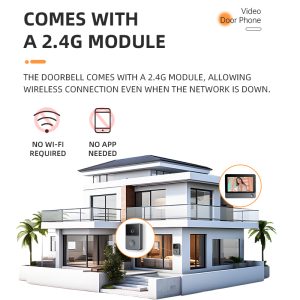
Yes, absolutely. While most mainstream brands (Ring, Nest, Arlo) require WiFi to function, there are specialized models like the UOBX Video Doorbell from Xingliao Tech that are designed to work completely offline. These devices:

Record video to a local SD card (up to 128GB)
Use a built-in screen to show visitors without any app
Support wired power or battery operation
Never send your footage to the cloud
💡 Key Insight: Non-WiFi doorbells are NOT “smart” doorbells that need your phone. They are all-in-one devices with an integrated screen — like a mini security station at your door.
Best Video Doorbell Without WiFi — Top Picks
🥇 UOBX Video Doorbell (Best Overall)
This is currently one of the best options on the market for non-WiFi use. Key features include:
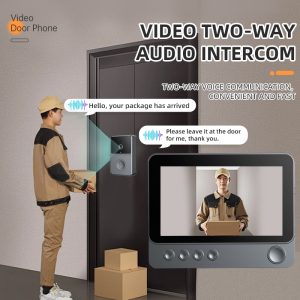
7-inch HD display — see and talk to visitors directly on the screen
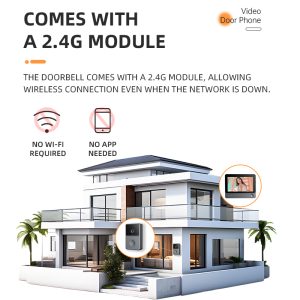
No WiFi, no app needed — works out of the box
1080P camera with night vision
SD card recording — 24/7 local storage
Wire-free installation — battery powered, no drilling required
Two-way audio — talk to delivery drivers or visitors
🥈 Wired Video Doorbell with Monitor
If you prefer a wired solution, many traditional video doorbells connect directly to a indoor monitor via coaxial or ethernet cable. These are common in apartment buildings and gated communities. They offer stable performance but require professional installation.

🥉 Battery-Powered Standalone Doorbell
Some modern non-WiFi doorbells use rechargeable batteries and communicate with a base station via RF. They offer flexibility but may have shorter range and fewer features.http://www.xingliaoshop.com

Non-WiFi vs WiFi Video Doorbell: Quick Comparison
Non-WiFi Video Doorbell
✅ Works without internet
✅ Local storage only — privacy guaranteed
✅ No monthly subscription
✅ Simple setup, no app required
✅ No risk of WiFi hacking
❌ No remote access from phone
❌ Can’t check footage away from home
WiFi Video Doorbell
✅ Remote viewing via smartphone app
✅ Cloud storage and sharing
✅ Smart home integration (Alexa, Google)
❌ Requires strong, stable WiFi
❌ Monthly cloud fees often required
❌ Privacy concerns (cloud storage)
❌ Vulnerable to WiFi outages
When Should You Choose a Non-WiFi Video Doorbell?
A non-WiFi doorbell is the best choice if:

You live in an area with unreliable internet
You have a vacation home or cabin
You are concerned about home security privacy
You want to avoid monthly subscription fees
You prefer simple, no-app operation
You need a doorbell for elderly family members who don’t use smartphones
Frequently Asked Questions
Do non-WiFi video doorbells record 24/7?
Many models, including the UOBX, support continuous recording to SD card. Some use motion-triggered recording to save storage space.

Can I view footage from a non-WiFi doorbell remotely?
Generally no. That’s the trade-off. However, some models offer an optional WiFi module for remote access while maintaining local storage as primary mode.

Is it hard to install a non-WiFi video doorbell?
Not at all. Most non-WiFi models are designed for DIY installation. The UOBX for example is completely wireless — just mount it with adhesive or screws and it’s ready to use.http://Looking for a reliable non-WiFi video doorbell? Check out the UOBX Video Doorbell at Xingliaoshop.com — no WiFi, no subscription, no hassle.
🔗 Looking for a reliable non-WiFi video doorbell? Chec寻找一款可靠的非WiFi视频门铃k out the UOBX Video Doorbell at Xingliaoshop.com — no WiFi, no subscription, no hassle.http://Looking for a reliable non-WiFi video doorbell? Check out the UOBX Video Doorbell at Xingliaoshop.com — no WiFi, no subscription, no hassle.