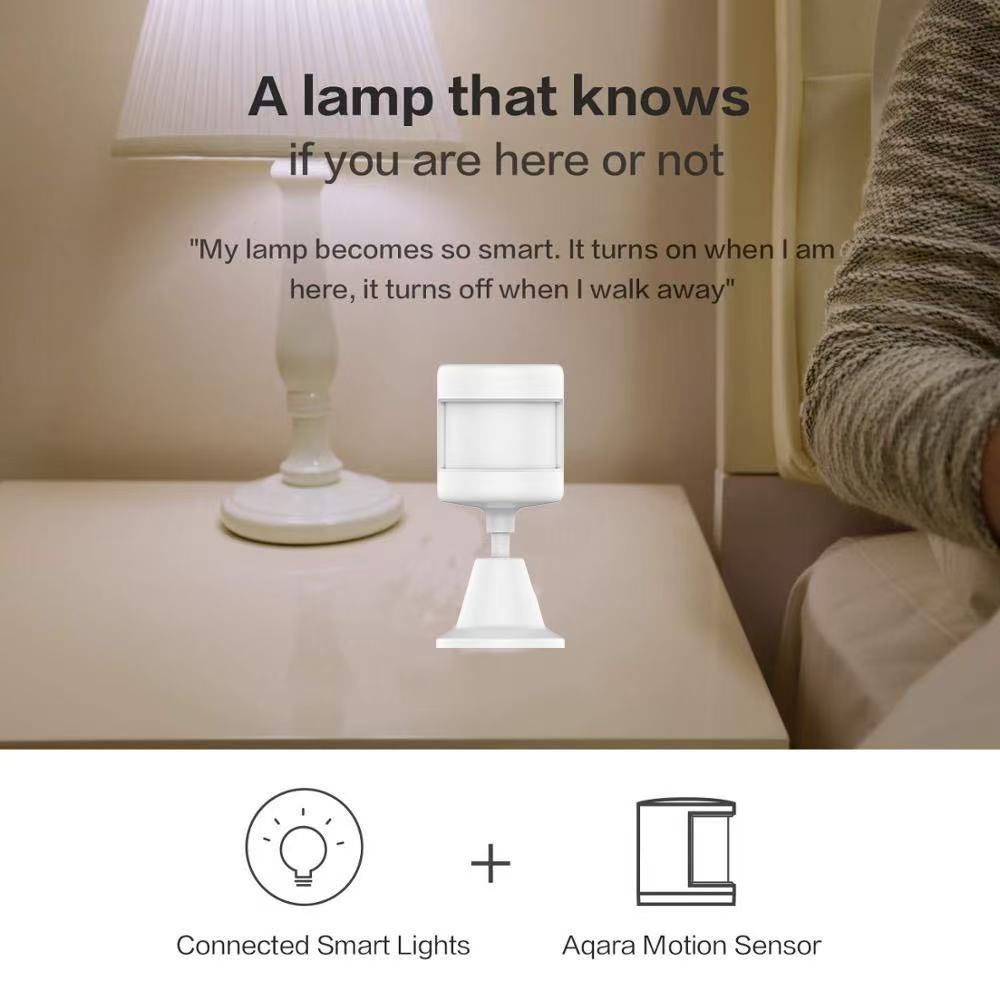
Posted on Leave a comment

Zigbee PIR Motion Sensor: A Smart Home Upgrade That Actually Works

Zigbee PIR sensor battery compartment

Last week I stubbed my toe on the bottom stair at 2 a.m. — again.

I’d been meaning to fix it for months. You know how it goes: install a smart light? Sure. Tomorrow. Wire a motion sensor? Maybe next weekend. The hallway stayed dark for another365 days.

Until I finally bought a $1*.** Zigbee PIR motion sensor and stuck it on the wall. The whole install took 90 seconds. The next morning, my staircase lit up like a runway every time I walked past.

That tiny moment — not stubbing my toe — was the win I’d been ignoring.

If you’ve ever:

Stumbled to the bathroom half-asleep
Wondered if the “noise” downstairs was just the cat
Wished your garage lights came on without you fishing for a switch
…a Zigbee PIR motion sensor fixes all three. Quietly. Reliably. Without you ever thinking about it again.

Let me explain how it actually works in a real home, and why this is one of the cheapest smart home upgrades you’ll ever make.
Tuya Zigbee PIR Human Motion Sensor - White
Tuya Zigbee 3.0 PIR human motion sensor, 150 degree wide angle detection up to 7 meters, CR2450 battery powered with 2 year battery life, works with Smart Life and Zigbee hubs

What Is a Zigbee PIR Motion Sensor?
A motion sensor with Zigbee wireless connectivity is exactly what it sounds like: a small white box that detects infrared (body heat) movement and tells your smart home system about it.

Two words matter here:

PIR = Passive Infrared. It sees body heat moving through its detection zone. People, pets, even large warm objects. It doesn’t emit anything — it just listens.

Zigbee = A low-power wireless protocol that your smart home hub uses to talk to sensors, lights, locks, and switches. Zigbee sensors run for years on a single coin battery because they sleep most of the time.

Combined, you get a motion sensor that lasts2 years on a CR2450 battery, costs under $15, and talks to every major smart home platform through one little hub.


Most product pages list ten “features” you don’t care about. Here’s what a motion sensor actually does in my house:

1. Automatic Night Lighting (the biggest win)
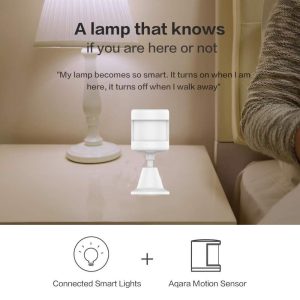
Walk into the hallway at 2 a.m. Light comes on softly. Cross into the bathroom. That light comes on. Walk back to bed. Both lights fade off 60 seconds later.

I set this up once. I have not touched it since.
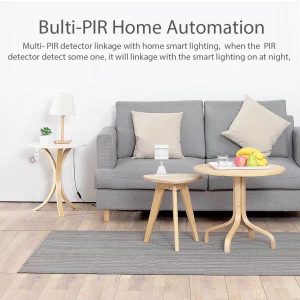
Zigbee PIR sensor detection range diagram
Diagram showing 150 degree detection angle and 7 meter range of Zigbee PIR sensor

The setup is simple:

Trigger: motion sensor detects motion
Action: turn on hallway smart bulb at 20% brightness
Condition: only between sunset and sunrise
Off: 60 seconds after no motion detected
That’s it. The motion sensor does the work your hands used to do — only better, because it never forgets.

2. Front Door Awareness (without a camera)
I don’t want a camera pointed at my front door. I just want to know when someone approaches.

A Zigbee PIR motion sensor mounted above the front porch sends an instant push notification to my phone when someone walks up. Combined with a smart doorbell, I get:

A camera when someone rings
A motion alert when someone walks up
The motion sensor is the early warning system. The doorbell is the confirmation.

3. The “Did I Leave the Garage Open?” Check
Mount a motion sensor in your garage. Every time the garage door opens, you get a notification. Every time the door stays open for more than 10 minutes with no motion detected inside, you get a second notification — “Garage may be open.”
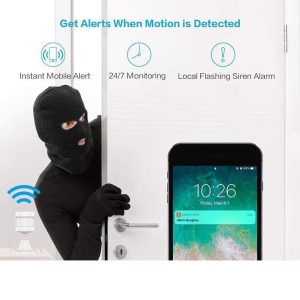
Zigbee PIR sensor installation in home corner
Tuya Zigbee PIR sensor mounted on wall corner for smart motion lighting

Cheaper than a smart garage door opener. Solves a real problem.

Where to Mount Them (and Where NOT To)
After installing these in three homes, here’s what actually works:

Hallway corners (8 feet up, angled down)
Above the front door, pointing at the walkway
Inside the garage, facing the door
Stair landings (this is where I stubbed my toe)
Bad spots:

Facing a window (sunlight triggers false alerts)
Above a radiator or heating vent (heat confuses PIR)
Directly facing an HVAC vent (moving air = false alerts)
The detection angle is typically150°. That sounds narrow, but in practice, one sensor covers a 12×12 foot room from a corner mount.

How Long Do They Actually Last?
Marketing claims “up to 2 years.”

Real-world answer: 18 to 24 months depending on:

How often motion is triggered (busy hallway = more wake-ups)
How strong the Zigbee signal is (weak signal = sensor works harder)
Battery brand (cheap CR2450s die in 8 months, name-brand lasts 2 years)
Pro tip: replace the battery before it dies. When Zigbee sensors die, they usually don’t warn you — your automations just stop working one day, and you spend an hour figuring out why.

What You Need to Get Started
A Zigbee PIR motion sensor isn’t a standalone device. You need three things:

The sensor itself ($13–$20, depending on brand)
A Zigbee hub ($30–$60) — Tuya, Smart Life, Aqara, or Home Assistant all work
At least one smart bulb or smart switch to controlIf you’re starting from scratch, the total cost is around $80–$100 for a complete motion-activated lighting setup. That’s cheaper than a single smart bulb from the expensive brands — and it works in every room you add a sensor to.
The Real Reason You Should Buy One Tonight
Here’s the thing nobody tells you about smart home gadgets: most of them solve problems you don’t have.

A motion sensor is different. It solves a problem you already have:

The dark hallway at 2 a.m.
The front door you can’t see from the couch
The garage light you always forget to turn off
You don’t need a “smart home.” You need one motion sensor, in one spot, solving one annoying problem.

That Zigbee PIR motion sensor I stuck on the wall last week? It’s the cheapest thing in my smart home. And it’s the one I use every single day.

<section style=”padding:50px 20px; max-width:880px; margin:0 auto; font-family:inherit;”>
<h2 style=”color:#c8a464; font-size:28px;”>Get in Touch</h2>
<p style=”line-height:1.8;”>Reach us through any channel below — we reply within one business day.</p>
<ul style=”line-height:2; font-size:17px; list-style:none; padding:0;”>
<li>Email: <a href=”mailto:xingliaoshop@163.com”>xingliaoshop@163.com</a></li>
<li>WhatsApp: <a href=”https://wa.me/8617666669273″>+86 176 6666 9273</a></li>
<li>OEM / Domestic: <a href=”https://xingliaotech.com/”>xingliaotech.com</a></li>
<li>Shop: <a href=”https://xingliaoshop.com/shop/”>xingliaoshop.com</a></li>
</ul>
</section>
 

Posted on Leave a comment

Best_Smart_Rain_Sensor_2026

Best Smart Rain Sensor 2026: A Complete Buyer's Guide

As smart home ecosystems become more connected, homeowners are looking beyond cameras and doorbells for devices that protect their property from the elements. One of the most underrated additions to any connected home is a smart rain sensor.

Whether you want to protect an open skylight, automate garden irrigation, or simply receive an alert before a storm soaks your balcony, a WiFi or Zigbee rain sensor can save you money and stress. In this guide, we’ll explain what a smart rain sensor does, what features to look for, and why the Xingliao Tuya Smart Rain Sensor stands out as one of the best options available today.

What Is a Smart Rain Sensor?

A smart rain sensor is a compact device that detects rainfall or standing water and sends real-time notifications to your smartphone. Most models connect through 2.4GHz WiFi or Zigbee 3.0 and integrate with apps like Tuya Smart or Smart Life, allowing you to create automated scenes with other smart devices.

For example, when rain is detected, your sensor can trigger:

  • Window or skylight motors to close automatically
  • Smart curtains to retract
  • Outdoor awnings to fold in
  • Garden irrigation systems to pause
Tuya Smart Rain Sensor WiFi Zigbee - Xingliao Smart Home
Tuya Smart Rain Sensor – WiFi & Zigbee

This kind of home automation turns passive weather monitoring into active protection.

Why You Need a Smart Rain Sensor in 2026

Weather patterns are becoming less predictable. Even a short rainstorm can damage indoor furniture, electronics, or flooring if a window is left open. A WiFi rain detector gives you instant alerts no matter where you are, so you can react in seconds rather than hours.

Here are the top reasons homeowners are adding smart rain sensors to their setups:

  1. Real-time alerts — Know the moment rain starts.
  2. Automatic scene linkage — Connect with curtains, windows, sprinklers, and more.
  3. Energy efficiency — Pause irrigation when nature does the watering.
  4. Flood detection — Many models also detect standing water and leaks.
  5. Affordable protection — A small investment compared to water damage repair costs.

What to Look for in a Smart Rain Sensor

When comparing models, focus on these key features:

Connectivity

WiFi rain sensors connect directly to your router and are easy to set up. Zigbee rain sensors require a hub or gateway but offer more stable mesh networking and longer battery life. If you already use a Tuya Zigbee hub, the Zigbee version is often the better long-term choice.

App Compatibility

Look for sensors that work with Tuya Smart or Smart Life. These apps support thousands of devices and offer powerful automation rules, also known as scenes.

Battery Life

Battery-powered sensors are easier to install outdoors. WiFi models typically last around one year, while Zigbee models can last up to three years on two AAA batteries.

Detection Sensitivity

A good sensor should detect light rain quickly without false alarms from humidity. Look for models that advertise high-precision detection.

Build Quality

Outdoor installation requires a device that can handle temperature changes. A reliable operating range of -10°C to 50°C is ideal.

Xingliao Tuya Smart Rain Sensor: Best Value Pick

At Xingliao Smart Home, we designed our Tuya Smart Rain Sensor to deliver professional-grade weather awareness at a price that fits everyday budgets.

The Xingliao rain sensor offers:

  • 2-in-1 detection for both rainfall and water flooding
  • WiFi and Zigbee options to match your smart home setup
  • Smart Life / Tuya Smart app integration
  • Automatic scene linkage with windows, curtains, irrigation, and more
  • Compact design measuring just 70 × 24 × 21 mm
  • Long battery life — up to 1 year on WiFi, up to 3 years on Zigbee
  • Operating range of -10°C to 50°C for indoor or outdoor use

You can choose the version that fits your network: the WiFi model for simple setup, or the Zigbee model for stronger mesh performance and longer battery life.

Shop the Xingliao Smart Rain Sensor now at xingliaoshop.com.

How to Install and Use a Smart Rain Sensor

Installation is straightforward. Most models can be mounted on a window frame, balcony railing, or outdoor wall using the included bracket or adhesive backing.

After setup in the Tuya Smart app, create simple automations:

  • If rain detected → close smart window opener
  • If rain detected → pause irrigation timer
  • If rain detected → send push notification to phone

These automations run locally or through the cloud depending on your hub, giving you flexibility and reliability.

Smart Rain Sensor vs Traditional Rain Gauge

A traditional rain gauge only measures how much rain has fallen. A smart rain sensor tells you when rain starts, sends alerts, and triggers actions. For home automation, the smart sensor is the clear winner.

Final Thoughts: Is a Smart Rain Sensor Worth It?

If you own smart curtains, motorized windows, a sprinkler system, or an outdoor balcony, a smart rain sensor is one of the easiest ways to add real value to your smart home. It protects your property, reduces manual monitoring, and works quietly in the background.

For a reliable, affordable, and feature-rich option, the Xingliao Tuya Smart Rain Sensor is a top choice in 2026.

Ready to make your home weather-aware?

👉 Shop the Xingliao Smart Rain Sensor at xingliaoshop.com


Xingliao Smart Home — Smart Living for Everyone. Explore premium smart home devices, from intelligent security to climate-aware automation, at xingliaoshop.com.