How to Choose a Smart Door Sensor in 2026: The Tiny Device That Secures Everything
One opening. One alert. One line of defense you never knew you needed.
Wait — Is Your Home Actually Protected When You're Away?
Let's start with a simple test.
You're at work. Your kids are at school. Your front door is locked, windows closed, garage secured. You check your security camera app — everything looks fine. But here's the question:
How would you know if someone opened a window on the second floor?
Your camera covers the driveway. Your doorbell watches the porch. But what about the back window? The basement entry? The sliding door to the patio?
In 2026, 60% of break-ins happen through unsecured entry points — not the front door, but the window you left cracked for air, the side door you forgot to check, the garage door that didn't quite close.
A security camera sees what happens. A door sensor tells you something is happening — instantly.
So before you buy another camera that watches your driveway, let's talk about the unsung hero of home security: the smart door and window sensor.
The 2026 Smart Sensor Checklist: What Really Matters
1. Response Speed: Every Second Counts
When a door opens unexpectedly, you have a 3-second window to respond before an intruder is inside. Not 30 seconds. Not a minute. Three seconds.
2026 response time standards:
- Excellent: < 1 second from trigger to alert
- Good: 1-2 seconds
- Acceptable: 2-3 seconds
- Unacceptable: > 3 seconds
Why speed matters:
- Faster alert = faster reaction
- Instant sirens deter intruders immediately
- Real-time notifications let you call authorities while the event is happening, not after
The technology behind speed:
- WiFi 6 direct connection — no hub delay
- Local processing — alert generated on-device, not in the cloud
- Push notification priority — bypasses Do Not Disturb for security alerts
2. Connectivity: WiFi vs. Zigbee vs. Z-Wave
In 2026, sensors connect three ways. Each has trade-offs:
| Protocol | Pros | Cons | Best For |
|---|---|---|---|
| WiFi | No hub needed, direct to router, long range | Higher power use, network congestion | Standalone installations, renters |
| Zigbee 3.0 | Low power, mesh network, reliable | Requires hub/gateway | Integrated smart homes |
| Z-Wave | Dedicated frequency, less interference | Requires hub, declining ecosystem | Legacy installations |
| Matter/Thread | Universal standard, local-first | Still rolling out in 2026 | Future-proof builds |
Our recommendation for 2026: WiFi 6 sensors for simplicity, Zigbee 3.0 for integrated systems. Matter-compatible if you're building for 2027+.
3. Battery Life: Set It and Forget It
Nothing kills security faster than a dead sensor you forgot to check.
2026 battery life benchmarks:
- Poor: 3-6 months (constant replacement hassle)
- Average: 6-12 months (acceptable but annoying)
- Good: 1-2 years (set and forget)
- Excellent: 2+ years or USB-C rechargeable
What drains battery fast:
- Frequent false alarms (vibration sensitivity too high)
- Weak WiFi signal (sensor works harder to maintain connection)
- Cold temperatures (lithium batteries lose capacity below 0°C)
- Excessive polling (hub constantly asking for status)
Pro tip: Look for sensors with battery level alerts — notification when power drops below 20%, not sudden death.
4. Detection Accuracy: No More False Alarms
The #1 reason people disable security sensors? False alarms.
Common false alarm triggers:
- Wind rattling windows
- Heavy trucks passing by
- Temperature expansion/contraction
- Pets bumping doors
- Vibrations from appliances
2026 accuracy features:
- Adjustable sensitivity — dial in the perfect threshold
- Vibration filtering — distinguishes between door opening and door shaking
- Tamper detection — knows if someone tries to remove or block the sensor
- Temperature compensation — maintains accuracy from -10°C to 60°C
The 5-second rule: A quality sensor should distinguish between "door opened" and "door vibrated" within 5 seconds of analysis.
5. Integration: Does It Play Well With Others?
A sensor that only beeps is a doorbell, not a security device.
2026 integration must-haves:
- Smart home platforms: Alexa, Google Home, Apple HomeKit, SmartThings
- Security systems: Trigger cameras, sirens, lights automatically
- Automation engines: If door opens, then turn on lights + start recording + send alert
- IFTTT/Zapier: Connect to non-smart devices and services
Real-world automation examples:
- Front door opens at 11 PM → All lights turn on + Camera starts recording + Alert sent
- Window opens while away → AC turns off + Push notification + Siren arms after 30 seconds
- Garage door opens unexpectedly → Interior cameras activate + Phone call initiated
6. Installation: Magnetic vs. Mechanical
Magnetic sensors (most common):
- Two pieces: sensor body + magnet
- Install on door/window frame and moving part
- Gap tolerance: 2-3cm typical
- Pros: Easy install, no moving parts, reliable
- Cons: Visible, can be bypassed if gap is too large
Mechanical sensors (advanced):
- Single unit with internal accelerometer
- Detects vibration, tilt, or position change
- Pros: Hidden installation, harder to bypass
- Cons: More expensive, complex calibration
2026 recommendation: Magnetic for 90% of installations. Mechanical for high-security scenarios.
7. Form Factor: Invisible Security
The best security is security you don't see.
2026 design trends:
- Ultra-thin: < 10mm thickness, blends with door frame
- Neutral colors: White, black, silver — matches any decor
- Flexible mounting: Adhesive, screws, or magnetic attachment
- Indoor/outdoor rated: IP54 minimum for exterior doors/windows
Size matters: A sensor the size of a pack of gum is better than one the size of a smartphone. Smaller = more placement options = better security coverage.
8. Notification Options: More Than Just a Beep
When something happens, how do you want to know?
2026 notification methods:
- Push notification — phone buzz, instant awareness
- SMS text — works even without internet
- Phone call — automated call with voice alert
- Email — detailed log with timestamps
- Smart speaker — "Front door opened" announced throughout house
- Strobe light — visual alert for hearing-impaired
- Siren — 110dB deterrent, programmable delay
The best sensors offer tiered alerts:
- Immediate: Push notification
- 30 seconds: SMS if not acknowledged
- 60 seconds: Phone call if still not acknowledged
- 120 seconds: Siren activates, authorities notified
The Hidden Costs of Cheap Sensors
That $9 sensor on Amazon looks tempting. Here's the real cost:
| Cost Factor | Cheap Sensor | Quality Sensor |
|---|---|---|
| Purchase price | $9 | $25-40 |
| Battery replacements (3 years) | $15 (6 changes) | $0 (2+ year life) |
| False alarm stress | High | Low |
| Failed detection risk | Real | Minimal |
| App subscription | $3/month | $0 |
| 3-year total | $132 | $25-40 |
The $9 sensor isn't cheaper. It's just more expensive in frustration.
So, What's the Answer? One Sensor. One Network. Total Awareness.
After installing sensors in hundreds of homes, the pattern is clear: security isn't about cameras watching — it's about knowing instantly when something changes.
A camera records the break-in. A sensor prevents it.
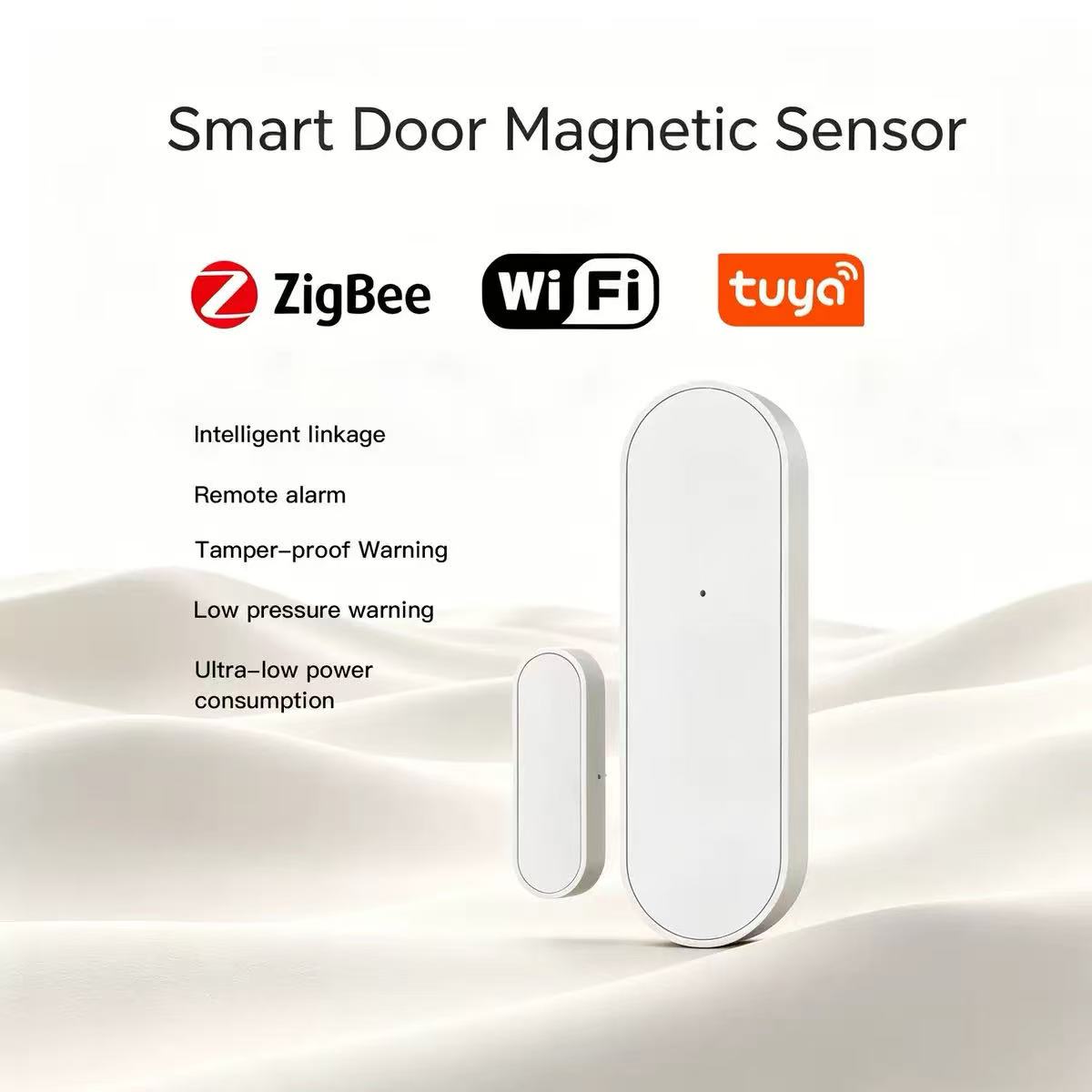
This is where the Tuya WiFi smart door sensor approach stands out in 2026. It's not just a magnetic switch with a WiFi chip — it's a complete entry-point awareness system.
The technical foundation:
- WiFi 6 direct connection — no hub, no bridge, no delay. Connects straight to your router
- < 1 second alert speed — from door opening to phone notification
- 2+ year battery life — set it and genuinely forget it
- Adjustable sensitivity — dial in the perfect balance of detection vs. false alarms
- Tuya Smart Life app — one app for sensors, cameras, lights, locks, everything
- Voice assistant ready — "Alexa, is the back door closed?"
But the real power? The ecosystem.
This sensor doesn't work alone — it works with:
- Smart cameras — door opens, camera starts recording instantly
- Smart lights — entry detected, pathway illuminates automatically
- Smart plugs — trigger any device: siren, radio, TV
- Smart displays — show door status on kitchen or bedroom screens
- Other sensors — create zones: "If any ground-floor sensor triggers, activate all defenses"
Real-world scenario:
It's 2 AM. You're asleep. A window in the guest bedroom opens.
Without sensors: Nothing. Maybe the camera catches something. Maybe not. You'll find out in the morning.
With Tuya sensors:
- 0.5 seconds: Sensor detects opening
- 1 second: Push notification hits your phone
- 2 seconds: Bedroom smart display shows "Guest bedroom window OPEN"
- 3 seconds: Hallway lights turn on at 10% brightness
- 5 seconds: Camera in guest bedroom starts recording
- 10 seconds: If not acknowledged, siren begins soft warning beep
- 30 seconds: If still not acknowledged, full 110dB alarm activates
You wake up informed, not surprised.
Final Verdict: What Should You Buy in 2026?
If you live in an apartment:
Start with front door + main window. Two sensors cover 80% of entry points. Add balcony door if applicable.
If you have a house:
Minimum six sensors: front door, back door, garage door, and three ground-floor windows. Add basement entry if you have one.
If you have a business:
Every entry point + stock room + cash handling area. Integrate with existing alarm system. Consider mechanical sensors for high-value areas.
If you want maximum security:
Sensors on every door and window, plus glass-break detectors, motion sensors, and cameras. Create layered zones with escalating responses.
If you want simplicity:
WiFi sensors, no hub, Tuya Smart Life app. Install in 5 minutes per sensor. Works with everything.
The Bottom Line
Choosing a smart door sensor in 2026 isn't about finding the cheapest device or the most features. It's about reliable awareness — knowing, instantly and accurately, when something in your home changes.
Ask the hard questions:
- Will this alert me before an intruder is inside?
- Will it work when my internet is slow?
- Will I remember to change the battery?
- Will it integrate with the devices I already own?
- Will my family actually use it?
Get those answers right, and that tiny sensor becomes the silent guardian of everything you care about.
One opening. One alert. One decision that keeps everything safe.
What's your current home security setup? Do you rely on cameras alone, or have you added sensors? Share your experience in the comments — I'd love to hear what's working (and what isn't) in your home.
Ready to secure every entry point? Explore the full range of Tuya WiFi smart door and window sensors and find your perfect fit.
Contact Xingliao (星廖) today:
- WhatsApp/WeChat: +86 17666669273
- Website: xingliao.com
- Email: info@xingliao.com
- Location: Shenzhen, China — Global shipping available
From single door sensors to complete home security systems — all built on the Tuya ecosystem with One Screen One System integration.
About the author: Smart home security consultant with 8+ years of experience designing entry-point protection systems for residential and commercial properties. Currently maintaining a 24-sensor network across two locations — zero false alarms in 18 months.