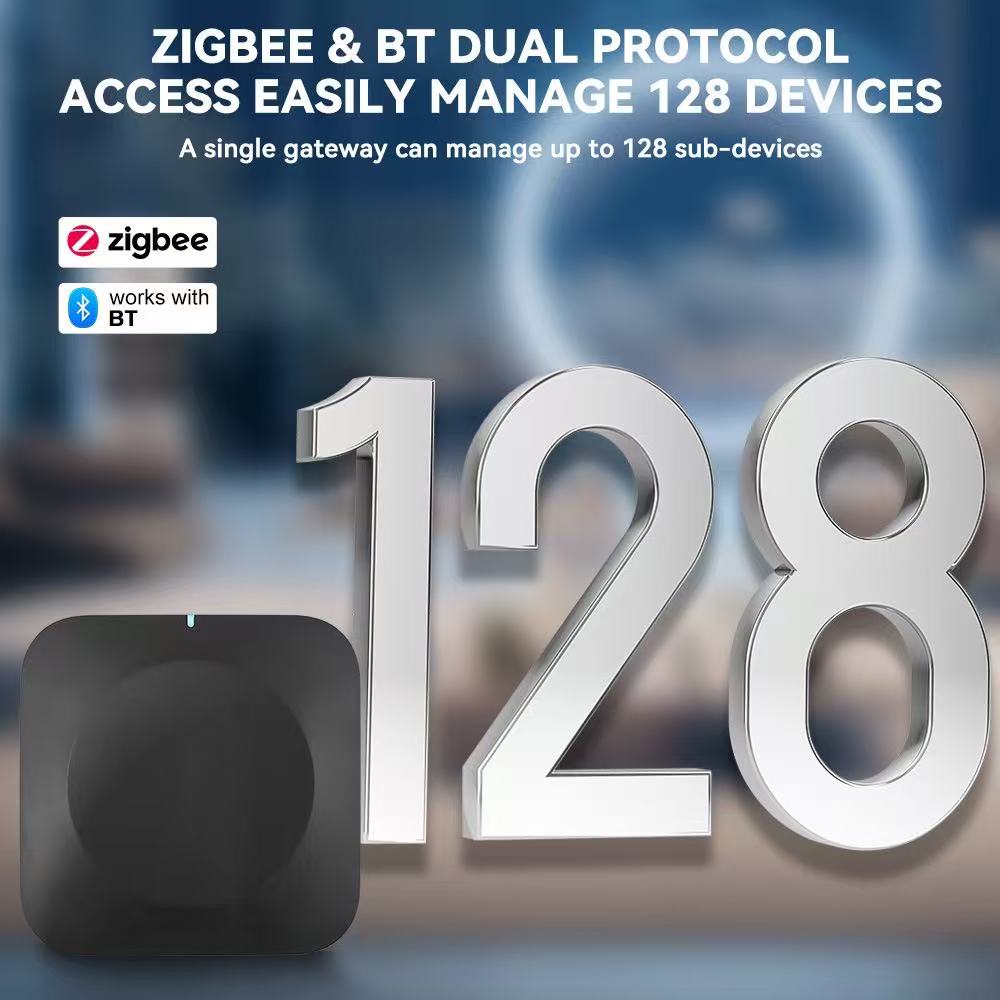
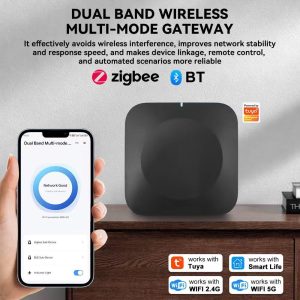
Xingliao Zigbee 3.0 smart gateway hub connected to mobile app for home automation control
Your smart home gateway is the brain of your entire system. Every light, sensor, lock, and switch connects through it. Pick the wrong one, and you’ll face dead zones, lag, or constant re-pairing headaches. Pick the right one, and your home runs like magic.
Zigbee 3.0 is the gold standard for smart home connectivity. It’s fast, secure, and uses so little power that battery devices last for years. But here’s the decision most buyers miss: wired or wireless gateway?
Wired Gateway: The Powerhouse
A wired Zigbee 3.0 gateway connects via Ethernet cable. It’s the heavy-duty option built for serious smart homes.
Best for:
Large homes with 50+ devices
Users who want maximum stability
Smart home enthusiasts expanding their ecosystem
The numbers: Supports up to 130 connected devices. That’s enough for every room, every sensor, every switch in a multi-story house.
Pros:
Rock-solid connection. No Wi-Fi interference, no dropouts.
Faster response times. Commands travel through cable, not air.
Handles massive device loads without slowing down.
Works even if your Wi-Fi router acts up.
Cons:
Needs an Ethernet port nearby.
Less flexible placement. You’re tied to the cable.
Wireless Gateway: The Flexible Starter
A wireless Zigbee 3.0 gateway connects through Wi-Fi. It’s the plug-and-play option for getting started fast.
Best for:
Apartments and small homes
Renters who can’t run cables
Beginners testing smart home waters
The numbers: Supports 30-40 connected devices. Perfect for a few rooms of automation.
Compact palm-sized Zigbee 3.0 gateway hub with minimalist design
Pros:
Place it anywhere. No cable restrictions.
Setup in minutes. Plug in, connect to Wi-Fi, done.
Easy to relocate if you rearrange your space.
Cons:
Dependent on Wi-Fi quality. Weak router = weak gateway.
Fewer devices supported. Hitting the limit means buying a second hub.
Quick Decision Table
Your Situation
Choose
1-2 bedrooms, under 30 devices
Wireless Gateway
3+ bedrooms, 30+ devices, or planning to expand
Wired Gateway
Mix of wired and wireless devices
Wired Gateway (more future-proof)
Unreliable Wi-Fi in your area
Wired Gateway
Renting, can’t modify walls
Wireless Gateway
What Both Gateways Share
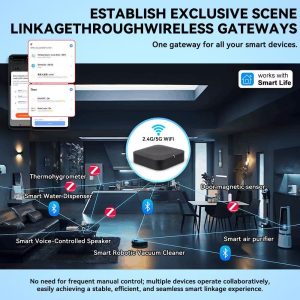
Zigbee 3.0 mesh network connecting sensors lights switches and locks
Whether wired or wireless, Zigbee 3.0 gateways from Xingliao include the same core strengths:
AES-128 encryption — Bank-level security on every command
Mesh networking — Each powered device extends your network, killing dead zones
Offline operation — Automations keep running even when internet drops
Ultra-low power — Battery sensors last months to years
Sub-second response — Lights on the moment you enter the room
Our Recommendation
Start with where you are, plan for where you’re going.
If you’re automating a single apartment or starter home, the wireless gateway gets you running today. If you’re building a whole-house system or know you’ll keep adding devices, the wired gateway saves you from upgrading later.
Either way, both connect seamlessly into the Xingliao smart home ecosystem at xingliaoshop.com. Questions about your specific setup? Reach us on WhatsApp +86 176 6666 9273 or email xingliaoshop@163.com. For Chinese-language support and factory-direct inquiries, visit xingliaotech.com.
Ready to Build Your Smart Home?
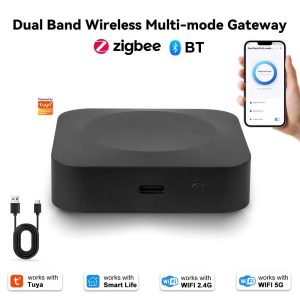
Package includes gateway hub USB-C cable Ethernet cable and quick start guide
Browse the full Xingliao Smart Home collection at xingliaoshop.com — gateways, sensors, switches, and everything to connect them.
Either way, both connect seamlessly into the Xingliao smart home ecosystem at xingliaoshop.com. Questions about your specific setup? Reach us on WhatsApp +86 176 6666 9273 or email xingliaoshop@163.com. For Chinese-language support and factory-direct inquiries, visit xingliaotech.com.
In today’s smart home world, one of the most common frustrations is that <strong>your existing remote-controlled appliances don’t speak WiFi</strong>. Your TV, air conditioner, fan, set-top box, and other IR devices still rely on their old infrared remotes. The <strong>Tuya Smart ZigBee IR Remote Controller S11</strong> solves this elegantly — combining a ZigBee gateway, a universal IR blaster, and a built-in temperature & humidity sensor in one compact device.
This all-in-one device works with <strong>Tuya Smart Life APP</strong>, <strong>Amazon Alexa</strong>, and <strong>Google Home</strong>, turning your traditional home into a fully connected smart home. Whether you want to control your AC before arriving home, schedule your TV to auto-off at bedtime, or build whole-home automation with ZigBee sensors, this little black box delivers premium smart home control at an accessible price.
<h2>Why the Tuya ZigBee IR Remote S11 Stands Out</h2>
Tuya Smart ZigBee IR Remote Controller S11 – universal IR remote control with built-in temperature & humidity sensor. Works with Tuya Smart Life, Amazon Alexa, and Google Home.
<img src=”https://PLACEHOLDER_IMAGE_1_URL” alt=”Tuya Smart ZigBee IR Remote Controller S11 universal remote main image” />
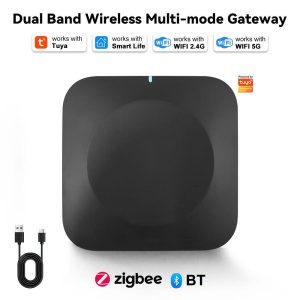
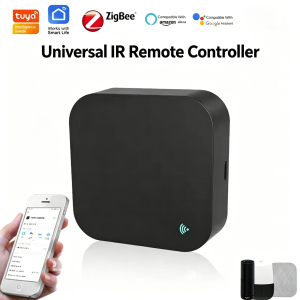
The first thing you’ll notice about the Tuya ZigBee IR Remote S11 is its <strong>sleek, minimalist design</strong>. The compact matte black square housing with rounded corners features a small blue WiFi status LED indicator on the front and a Micro USB port on the back. The device is officially certified for <strong>Tuya Intelligence Inside</strong>, <strong>Works with Smart Life</strong>, <strong>ZigBee 3.0</strong>, <strong>Amazon Alexa</strong>, and <strong>Google Assistant</strong> — ensuring seamless integration with your existing smart home ecosystem.
Despite its tiny 32.5g footprint, this device packs three powerful functions: a <strong>ZigBee 3.0 gateway</strong> for connecting hundreds of smart home sensors, a <strong>360-degree universal IR blaster</strong> for controlling all your traditional IR appliances, and a <strong>built-in temperature & humidity sensor</strong> for environmental monitoring and smart triggers.
<h3>1. Whole Linkage of Your Smart Home — ZigBee Gateway Function</h3>
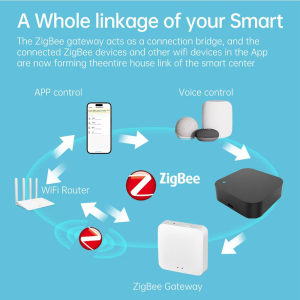
Tuya ZigBee IR Remote S11 serves as a whole linkage hub for your smart home — connect APP control and voice control to ZigBee subdevices via the ZigBee gateway.
<img src=”https://PLACEHOLDER_IMAGE_2_URL” alt=”Tuya ZigBee IR Remote S11 whole linkage of your smart home gateway diagram” />
The S11 serves as a <strong>ZigBee smart home gateway</strong> — the central hub that connects and controls all your ZigBee-compatible devices. As the diagram shows, the gateway acts as a connection bridge: user commands from <strong>APP control</strong> (via smartphone) and <strong>Voice control</strong> (via smart speakers like Google Home and Amazon Echo) are received and routed through the Tuya cloud, then transmitted to the ZigBee gateway, which broadcasts commands to all connected ZigBee subdevices.
With one device, you can connect:
<ul>
<li><strong>ZigBee sensors</strong> — door/window sensors, motion sensors, temperature/humidity sensors, water leak sensors</li>
<li><strong>ZigBee smart switches and dimmers</strong> — for lights, fans, and appliances</li>
<li><strong>ZigBee smart bulbs and LED strips</strong> — for whole-home lighting control</li>
<li><strong>ZigBee smart locks and security devices</strong> — for home security integration</li>
<li><strong>WiFi smart devices</strong> — for hybrid ZigBee + WiFi ecosystems</li>
</ul>
Instead of buying multiple hubs for different brands, this single device serves as the unified control center for your entire smart home.
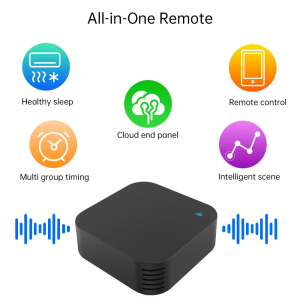
Tuya ZigBee IR Remote S11 combines 5 all-in-one remote functions: healthy sleep, remote control, cloud end panel, multi group timing, and intelligent scene.
<img src=”https://PLACEHOLDER_IMAGE_3_URL” alt=”Tuya ZigBee IR Remote S11 all-in-one remote five smart functions” />
The Tuya IR Remote combines <strong>five powerful smart home functions</strong> into one compact device, as illustrated in the feature overview:
<ul>
<li><strong>Healthy Sleep</strong> — schedule air conditioners, lights, and bedroom devices for optimal sleep environments</li>
<li><strong>Remote Control</strong> — control all your IR appliances from anywhere via smartphone</li>
<li><strong>Cloud End Panel</strong> — automatic cloud-based device matching for instant setup with thousands of brands</li>
<li><strong>Multi Group Timing</strong> — set up multiple schedule groups for different rooms and routines</li>
<li><strong>Intelligent Scene</strong> — create automation scenarios that trigger multiple devices at once</li>
</ul>
Whether you’re looking to control a single TV or build a complex multi-room automation system, this device scales to fit your needs.
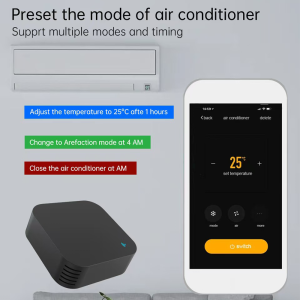
<h3>3. Preset Air Conditioner Modes — Multi-Mode & Timing</h3>
Tuya ZigBee IR Remote S11 supports preset air conditioner modes with multiple timing options — schedule temperature adjustments, defrost mode, and auto shutoff.
<img src=”https://PLACEHOLDER_IMAGE_4_URL” alt=”Tuya ZigBee IR Remote S11 preset air conditioner modes and timing” />
One of the most popular use cases is <strong>smart air conditioner control</strong>. The Tuya IR Remote supports multiple AC modes and timing functions, allowing you to preset commands like:
<ul>
<li><strong>Adjust the temperature to 25°C after 1 hour</strong> — perfect for falling asleep at a comfortable temperature then auto-adjusting through the night</li>
<li><strong>Change to Defrost mode at 4 AM</strong> — for energy-saving overnight cooling in winter</li>
<li><strong>Close the air conditioner at 6 AM</strong> — automatic shutoff when you wake up</li>
</ul>
The Tuya Smart Life APP provides a full virtual remote interface for your AC unit, with controls for temperature, fan speed, mode (cool, heat, dry, fan), timer, and all the functions you’d find on your original AC remote. No more getting out of bed to adjust the temperature!
<h3>4. Suitable for Multiple Scenes — Universal IR Appliance Compatibility</h3>
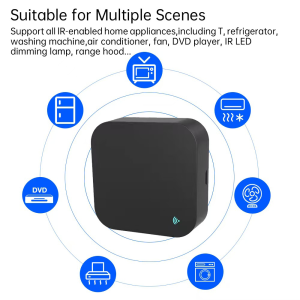
Tuya ZigBee IR Remote S11 is suitable for multiple scenes — supports TVs, refrigerators, washing machines, air conditioners, fans, DVDs, LED dimming lamps, and range hoods.
<img src=”https://PLACEHOLDER_IMAGE_5_URL” alt=”Tuya ZigBee IR Remote S11 suitable for multiple scenes universal IR appliance compatibility” />
The Tuya IR Remote S11 supports <strong>all IR-enabled home appliances</strong>, making it truly universal. As the image illustrates, it works seamlessly with:
<ul>
<li><strong>TVs</strong> — all major brands</li>
<li><strong>Refrigerators</strong> — IR-controlled smart fridges</li>
<li><strong>Washing Machines</strong> — IR-controlled models with remote start/stop</li>
<li><strong>Air Conditioners</strong> — full temperature and mode control for 99% of brands</li>
<li><strong>Fans</strong> — tower fans, ceiling fans, stand fans</li>
<li><strong>DVD Players</strong> — all major brands</li>
<li><strong>IR LED Dimming Lamps</strong> — smart lighting with IR control</li>
<li><strong>Range Hoods</strong> — kitchen exhaust fans with IR remotes</li>
</ul>
With the automatic cloud-based device matching, adding a new IR appliance takes just seconds — the APP recognizes your device brand and model, then downloads the corresponding IR code library automatically.
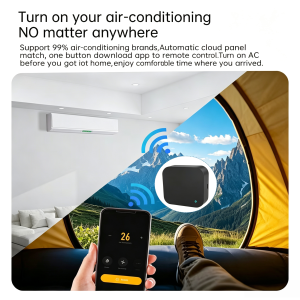
<h3>5. Turn On Your Air-Conditioning Anywhere — 99% Brand Compatibility</h3>
<img src=”https://PLACEHOLDER_IMAGE_6_URL” alt=”Tuya ZigBee IR Remote S11 turn on air conditioner anywhere 99 percent brand compatibility” />
Imagine this: it’s a hot summer day, and you’re camping in the mountains, hiking on a trail, or stuck at work late. With the Tuya IR Remote, you can <strong>turn on your home air co