Posted on Leave a comment

3-in-1 Smart Wall Light: Wireless Charging, Motion Sensor & Night Light for Every Room

<h2>The 3-in-1 Smart Wall Light: Your Perfect Nighttime Solution</h2>
<p>Walking in the dark is frustrating. Moreover, it can be dangerous. Therefore, you need a better solution. This 3-in-1 smart wall light is exactly what you need.</p>

<p>It combines motion sensing, wireless charging, and warm lighting. In addition, it requires no tools to install. As a result, you get instant convenience.</p>
<h2>Three Functions in One Compact Device</h2>
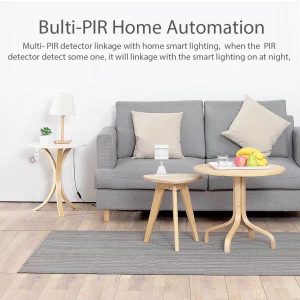
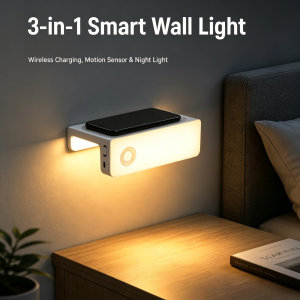
<p>First, the PIR motion sensor detects your movement automatically. Second, the Qi wireless pad charges your phone overnight. Third, the warm LED provides soft ambient lighting.</p>

<p>Furthermore, all three functions fit into one sleek ABS shell. Consequently, your nightstand stays clean and organized.</p>
<h2>Motion Sensor That Actually Works</h2>
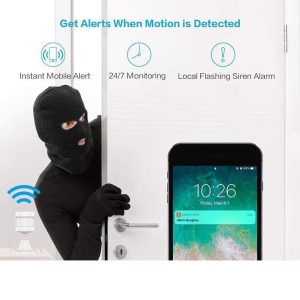
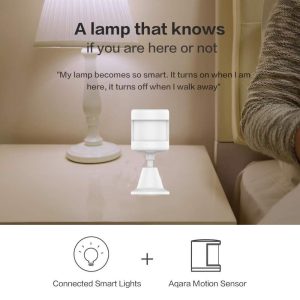
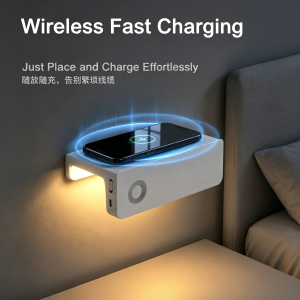
<p>The PIR sensor detects movement within 3 meters. Additionally, it covers a wide 150° angle. When you walk into the room, the light turns on instantly. Subsequently, it shuts off automatically when you leave.</p>

<p>Because of this, you never fumble for switches again. Similarly, you won’t wake your partner at night.</p>
<h2>Wireless Charging Made Effortless</h2>
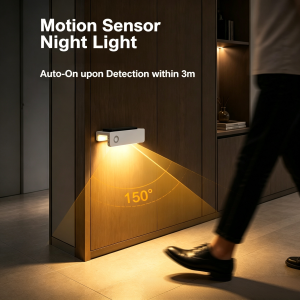
<p>Simply place your phone on top. Then, the Qi pad begins charging automatically. Meanwhile, the flat surface holds your device securely.</p>

<p>Therefore, your nightstand stays tidy. In contrast to traditional chargers, there are no cables to manage.</p>
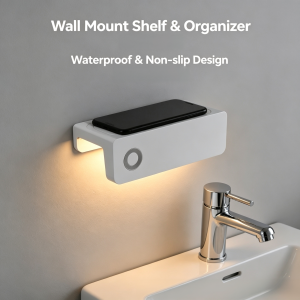
<h2>Two Light Modes for Any Situation</h2>
<p>You can choose bright warm white for reading. Alternatively, select soft ambient glow for nighttime navigation. The 3000K temperature is gentle on your eyes.</p>

<p>Consequently, it’s perfect for any mood. Whether you need task lighting or ambient glow, this light delivers.</p>
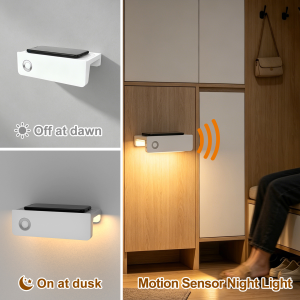
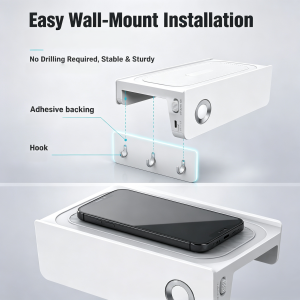
<h2>Tool-Free Installation in Seconds</h2>
<p>The adhesive backing sticks to any smooth wall. Moreover, the hook design keeps it firmly in place. If you want to move it, simply peel and re-stick elsewhere.</p>

<p>As a result, installation takes under one minute. In fact, no drilling or tools are required.</p>
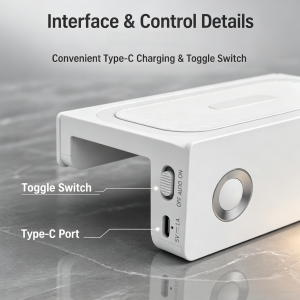
<h2>Simple, Intuitive Controls</h2>
<p>The Type-C port recharges the battery quickly. Additionally, the side toggle offers three modes: OFF, AUTO, or ON. Ultimately, one button controls everything.</p>

<p>Therefore, anyone can use it easily. Even children and elderly users find it straightforward.</p>
<h2>Perfect for Every Room in Your Home</h2>
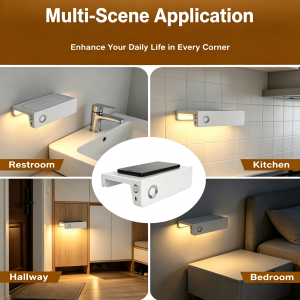
<p>Use this light in your bedroom, hallway, bathroom, kitchen, or staircase. Furthermore, the motion sensor works automatically in any space.</p>

<p>In summary, one light serves multiple rooms. Ultimately, you get endless convenience throughout your home.</p>
<h2>Technical Specifications</h2>
<table>
<tr><td>Light Source</td><td>LED</td></tr>
<tr><td>Power Consumption</td><td>0.7W</td></tr>
<tr><td>Color Temperature</td><td>3000K Warm White</td></tr>
<tr><td>Motion Sensor</td><td>PIR, 3 Meters / 150°</td></tr>
<tr><td>Battery Life</td><td>4+ Hours Continuous</td></tr>
<tr><td>Charging Port</td><td>USB Type-C</td></tr>
<tr><td>Wireless Charging</td><td>Qi-Compatible</td></tr>
<tr><td>Material</td><td>ABS</td></tr>
<tr><td>Installation</td><td>Adhesive, No Drilling</td></tr>
</table>

<h2>Final Verdict: Why This Light Stands Out</h2>
<p>This 3-in-1 device solves real everyday problems. First, the motion sensor eliminates fumbling for switches. Second, the wireless charger declutters your space. Third, the warm light provides safe nighttime navigation.</p>

<p><strong>Best for:</strong> Anyone wanting smarter, hands-free lighting.</p>

<p><strong>Key advantages:</strong> Truly wireless, tool-free installation, multi-room versatility, energy-efficient design, and modern aesthetics.</p>

<p>Ready to transform your nights? Add this smart wall light to your cart today.</p>
Posted on Leave a comment

Tuya WiFi Smart Socket EU 16A: The Ultimate Smart Plug for Energy Monitoring & Voice Control

Transform any ordinary appliance into a smart device with the <strong>Tuya WiFi Smart Socket EU 16A</strong>. This compact yet powerful smart plug plugs into any standard European outlet and instantly gives you full remote control via the <strong>Tuya Smart Life APP</strong> — from anywhere in the world. With built-in <strong>energy monitoring</strong>, <strong>voice control</strong> via Alexa and Google Home, and robust <strong>16A / 3520W power handling</strong>, it’s the perfect entry point into smart home automation.

Whether you want to schedule your coffee maker, monitor your electricity usage, or control devices with simple voice commands, this versatile smart socket delivers premium features at an affordable price. The high-power design even supports demanding appliances like water heaters, air conditioners, and washing machines.

<h2>Why the Tuya WiFi Smart Socket EU 16A Stands Out</h2>


<img src=”https://PLACEHOLDER_IMAGE_1_URL” alt=”Tuya WiFi Smart Socket EU 16A with energy monitoring and voice control main image” />

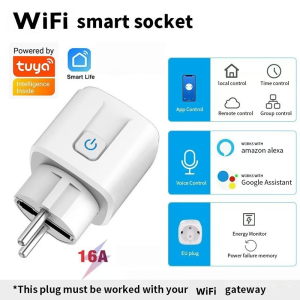
The first thing you’ll notice is the <strong>clean, compact design</strong> of this EU-style smart plug. The white housing features a subtle LED indicator and a physical power button for manual control when needed. Five official compatibility badges confirm its capabilities: <strong>Tuya Intelligence Inside</strong>, <strong>Smart Life APP</strong>, <strong>WiFi connectivity</strong>, <strong>Amazon Alexa</strong>, and <strong>Google Assistant</strong>.

Key features highlighted in the main image include: <strong>App Control</strong> for smartphone management, <strong>Local Control</strong> for Bluetooth operation without internet, <strong>Time Control</strong> for scheduling, <strong>Remote Control</strong> for worldwide access, <strong>Group Control</strong> for managing multiple devices, <strong>Voice Control</strong> for hands-free operation, <strong>Energy Monitor</strong> for tracking power usage, and <strong>Power Failure Memory</strong> to restore settings after outages. The <strong>16A high-current rating</strong> and <strong>EU plug design</strong> make it ideal for European households.

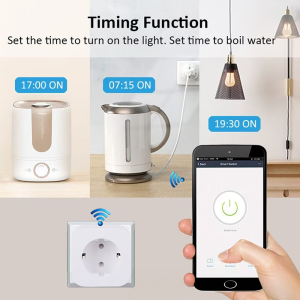
<h3>1. Timing Function — Automate Your Daily Routine</h3>


<img src=”https://PLACEHOLDER_IMAGE_2_URL” alt=”Tuya WiFi Smart Socket EU timing function for kettle and appliances scheduling” />

One of the most practical features is the <strong>intelligent timing function</strong>. As the image illustrates, you can set precise schedules for any connected appliance:

<ul>
<li><strong>17:00 ON</strong> — Turn on the humidifier before you arrive home</li>
<li><strong>07:15 ON</strong> — Start the electric kettle for your morning coffee</li>
<li><strong>19:30 ON</strong> — Automatically turn on living room lights at sunset</li>
</ul>

The <strong>countdown timer</strong> is equally useful — set your phone charger to turn off after 3 hours to prevent overcharging, or schedule the heater to run for exactly 2 hours before automatically shutting off. The Smart Life APP interface shows a large power button with clear on/off status, plus tabs for Switch, Countdown, and Timer functions. This scheduling capability helps you save energy, enhance security with simulated presence when away, and build automated routines that match your lifestyle.

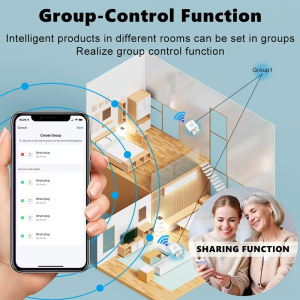
<h3>2. Group Control — Manage Multiple Devices with One Tap</h3>


<img src=”https://PLACEHOLDER_IMAGE_3_URL” alt=”Tuya WiFi Smart Socket EU group control multiple devices one tap” />

The <strong>group control feature</strong> transforms how you manage multiple smart devices. As shown in the bird’s-eye floor plan view, you can place Tuya smart sockets throughout your home — living room, bedroom, kitchen, dining room, and office — and control them all from a single interface.

Simply create a group in the Smart Life APP, assign your smart plugs to it, then <strong>turn all devices on or off with one click</strong>. This is perfect for:

<ul>
<li><strong>”All Lights” group</strong> — Turn off every lamp in the house at bedtime</li>
<li><strong>”Living Room” group</strong> — Activate entertainment devices with one tap</li>
<li><strong>”Heaters” group</strong> — Manage multiple space heaters for consistent warmth</li>
<li><strong>”Morning Routine” group</strong> — Turn on coffee maker, lights, and radio simultaneously</li>
</ul>

Group control eliminates the hassle of switching between individual device controls, making whole-home automation effortless for families of any size.

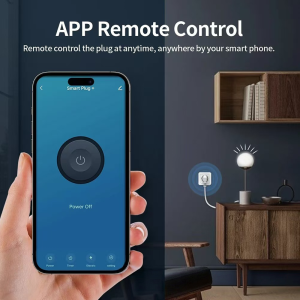
<h3>3. APP Remote Control — Your Home in Your Pocket</h3>


<img src=”https://PLACEHOLDER_IMAGE_4_URL” alt=”Tuya WiFi Smart Socket EU APP remote control from anywhere via smartphone” />

The <strong>APP remote control</strong> feature puts complete command of your home appliances in your smartphone. Whether you’re at work, on vacation, or simply in another room, you can check device status and control power with a single tap.

The Smart Life APP interface shown in the image features a large, intuitive power button with clear “Power Off” or “Power On” status display. Additional controls at the bottom include <strong>Power</strong> (instant on/off), <strong>Timer</strong> (schedule settings), <strong>Electric</strong> (energy monitoring), and <strong>Setting</strong> (device configuration). The visual demonstrates a modern living room scene where the smart socket controls a desk lamp — showing how seamlessly the device integrates into contemporary home decor while providing powerful smart functionality.

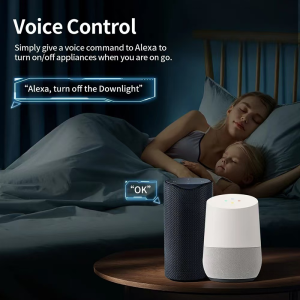
<h3>4. Voice Control — Hands-Free Smart Home</h3>


<img src=”https://PLACEHOLDER_IMAGE_5_URL” alt=”Tuya WiFi Smart Socket EU voice control with Alexa and Google Home” />

Perhaps the most convenient feature is <strong>full voice control integration</strong> with Amazon Alexa and Google Home. As the image shows, you can control devices hands-free from anywhere in your home — even from bed.

The example command <strong>”Alexa, turn off the Downlight”</strong> demonstrates natural language control that’s intuitive for the whole family. Both Amazon Echo and Google Home smart speakers are shown in the bedroom scene, confirming dual-platform compatibility. Simply say:

<ul>
<li>”Alexa, turn on the coffee maker”</li>
<li>”Hey Google, turn off the heater”</li>
<li>”Alexa, is the living room lamp on?”</li>
<li>”Hey Google, set the bedroom light timer for 30 minutes”</li>
</ul>

This hands-free control is perfect for when your hands are full, you’re relaxing, or for elderly family members and children who find smartphone apps challenging. The voice assistants respond instantly, making smart home control as easy as speaking.

<h3>5. Energy Monitoring — Track and Save on Electricity</h3>


<img src=”https://PLACEHOLDER_IMAGE_6_URL” alt=”Tuya WiFi Smart Socket EU energy monitoring with real-time power consumption chart” />

The built-in <strong>energy monitoring chip</strong> tracks real-time power consumption with precision accuracy, helping you understand and optimize your electricity usage. As the image shows, the Smart Life APP displays a detailed <strong>power consumption chart</strong> with kW measurements over time.

Posted on Leave a comment

How to Choose Between Wired and Wireless Zigbee 3.0 Gateway for Your Smart Home

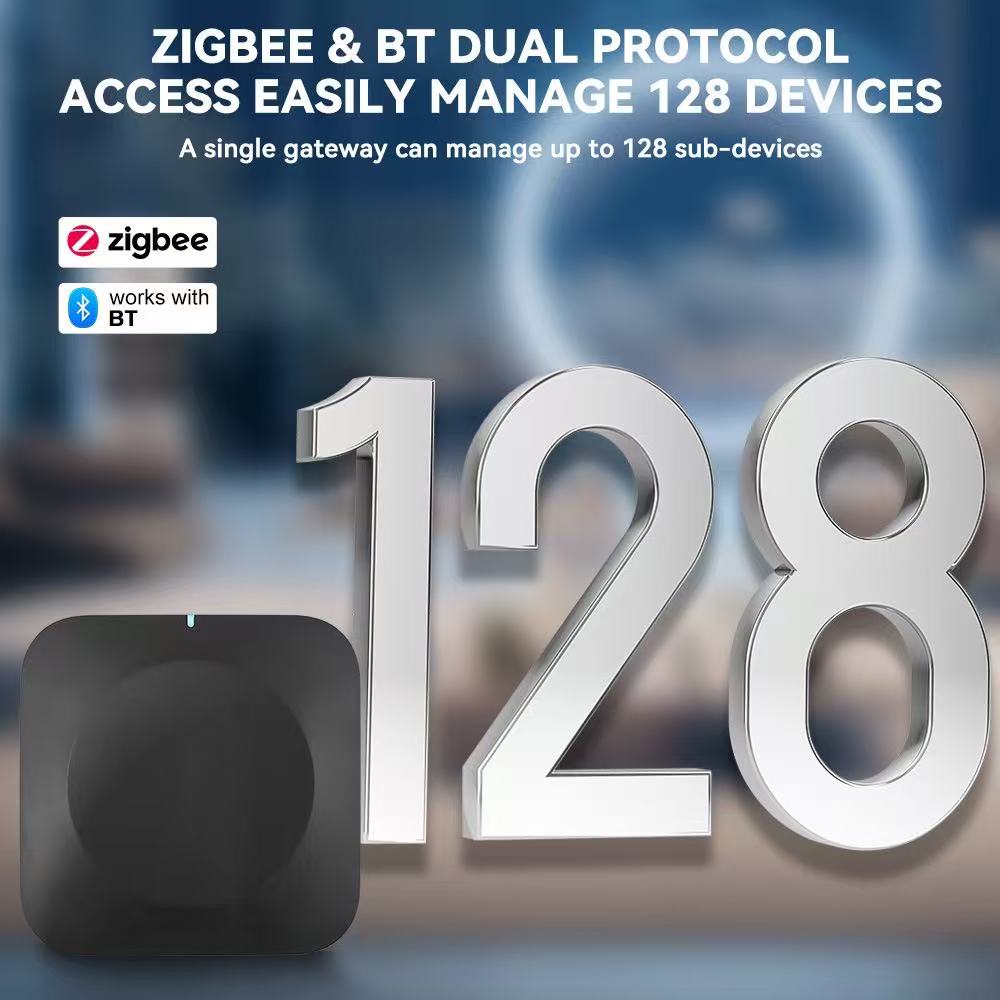
Zigbee 3.0 smart gateway hub supports 128 devices dual protocol access

Why Your Gateway Choice Matters

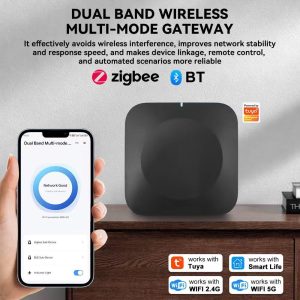
Zigbee 3.0 Smart Gateway Hub with mobile app control interface
Xingliao Zigbee 3.0 smart gateway hub connected to mobile app for home automation control

Your smart home gateway is the brain of your entire system. Every light, sensor, lock, and switch connects through it. Pick the wrong one, and you’ll face dead zones, lag, or constant re-pairing headaches. Pick the right one, and your home runs like magic.

Zigbee 3.0 is the gold standard for smart home connectivity. It’s fast, secure, and uses so little power that battery devices last for years. But here’s the decision most buyers miss: wired or wireless gateway?


Wired Gateway: The Powerhouse

A wired Zigbee 3.0 gateway connects via Ethernet cable. It’s the heavy-duty option built for serious smart homes.

Best for:

  • Large homes with 50+ devices
  • Users who want maximum stability
  • Smart home enthusiasts expanding their ecosystem

The numbers: Supports up to 130 connected devices. That’s enough for every room, every sensor, every switch in a multi-story house.

Pros:

  • Rock-solid connection. No Wi-Fi interference, no dropouts.
  • Faster response times. Commands travel through cable, not air.
  • Handles massive device loads without slowing down.
  • Works even if your Wi-Fi router acts up.

Cons:

  • Needs an Ethernet port nearby.
  • Less flexible placement. You’re tied to the cable.

Wireless Gateway: The Flexible Starter

A wireless Zigbee 3.0 gateway connects through Wi-Fi. It’s the plug-and-play option for getting started fast.

Best for:

  • Apartments and small homes
  • Renters who can’t run cables
  • Beginners testing smart home waters

The numbers: Supports 30-40 connected devices. Perfect for a few rooms of automation.

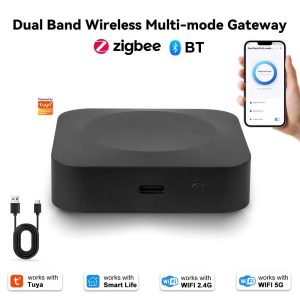
Zigbee 3.0 gateway hub front view compact design
Compact palm-sized Zigbee 3.0 gateway hub with minimalist design

Pros:

  • Place it anywhere. No cable restrictions.
  • Setup in minutes. Plug in, connect to Wi-Fi, done.
  • Easy to relocate if you rearrange your space.

Cons:

  • Dependent on Wi-Fi quality. Weak router = weak gateway.
  • Fewer devices supported. Hitting the limit means buying a second hub.

Quick Decision Table

Your Situation Choose
1-2 bedrooms, under 30 devices Wireless Gateway
3+ bedrooms, 30+ devices, or planning to expand Wired Gateway
Mix of wired and wireless devices Wired Gateway (more future-proof)
Unreliable Wi-Fi in your area Wired Gateway
Renting, can’t modify walls Wireless Gateway

What Both Gateways Share

Zigbee mesh network multiple smart devices connected
Zigbee 3.0 mesh network connecting sensors lights switches and locks

Whether wired or wireless, Zigbee 3.0 gateways from Xingliao include the same core strengths:

  • AES-128 encryption — Bank-level security on every command
  • Mesh networking — Each powered device extends your network, killing dead zones
  • Offline operation — Automations keep running even when internet drops
  • Ultra-low power — Battery sensors last months to years
  • Sub-second response — Lights on the moment you enter the room

Our Recommendation

Start with where you are, plan for where you’re going.

If you’re automating a single apartment or starter home, the wireless gateway gets you running today. If you’re building a whole-house system or know you’ll keep adding devices, the wired gateway saves you from upgrading later.

Either way, both connect seamlessly into the Xingliao smart home ecosystem at xingliaoshop.com. Questions about your specific setup? Reach us on WhatsApp +86 176 6666 9273 or email xingliaoshop@163.com. For Chinese-language support and factory-direct inquiries, visit xingliaotech.com.


Ready to Build Your Smart Home?

Zigbee gateway hub package contents unboxing
Package includes gateway hub USB-C cable Ethernet cable and quick start guide

Browse the full Xingliao Smart Home collection at xingliaoshop.com — gateways, sensors, switches, and everything to connect them.


Either way, both connect seamlessly into the Xingliao smart home ecosystem at xingliaoshop.com. Questions about your specific setup? Reach us on WhatsApp +86 176 6666 9273 or email xingliaoshop@163.com. For Chinese-language support and factory-direct inquiries, visit xingliaotech.com.

Posted on Leave a comment

Tuya ZigBee IR Remote

In today’s smart home world, one of the most common frustrations is that <strong>your existing remote-controlled appliances don’t speak WiFi</strong>. Your TV, air conditioner, fan, set-top box, and other IR devices still rely on their old infrared remotes. The <strong>Tuya Smart ZigBee IR Remote Controller S11</strong> solves this elegantly — combining a ZigBee gateway, a universal IR blaster, and a built-in temperature & humidity sensor in one compact device.

This all-in-one device works with <strong>Tuya Smart Life APP</strong>, <strong>Amazon Alexa</strong>, and <strong>Google Home</strong>, turning your traditional home into a fully connected smart home. Whether you want to control your AC before arriving home, schedule your TV to auto-off at bedtime, or build whole-home automation with ZigBee sensors, this little black box delivers premium smart home control at an accessible price.

<h2>Why the Tuya ZigBee IR Remote S11 Stands Out</h2>

Tuya Smart ZigBee IR remote controller S11 universal remote with Alexa and Google Home
Tuya Smart ZigBee IR Remote Controller S11 – universal IR remote control with built-in temperature & humidity sensor. Works with Tuya Smart Life, Amazon Alexa, and Google Home.

<img src=”https://PLACEHOLDER_IMAGE_1_URL” alt=”Tuya Smart ZigBee IR Remote Controller S11 universal remote main image” />

The first thing you’ll notice about the Tuya ZigBee IR Remote S11 is its <strong>sleek, minimalist design</strong>. The compact matte black square housing with rounded corners features a small blue WiFi status LED indicator on the front and a Micro USB port on the back. The device is officially certified for <strong>Tuya Intelligence Inside</strong>, <strong>Works with Smart Life</strong>, <strong>ZigBee 3.0</strong>, <strong>Amazon Alexa</strong>, and <strong>Google Assistant</strong> — ensuring seamless integration with your existing smart home ecosystem.

Despite its tiny 32.5g footprint, this device packs three powerful functions: a <strong>ZigBee 3.0 gateway</strong> for connecting hundreds of smart home sensors, a <strong>360-degree universal IR blaster</strong> for controlling all your traditional IR appliances, and a <strong>built-in temperature & humidity sensor</strong> for environmental monitoring and smart triggers.

<h3>1. Whole Linkage of Your Smart Home — ZigBee Gateway Function</h3>

Tuya ZigBee gateway S11 connecting smart home devices with APP and voice control
Tuya ZigBee IR Remote S11 serves as a whole linkage hub for your smart home — connect APP control and voice control to ZigBee subdevices via the ZigBee gateway.

<img src=”https://PLACEHOLDER_IMAGE_2_URL” alt=”Tuya ZigBee IR Remote S11 whole linkage of your smart home gateway diagram” />

The S11 serves as a <strong>ZigBee smart home gateway</strong> — the central hub that connects and controls all your ZigBee-compatible devices. As the diagram shows, the gateway acts as a connection bridge: user commands from <strong>APP control</strong> (via smartphone) and <strong>Voice control</strong> (via smart speakers like Google Home and Amazon Echo) are received and routed through the Tuya cloud, then transmitted to the ZigBee gateway, which broadcasts commands to all connected ZigBee subdevices.

With one device, you can connect:

<ul>
<li><strong>ZigBee sensors</strong> — door/window sensors, motion sensors, temperature/humidity sensors, water leak sensors</li>
<li><strong>ZigBee smart switches and dimmers</strong> — for lights, fans, and appliances</li>
<li><strong>ZigBee smart bulbs and LED strips</strong> — for whole-home lighting control</li>
<li><strong>ZigBee smart locks and security devices</strong> — for home security integration</li>
<li><strong>WiFi smart devices</strong> — for hybrid ZigBee + WiFi ecosystems</li>
</ul>

Instead of buying multiple hubs for different brands, this single device serves as the unified control center for your entire smart home.

<h3>2. All-in-One Remote — 5 Powerful Smart Functions</h3>

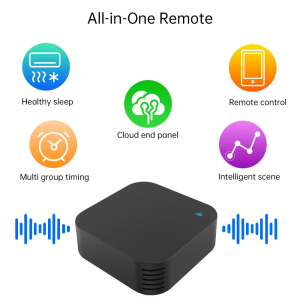
Tuya ZigBee IR remote S11 all-in-one remote with five smart functions
Tuya ZigBee IR Remote S11 combines 5 all-in-one remote functions: healthy sleep, remote control, cloud end panel, multi group timing, and intelligent scene.

<img src=”https://PLACEHOLDER_IMAGE_3_URL” alt=”Tuya ZigBee IR Remote S11 all-in-one remote five smart functions” />

The Tuya IR Remote combines <strong>five powerful smart home functions</strong> into one compact device, as illustrated in the feature overview:

<ul>
<li><strong>Healthy Sleep</strong> — schedule air conditioners, lights, and bedroom devices for optimal sleep environments</li>
<li><strong>Remote Control</strong> — control all your IR appliances from anywhere via smartphone</li>
<li><strong>Cloud End Panel</strong> — automatic cloud-based device matching for instant setup with thousands of brands</li>
<li><strong>Multi Group Timing</strong> — set up multiple schedule groups for different rooms and routines</li>
<li><strong>Intelligent Scene</strong> — create automation scenarios that trigger multiple devices at once</li>
</ul>

Whether you’re looking to control a single TV or build a complex multi-room automation system, this device scales to fit your needs.

<h3>3. Preset Air Conditioner Modes — Multi-Mode & Timing</h3>

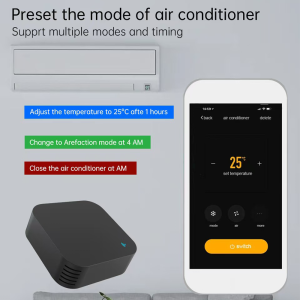
Tuya ZigBee IR remote S11 preset air conditioner modes with multi-mode timing
Tuya ZigBee IR Remote S11 supports preset air conditioner modes with multiple timing options — schedule temperature adjustments, defrost mode, and auto shutoff.

<img src=”https://PLACEHOLDER_IMAGE_4_URL” alt=”Tuya ZigBee IR Remote S11 preset air conditioner modes and timing” />

One of the most popular use cases is <strong>smart air conditioner control</strong>. The Tuya IR Remote supports multiple AC modes and timing functions, allowing you to preset commands like:

<ul>
<li><strong>Adjust the temperature to 25°C after 1 hour</strong> — perfect for falling asleep at a comfortable temperature then auto-adjusting through the night</li>
<li><strong>Change to Defrost mode at 4 AM</strong> — for energy-saving overnight cooling in winter</li>
<li><strong>Close the air conditioner at 6 AM</strong> — automatic shutoff when you wake up</li>
</ul>

The Tuya Smart Life APP provides a full virtual remote interface for your AC unit, with controls for temperature, fan speed, mode (cool, heat, dry, fan), timer, and all the functions you’d find on your original AC remote. No more getting out of bed to adjust the temperature!

<h3>4. Suitable for Multiple Scenes — Universal IR Appliance Compatibility</h3>

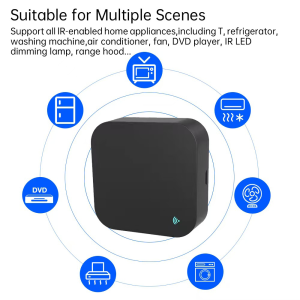
Tuya ZigBee IR remote S11 suitable for multiple scenes with all IR home appliances
Tuya ZigBee IR Remote S11 is suitable for multiple scenes — supports TVs, refrigerators, washing machines, air conditioners, fans, DVDs, LED dimming lamps, and range hoods.

<img src=”https://PLACEHOLDER_IMAGE_5_URL” alt=”Tuya ZigBee IR Remote S11 suitable for multiple scenes universal IR appliance compatibility” />

The Tuya IR Remote S11 supports <strong>all IR-enabled home appliances</strong>, making it truly universal. As the image illustrates, it works seamlessly with:

<ul>
<li><strong>TVs</strong> — all major brands</li>
<li><strong>Refrigerators</strong> — IR-controlled smart fridges</li>
<li><strong>Washing Machines</strong> — IR-controlled models with remote start/stop</li>
<li><strong>Air Conditioners</strong> — full temperature and mode control for 99% of brands</li>
<li><strong>Fans</strong> — tower fans, ceiling fans, stand fans</li>
<li><strong>DVD Players</strong> — all major brands</li>
<li><strong>IR LED Dimming Lamps</strong> — smart lighting with IR control</li>
<li><strong>Range Hoods</strong> — kitchen exhaust fans with IR remotes</li>
</ul>

With the automatic cloud-based device matching, adding a new IR appliance takes just seconds — the APP recognizes your device brand and model, then downloads the corresponding IR code library automatically.

<h3>5. Turn On Your Air-Conditioning Anywhere — 99% Brand Compatibility</h3>

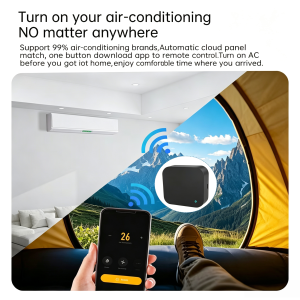
<img src=”https://PLACEHOLDER_IMAGE_6_URL” alt=”Tuya ZigBee IR Remote S11 turn on air conditioner anywhere 99 percent brand compatibility” />

Imagine this: it’s a hot summer day, and you’re camping in the mountains, hiking on a trail, or stuck at work late. With the Tuya IR Remote, you can <strong>turn on your home air co

Posted on Leave a comment

Turn Any IR Device into a Smart Home Gadget: Tuya WiFi USB IR Remote Controller Review

In today’s smart home era, one of the most frustrating experiences is realizing that your older TV, air conditioner, or fan doesn’t have WiFi connectivity — meaning you can’t control it with your voice or smartphone. The <strong>Tuya WiFi Smart USB IR Remote Controller</strong> solves this problem in seconds, turning any IR-controlled appliance into a fully connected smart device that works with Amazon Alexa, Google Assistant, and the Tuya Smart Life APP.

This compact, plug-and-play device is one of the most affordable and effective smart home upgrades you can buy. Whether you want to turn on the air conditioner before arriving home, control your TV with voice commands, or automate your home appliances with schedules and triggers, this little USB stick delivers premium functionality at a budget price.

<h2>Why the Tuya WiFi IR Remote Controller Stands Out</h2>

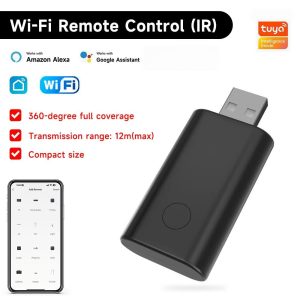
Tuya WiFi smart USB IR remote controller with Smart Life APP and 360 degree coverage
Tuya WiFi smart USB IR remote controller with Smart Life APP — 360 degree full coverage, 12m max transmission range, compatible with cameras and all IR appliances.

<img src=”https://PLACEHOLDER_IMAGE_1_URL” alt=”Tuya WiFi Smart USB IR Remote Controller with Smart Life APP” />

The first thing you’ll notice about the Tuya WiFi IR Remote Controller is its <strong>incredibly compact design</strong>. Measuring only <strong>61.5 × 14 × 28mm</strong> — smaller than a typical USB flash drive — this black matte device plugs directly into any USB power source without taking up valuable outlet space.

But the real magic happens once you pair it with the Tuya Smart Life APP. Suddenly, every IR appliance in your home — from your air conditioner to your TV, fan, lights, set-top box, projector, audio system, heater, and air purifier — becomes controllable from your smartphone or through voice commands.

<h3>1. Universal Remote Control App — Control Home Appliances from Anywhere</h3>

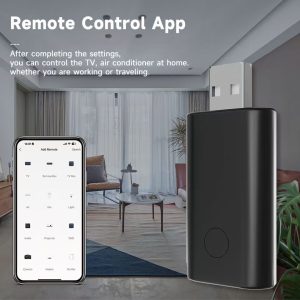
Tuya WiFi IR remote controlled by Smart Life APP for instant home appliance control anywhere
Tuya smart IR remote controller with Smart Life APP — turn on home appliances in one second from anywhere, no matter where you are or what you are doing.

<img src=”https://PLACEHOLDER_IMAGE_2_URL” alt=”Tuya Smart Life APP remote control for home appliances anywhere” />

The core feature of this Tuya IR remote is its ability to <strong>turn your smartphone into a universal remote</strong> through the Tuya Smart Life APP. After completing the simple one-time setup, you can control your TV, air conditioner, fan, lights, and other IR appliances from anywhere — whether you’re at work, traveling, or simply too comfortable on the couch to reach for a physical remote.

The Smart Life APP supports a wide range of device types including TVs, set-top boxes, TV boxes, air conditioners, fans, lights, audio systems, projectors, DVDs, cameras, heaters, and air purifiers. The clean, intuitive interface makes adding and managing each device a breeze.

<h3>2. Remotely Turn On the Air Conditioner — Comfort Before You Arrive Home</h3>

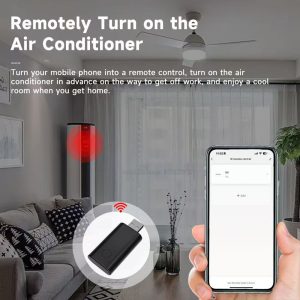
Tuya WiFi IR remote controller turning on air conditioner remotely via Smart Life app
Tuya Smart IR Remote – Remotely Control Your Air Conditioner

<img src=”https://PLACEHOLDER_IMAGE_3_URL” alt=”Remotely turn on air conditioner via Tuya Smart Life APP” />

One of the most popular use cases for the Tuya IR remote is <strong>remote air conditioner control</strong>. Imagine this: it’s a hot summer day, and you’re driving home from work. Instead of arriving to a stuffy, hot house, you can simply open the Smart Life APP and turn on your AC 30 minutes before you arrive. By the time you walk through the door, your home is perfectly cool and comfortable.

The same works in reverse during winter — pre-heat your home so you walk into a warm, cozy space. The IR remote’s <strong>360-degree full coverage</strong> and <strong>12-meter transmission range</strong> ensure reliable signal delivery to your AC unit regardless of where it’s mounted in the room.

<h3>3. Intelligent Timing Setting — Schedule Your Appliances Automatically</h3>

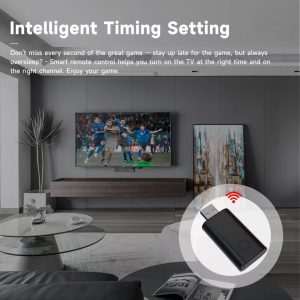
Tuya WiFi IR remote controller with intelligent timing setting for scheduled home appliance control
Tuya smart IR remote controller supports intelligent timing setting — schedule your home appliances to turn on or off automatically at specific times, with delay setting support.

<img src=”https://PLACEHOLDER_IMAGE_4_URL” alt=”Tuya IR remote intelligent timing setting for TV and appliances” />

Beyond simple remote control, the Tuya Smart Life APP offers <strong>powerful scheduling capabilities</strong>. You can set custom on/off schedules for any IR appliance — perfect for those who want to maintain a regular routine without manual operation.

For example, set your TV to automatically turn off at 10 PM every night to enforce a bedtime schedule for the kids. Or schedule your air conditioner to turn on at 6 AM during weekdays and 8 AM on weekends. The <strong>delay setting</strong> feature adds extra flexibility for users who need appliances to operate at specific intervals throughout the day.

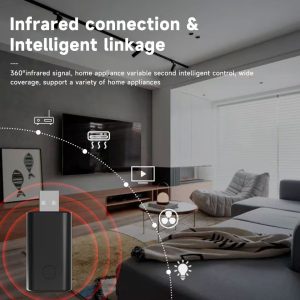
<h3>4. Infrared Connection & Intelligent Linkage — Smart Home Automation</h3>


<img src=”https://PLACEHOLDER_IMAGE_5_URL” alt=”Tuya IR remote infrared connection with multiple home appliances” />

The Tuya IR remote controller enables true <strong>smart home automation</strong> through its 360-degree infrared signal coverage. The device broadcasts IR commands in all directions with high-power LEDs, ensuring reliable communication with every IR-controlled appliance in the room — without line-of-sight positioning.

Create <strong>intelligent linkage scenarios</strong> by connecting different IR appliances together for one-tap control. For example, design a “Movie Night” scene that simultaneously turns on your TV, switches the input to HDMI 1, powers on the soundbar, and dims your smart lights. The possibilities are virtually limitless when combined with other Tuya-compatible smart home devices.

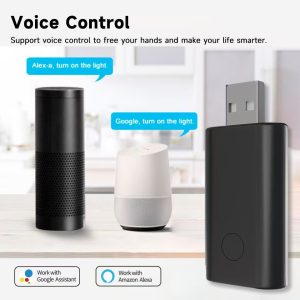
<h3>5. Voice Control — Hands-Free Smart Home with Alexa & Google Assistant</h3>


<img src=”https://PLACEHOLDER_IMAGE_6_URL” alt=”Tuya IR remote voice control with Alexa and Google Assistant” />

Perhaps the most compelling feature is <strong>full voice assistant compatibility</strong>. After simple setup in the Alexa or Google Home APP, you can control all your IR appliances through natural voice commands. The included “Work with Google Assistant” and “Work with Amazon Alexa” badges confirm official compatibility.

Imagine simply saying:

<ul>
<li>”Alexa, turn on the TV”</li>
<li>”Alexa, set the air conditioner to 72 degrees”</li>
<li>”Hey Google, turn off the fan”</li>
<li>”Hey Google, dim the living room lights”</li>
</ul>

This hands-free control makes the Tuya IR remote perfect for elderly family members, accessibility users, busy parents, or anyone who values convenience. No more searching for lost remotes — just speak your command and let the smart home handle the rest.

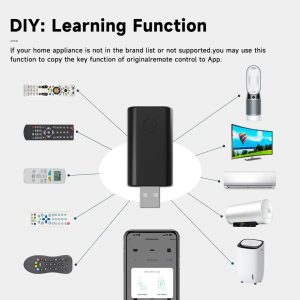
<h3>6. DIY Learning Function — Compatible with Any IR Remote</h3>


<img src=”https://PLACEHOLDER_IMAGE_7_URL” alt=”Tuya IR remote DIY learning function to copy any IR remote” />

What if your specific appliance brand isn’t in the Tuya device library? No problem. The <strong>DIY Learning Function</strong> allows the Tuya IR remote to copy IR signals directly from your original remote control. Simply point your existing remote at the Tuya device, press the button you want to copy, and the Smart Life APP will save the signal for future use.

This means virtually <strong>any IR-controlled appliance</strong> — even obscure or older models — can be controlled through the Smart Life APP. From vintage TVs to specialty fans, from smart light bulbs to projector screens, the learning function ensures maximum compatibility with your entire home setup.

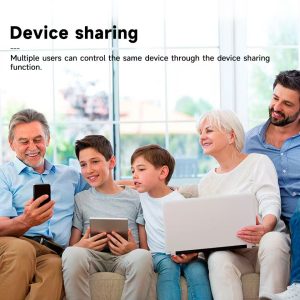
<h3>7. Device Sharing — Family-Friendly Smart Home Control</h3>


<img src=”https://PLACEHOLDER_IMAGE_8_URL” alt=”Tuy


Posted on Leave a comment

Xiaomi Smart Aromatherapy Diffuser

In today’s fast-paced world, finding moments of calm and relaxation at home has become more important than ever. Whether you’re winding down after a long workday, creating a soothing nursery environment, or simply want to elevate your daily routines, the <strong>Xiaomi Smart Aroma Diffuser</strong> offers a premium, tech-forward solution that combines intelligent control with elegant design.

This compact, beautifully designed device brings spa-quality aromatherapy into your home — and thanks to its seamless Mijia APP integration, smart scheduling, and whisper-quiet operation, it’s quickly becoming a favorite among modern home wellness enthusiasts.

<h2>Why the Xiaomi Smart Aroma Diffuser Stands Out</h2>

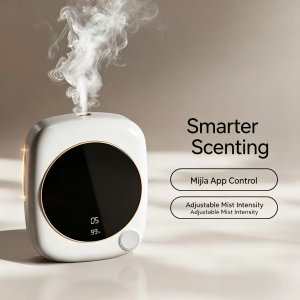
Xiaomi aroma diffuser with smart scenting APP control for home aromatherapy
Xiaomi smart aroma diffuser with intelligent scenting system — control mist, schedule timers, and customize scents via the Mi Home APP, adaptable to any home environment.

<img src=”https://PLACEHOLDER_IMAGE_1_URL” alt=”Xiaomi Smart Aroma Diffuser with mist output and LED display” />

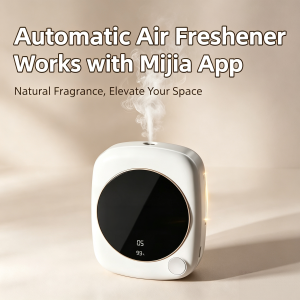
The first thing you’ll notice about the Xiaomi Smart Aroma Diffuser is its <strong>minimalist square design</strong>. The white housing with rose-gold accent ring fits seamlessly into any modern interior, while the soft-touch circular LED display keeps you informed of timer settings, humidity levels, and battery status at a glance.

But don’t let the small footprint fool you — this little powerhouse delivers impressive mist output through a single optimized nozzle, covering rooms up to 20 square meters with ultra-fine aromatic particles.

<h3>1. Smarter Scenting with Mijia APP Control</h3>

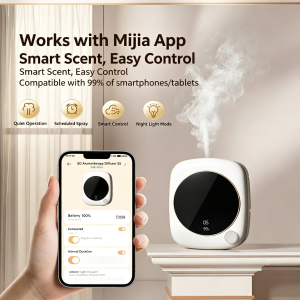
Xiaomi aroma diffuser working with Mijia app for smart scent control
Xiaomi smart aroma diffuser works seamlessly with the Mijia APP — control smart scenting and customize settings easily from your smartphone anywhere.

<img src=”https://PLACEHOLDER_IMAGE_2_URL” alt=”Xiaomi aroma diffuser APP control interface on smartphone” />

Unlike traditional diffusers that require manual button-pressing, the Xiaomi Smart Aroma Diffuser connects seamlessly to the <strong>Mijia / Xiaomi Home APP</strong> via WiFi. This unlocks a range of smart features:

<ul>
<li><strong>Remote on/off control</strong> — turn the diffuser on before you arrive home</li>
<li><strong>Adjustable mist intensity</strong> — customize the fragrance strength to your preference</li>
<li><strong>8-hour programmable timer</strong> — schedule automatic on/off cycles for daily routines</li>
<li><strong>Real-time monitoring</strong> — check water level and battery status from your phone</li>
<li><strong>Smart home integration</strong> — sync with other Xiaomi smart devices for automated routines</li>
</ul>

<h3>2. Smart Step-less Dimming & Sleepable Ambient Light</h3>

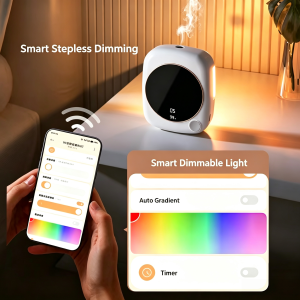
Xiaomi aroma diffuser APP controlling sleep mode and ambient light via smartphone
Xiaomi smart aroma diffuser with Mi Home APP — control sleep mode and ambient light color directly from your smartphone for personalized relaxation.

<img src=”https://PLACEHOLDER_IMAGE_3_URL” alt=”Xiaomi aroma diffuser smart dimmable light and sleep mode” />

One of the standout features is the <strong>smart dimmable ambient light</strong>. Using the Mijia APP, you can:

<ul>
<li>Choose from <strong>7+ color options</strong> to match any mood or room aesthetic</li>
<li>Activate <strong>Auto Gradient mode</strong> for smooth color transitions</li>
<li>Enable <strong>Sleep Mode</strong> with custom timer settings for restful aromatherapy</li>
<li>Adjust brightness step-lessly from soft glow to bright accent</li>
</ul>

Whether you want warm yellow for a cozy bedroom, calming blue for a nursery, or vibrant colors for a yoga session, the ambient light adapts to your needs.

<h3>3. Purifies & Deodorizes — Fills Your Home with Freshness</h3>

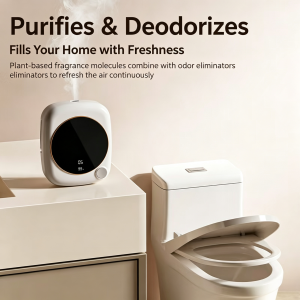
Xiaomi aroma diffuser purifies and deodorizes with Mi Home APP control and baby-safe mode
Xiaomi smart aroma diffuser purifies and deodorizes your home — Mi Home APP control, smart timing, RGB ambient light, baby-safe mode, whisper-quiet operation, and easy cleaning.

<img src=”https://PLACEHOLDER_IMAGE_4_URL” alt=”Xiaomi aroma diffuser purifies and deodorizes home air” />

The Xiaomi Smart Aroma Diffuser does more than just release pleasant scents — it actively <strong>purifies and deodorizes</strong> the air. The plant-based fragrance molecules combine with odor eliminators to refresh the air continuously, removing unwanted smells while filling your home with your favorite essential oil blends.

This dual function makes it perfect for:

<ul>
<li>Kitchens (eliminating cooking odors)</li>
<li>Bedrooms (neutralizing stale air)</li>
<li>Bathrooms (combating humidity smells)</li>
<li>Living rooms (creating a welcoming atmosphere for guests)</li>
</ul>

<h3>4. Works with Mijia App — Universal Compatibility</h3>


<img src=”https://PLACEHOLDER_IMAGE_5_URL” alt=”Xiaomi aroma diffuser compatible with Mijia APP and smartphones” />

One of the biggest advantages of the Xiaomi ecosystem is <strong>universal compatibility</strong>. The diffuser works seamlessly with 99% of smartphones and tablets, including both iOS and Android devices. No special adapter required — just download the Mijia APP, pair your device, and you’re ready to go.

Four core features accessible from the APP include:

<ul>
<li><strong>Quiet Operation</strong> — under 30dB whisper-quiet performance</li>
<li><strong>Scheduled Spray</strong> — automatic timer-based misting cycles</li>
<li><strong>Smart Control</strong> — full remote management from anywhere</li>
<li><strong>Night Light Mode</strong> — soft glow for bedroom use</li>
</ul>

<h3>5. Low Decibel Operation — Quiet Companion for Sleep</h3>

Xiaomi aroma diffuser with low decibel quiet operation beside sleeping baby
Xiaomi smart aroma diffuser operates at whisper-quiet low decibels — the perfect quiet companion for baby’s nursery, ensuring undisturbed sleep.

<img src=”https://PLACEHOLDER_IMAGE_6_URL” alt=”Xiaomi aroma diffuser low decibel quiet operation for baby’s sleep” />

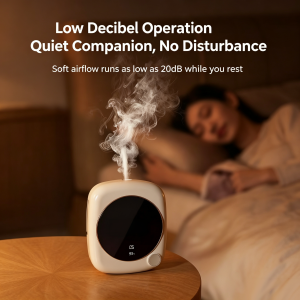
For light sleepers, babies, or anyone who values peace and quiet, the Xiaomi Smart Aroma Diffuser delivers <strong>soft airflow running as low as 20dB</strong> — quieter than a soft whisper. You can run it through the night without disturbing your sleep, your baby’s rest, or your partner’s relaxation.

The cool-mist ultrasonic technology also makes it safer than traditional steam diffusers, especially in nurseries and kids’ rooms.

<h3>6. Large Display, New Upgrade — Clear Status at a Glance</h3>

Xiaomi aroma diffuser with large clear display showing battery and mist levels
Xiaomi smart aroma diffuser features an upgraded large display — monitor mist levels and battery status at a glance, with simple operation and easy-to-read interface.

<img src=”https://PLACEHOLDER_IMAGE_7_URL” alt=”Xiaomi aroma diffuser large display showing battery and mist levels” />

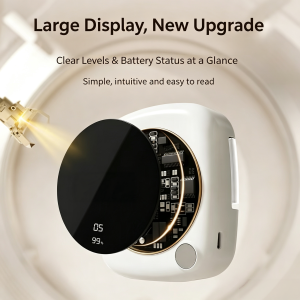
The <strong>upgraded large circular display</strong> is one of the most noticeable design improvements. From across the room, you can clearly see:

<ul>
<li>Current mist intensity level</li>
<li>Battery percentage remaining</li>
<li>Active timer countdown</li>
<li>Humidity reading</li>
<li>Connection status</li>
</ul>

The simple, intuitive interface means you don’t need to check the APP for basic status updates — everything is visible at a glance on the device itself.

<h3>7. 7 Fragrance Levels — Custom Scenting for Every Moment</h3>

Xiaomi aroma diffuser with 7 fragrance levels from strong to extra-strong continuous spray
Xiaomi smart aroma diffuser offers 7 adjustable fragrance levels — from Level 1 strong burst to Level 7 extra-strong continuous spray, all controlled via Mijia APP or manual button.

<img src=”https://PLACEHOLDER_IMAGE_8_URL” alt=”Xiaomi aroma diffuser 7 fragrance levels from strong to extra strong” />

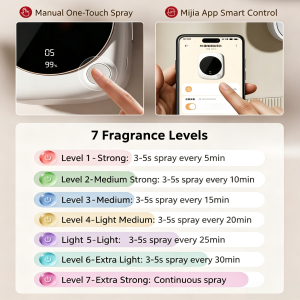
Whether you want a subtle background fragrance or a powerful continuous aromatherapy session, the Xiaomi Smart Aroma Diffuser offers <strong>7 adjustable fragrance levels</strong>:

<ul>
<li><strong>Level 1 (Strong):</strong> 3-5s spray every 5 minutes</li>
<li><strong>Level 2 (Medium Strong):</strong> 3-5s spray every 10 minutes</li>
<li><strong>Level 3 (Medium):</strong> 3-5s spray every 15 minutes</li>
<li><strong>Level 4 (Light Medium):</strong> 3-5s spray every 20 minutes</li>
<li><strong>Level 5 (Light):</strong> 3-5s spray every 25 minutes</li>
<li><strong>Level 6 (Extra Light):</strong> 3-5s spray every 30 minutes</li>
<li><strong>Level 7 (Extra Strong):</strong> Continuous spray</li>
</ul>

You can control this manually with the one-touch button on the device, or remotely through the Mijia APP — perfect for adjusting fragrance intensity based on room size, time of day, or personal preference.

<h2>Key Specifications</h2>

<table><tbody>
<tr><td><strong>Material</strong></td><td>ABS Plastic (BPA-Free)</td></tr>
<tr><td><strong>Battery</strong></td><td>1200-2000mAh Rechargeable</td></tr>
<tr><td><strong>Runtime</strong></td><td>Up to 12+ Hours</td></tr>
<tr><td><strong>Charging</strong></td><td>USB-C, 5V/2A</td></tr>
<tr><td><strong>Timer</strong></td><td>8-Hour Programmable</td></tr>
<tr><td><strong>Mist Output</strong></td><td>Single Nozzle, 30-50ml/h</td></tr>
<tr><td><strong>Coverage</strong></td><td>Up to 20㎡</td></tr>

Posted on Leave a comment

Tuya USB camera

<p></p>

<h1>Tuya USB Camera Review: A Tiny 3MP Plug-In Smart Camera That Actually Makes Sense</h1>

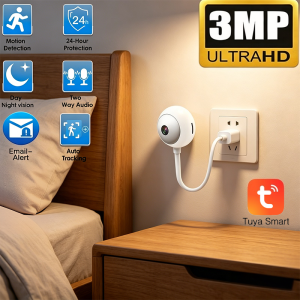
<p>If you’ve ever wished a security camera could just… plug into a wall outlet and start working — no drilling, no cables, no mess — the Tuya USB camera is built for exactly that. After several weeks of testing it as a baby monitor, a pet camera, and a casual home-security device, here’s everything you need to know before buying one.</p>

<h2>Why a USB Plug-In Camera Is Worth Considering</h2>

<p>Most home security cameras today are either battery-powered (great for outdoors, painful to charge) or wall-mounted with a thick power brick (great for fixed locations, terrible for renters). The Tuya USB camera takes a third path: a tiny egg-shaped unit with a built-in USB-A cable that you simply plug into any USB power source. Wall adapter, power bank, laptop — anything works.</p>

<p>What makes this design genuinely useful is how <em>invisible</em> the installation feels. There’s no app to set up for power, no screws, no cable to hide. You plug it in, scan the QR code in the Tuya Smart app, and you’re live.</p>

<p></p>

<h2>3MP Image Quality: Sharper Than You Expect for the Price</h2>

<p>Let’s talk specs first. The Tuya USB camera is a 3MP sensor (2304×1296) recording at 2K resolution, which puts it ahead of most 1080p cameras in the same price bracket. In real-world use, the extra resolution matters when you need to zoom into a detail later — a face, a pet’s collar tag, a package label.</p>

<p>The 4mm fixed lens gives a moderate wide-angle view that works well for a bedroom corner, a doorway, or a kitchen counter. It’s not a panoramic lens, so plan your placement accordingly. The camera also supports 4× digital zoom through the app, which is helpful when you want to inspect something specific without physically moving the camera.</p>

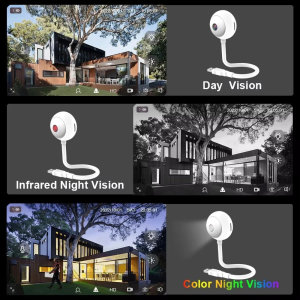
<h2>Day Vision, Infrared Night Vision, and Color Night Vision</h2>

<p>A pleasant surprise: the Tuya USB camera actually delivers three distinct viewing modes.</p>

<p><strong>Day Vision</strong> is sharp and natural-looking. Colors are accurate, motion is smooth, and there’s no over-sharpening that makes indoor scenes look artificial.</p>

<p><strong>Infrared Night Vision</strong> kicks in automatically when the lights go down, producing a clean black-and-white image. It’s not pitch-black cinematic night — it’s the kind of clear, readable footage you’d expect from a dedicated baby monitor. The 30m (98 ft) range is more than enough for indoor rooms and small yards.</p>

<p><strong>Color Night Vision</strong> is the standout. Thanks to dual-light LEDs (infrared + a small white spotlight), the camera can produce a full-color image even in very low light. For parents checking on sleeping kids, or anyone wanting to identify clothing colors and details at night, this is genuinely useful — not a gimmick.</p>

<p></p>

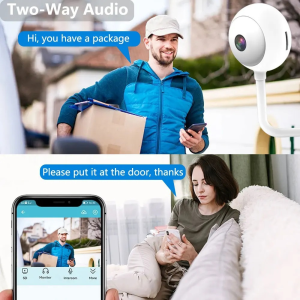
<h2>Two-Way Audio: Clear Enough to Calm a Crying Baby</h2>

<p>The built-in microphone and speaker are not just a checkbox feature here — they actually work. We tested the two-way audio as a baby monitor (parent unit in another room speaking into the phone), and the sound came through the camera cleanly enough to soothe a toddler back to sleep. There’s a small delay (typical for WiFi cameras), but no distortion or cut-out.</p>

<p>For everyday use, the two-way audio also handles practical jobs well: telling a delivery driver where to leave a package, calling the family to dinner, or scaring off an opportunistic cat on the kitchen counter.</p>

<p></p>

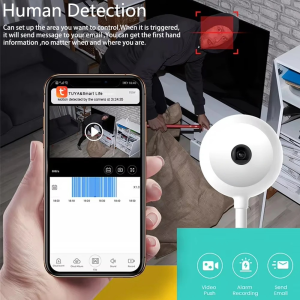
<h2>AI Human Detection and Auto-Tracking That Actually Works</h2>

<p>This is where most budget cameras fall apart — they detect every shadow and send you 200 useless alerts a day. The Tuya USB camera’s AI human detection is genuinely smarter.</p>

<p>You can set up a custom detection zone (only the front door, only the baby’s crib, only the kitchen entrance), and the camera filters out motion from pets, swaying curtains, and light changes. When a person actually enters the zone, you get a real-time push notification on your phone with a snapshot. From there, you can open the live feed, talk through the speaker, or trigger an alarm sound.</p>

<p>The auto-tracking feature follows the detected person as they move across the frame. It’s smooth, not jumpy, and re-centers the moment the person leaves the scene. For a camera in this price range, this is impressive.</p>

<p></p>

<h2>USB Convenient Interface: The Single Best Feature</h2>

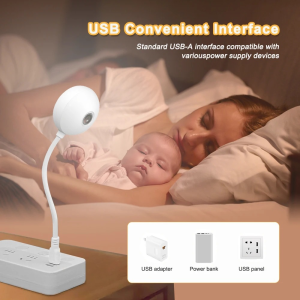
<p>Here’s the thing that makes this camera special: the <strong>USB Convenient Interface</strong>. The cable ends in a standard USB-A plug, which means you can power it from:</p>

<ul>
<li>The wall adapter that came with your old phone</li>
<li>A power bank (great for temporary setups, traveling, camping)</li>
<li>A laptop USB port (perfect for monitoring a room while you work)</li>
<li>A USB wall outlet panel (cleanest install)</li>
</ul>

<p>No proprietary connectors. No “you need to buy our specific adapter.” Just USB. This also makes it trivially easy to relocate the camera — unplug it, move it, plug it back in. Done.</p>

<h2>355° Pan &amp; 90° Tilt via the Flexible Neck — Almost a Pan-Tilt Camera</h2>

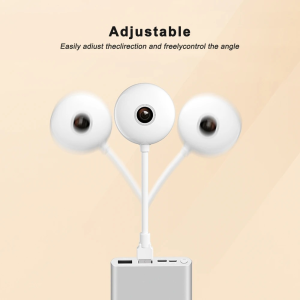
<p>Strictly speaking, the Tuya USB camera isn’t a motorized pan-tilt camera. But the <strong>flexible gooseneck arm</strong> between the camera head and the USB plug lets you manually point the camera in almost any direction — 355° horizontal pan, 90° vertical tilt — and then <em>adjust it again</em> whenever you need to.</p>

<p>In practice, this means you can aim it at the crib today, then re-aim it at the front door tomorrow, without unmounting anything. The neck is stiff enough to hold position but easy to bend with one hand.</p>

<p>If you want true motorized pan-tilt control from the app, you’ll need a different product. But for fixed-point monitoring that you occasionally re-aim, this design is honestly more reliable than a motorized mechanism that will eventually wear out.</p>

<p></p>

<h2>Storage: Local SD Card and Cloud, Both Supported</h2>

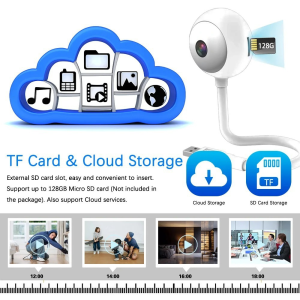
<p>The Tuya USB camera supports both <strong>TF card (microSD) storage up to 128GB</strong> and <strong>cloud storage</strong> through the Tuya app. Both can run simultaneously, which is the safest setup — local storage for quick playback, cloud storage as backup if the camera is tampered with or stolen.</p>

<p>128GB of microSD storage gives you roughly 10–14 days of continuous 2K recording, or longer with motion-only recording enabled. The cloud storage plan is optional and reasonably priced, but the camera works perfectly fine without it.</p>

<p></p>

<h2>The Free Tuya Smart App — No Subscription Required</h2>

<p>Unlike many “smart” cameras that lock basic features behind a monthly fee, the Tuya USB camera works fully without any subscription:</p>

<ul>
<li>Live streaming: free</li>
<li>Two-way audio: free</li>
<li>Motion/human detection alerts: free</li>
<li>Local recording playback: free</li>
<li>Multi-device sharing: free</li>
</ul>

<p>The Tuya Smart app (or Smart Life — they’re essentially the same platform) also ties into the wider Tuya ecosystem, so if
…(truncated)…

Posted on Leave a comment

Zigbee PIR Motion Sensor: A Smart Home Upgrade That Actually Works

Zigbee PIR sensor battery compartment

Last week I stubbed my toe on the bottom stair at 2 a.m. — again.

I’d been meaning to fix it for months. You know how it goes: install a smart light? Sure. Tomorrow. Wire a motion sensor? Maybe next weekend. The hallway stayed dark for another365 days.

Until I finally bought a $1*.** Zigbee PIR motion sensor and stuck it on the wall. The whole install took 90 seconds. The next morning, my staircase lit up like a runway every time I walked past.

That tiny moment — not stubbing my toe — was the win I’d been ignoring.

If you’ve ever:

Stumbled to the bathroom half-asleep
Wondered if the “noise” downstairs was just the cat
Wished your garage lights came on without you fishing for a switch
…a Zigbee PIR motion sensor fixes all three. Quietly. Reliably. Without you ever thinking about it again.

Let me explain how it actually works in a real home, and why this is one of the cheapest smart home upgrades you’ll ever make.

Tuya Zigbee PIR Human Motion Sensor - White
Tuya Zigbee 3.0 PIR human motion sensor, 150 degree wide angle detection up to 7 meters, CR2450 battery powered with 2 year battery life, works with Smart Life and Zigbee hubs

What Is a Zigbee PIR Motion Sensor?
A motion sensor with Zigbee wireless connectivity is exactly what it sounds like: a small white box that detects infrared (body heat) movement and tells your smart home system about it.

Two words matter here:

PIR = Passive Infrared. It sees body heat moving through its detection zone. People, pets, even large warm objects. It doesn’t emit anything — it just listens.

Zigbee = A low-power wireless protocol that your smart home hub uses to talk to sensors, lights, locks, and switches. Zigbee sensors run for years on a single coin battery because they sleep most of the time.

Combined, you get a motion sensor that lasts2 years on a CR2450 battery, costs under $15, and talks to every major smart home platform through one little hub.


Most product pages list ten “features” you don’t care about. Here’s what a motion sensor actually does in my house:

1. Automatic Night Lighting (the biggest win)
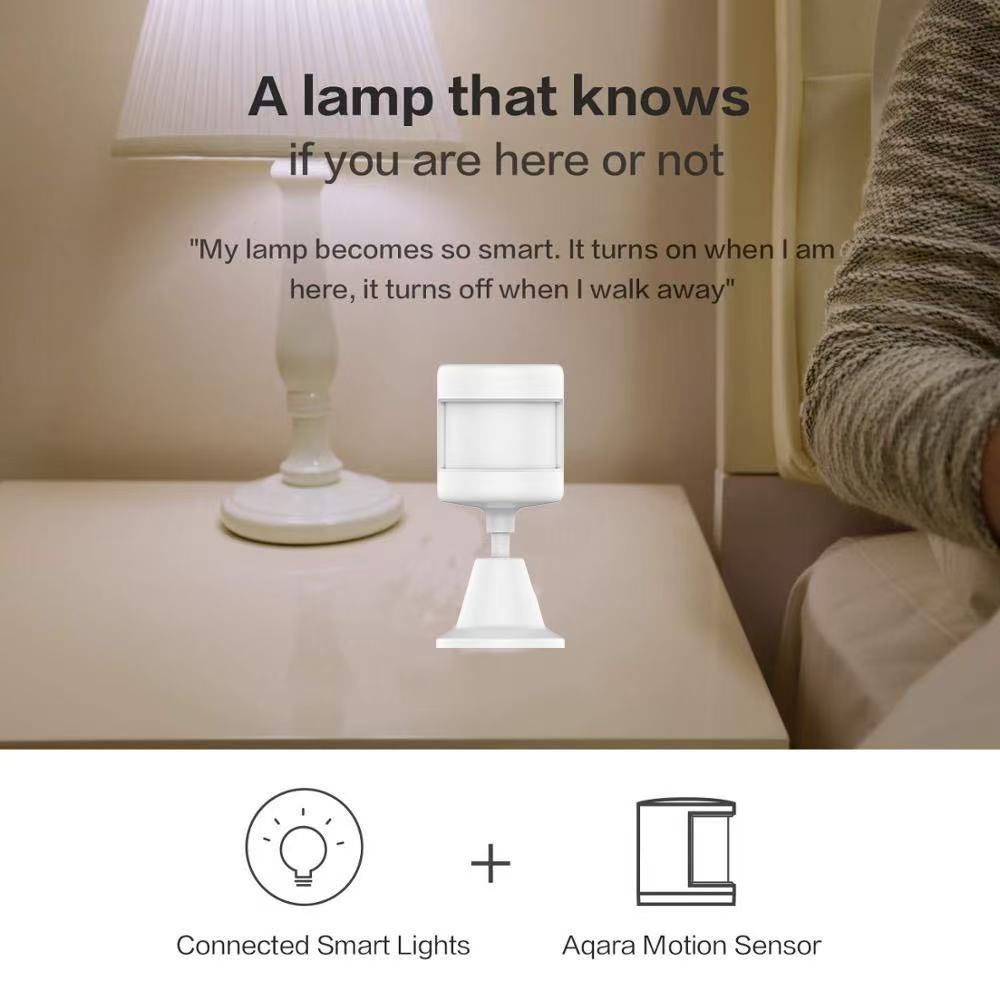
Walk into the hallway at 2 a.m. Light comes on softly. Cross into the bathroom. That light comes on. Walk back to bed. Both lights fade off 60 seconds later.

I set this up once. I have not touched it since.

Zigbee PIR sensor detection range diagram
Diagram showing 150 degree detection angle and 7 meter range of Zigbee PIR sensor

The setup is simple:

Trigger: motion sensor detects motion
Action: turn on hallway smart bulb at 20% brightness
Condition: only between sunset and sunrise
Off: 60 seconds after no motion detected
That’s it. The motion sensor does the work your hands used to do — only better, because it never forgets.

2. Front Door Awareness (without a camera)
I don’t want a camera pointed at my front door. I just want to know when someone approaches.

A Zigbee PIR motion sensor mounted above the front porch sends an instant push notification to my phone when someone walks up. Combined with a smart doorbell, I get:

A camera when someone rings
A motion alert when someone walks up
The motion sensor is the early warning system. The doorbell is the confirmation.

3. The “Did I Leave the Garage Open?” Check
Mount a motion sensor in your garage. Every time the garage door opens, you get a notification. Every time the door stays open for more than 10 minutes with no motion detected inside, you get a second notification — “Garage may be open.”

Zigbee PIR sensor installation in home corner
Tuya Zigbee PIR sensor mounted on wall corner for smart motion lighting

Cheaper than a smart garage door opener. Solves a real problem.

Where to Mount Them (and Where NOT To)
After installing these in three homes, here’s what actually works:

Hallway corners (8 feet up, angled down)
Above the front door, pointing at the walkway
Inside the garage, facing the door
Stair landings (this is where I stubbed my toe)
Bad spots:

Facing a window (sunlight triggers false alerts)
Above a radiator or heating vent (heat confuses PIR)
Directly facing an HVAC vent (moving air = false alerts)
The detection angle is typically150°. That sounds narrow, but in practice, one sensor covers a 12×12 foot room from a corner mount.

How Long Do They Actually Last?
Marketing claims “up to 2 years.”

Real-world answer: 18 to 24 months depending on:

How often motion is triggered (busy hallway = more wake-ups)
How strong the Zigbee signal is (weak signal = sensor works harder)
Battery brand (cheap CR2450s die in 8 months, name-brand lasts 2 years)
Pro tip: replace the battery before it dies. When Zigbee sensors die, they usually don’t warn you — your automations just stop working one day, and you spend an hour figuring out why.

What You Need to Get Started
A Zigbee PIR motion sensor isn’t a standalone device. You need three things:

The sensor itself ($13–$20, depending on brand)
A Zigbee hub ($30–$60) — Tuya, Smart Life, Aqara, or Home Assistant all work
At least one smart bulb or smart switch to controlIf you’re starting from scratch, the total cost is around $80–$100 for a complete motion-activated lighting setup. That’s cheaper than a single smart bulb from the expensive brands — and it works in every room you add a sensor to.
The Real Reason You Should Buy One Tonight
Here’s the thing nobody tells you about smart home gadgets: most of them solve problems you don’t have.

A motion sensor is different. It solves a problem you already have:

The dark hallway at 2 a.m.
The front door you can’t see from the couch
The garage light you always forget to turn off
You don’t need a “smart home.” You need one motion sensor, in one spot, solving one annoying problem.

That Zigbee PIR motion sensor I stuck on the wall last week? It’s the cheapest thing in my smart home. And it’s the one I use every single day.

<section style=”padding:50px 20px; max-width:880px; margin:0 auto; font-family:inherit;”>
<h2 style=”color:#c8a464; font-size:28px;”>Get in Touch</h2>
<p style=”line-height:1.8;”>Reach us through any channel below — we reply within one business day.</p>
<ul style=”line-height:2; font-size:17px; list-style:none; padding:0;”>
<li>Email: <a href=”mailto:xingliaoshop@163.com”>xingliaoshop@163.com</a></li>
<li>WhatsApp: <a href=”https://wa.me/8617666669273″>+86 176 6666 9273</a></li>
<li>OEM / Domestic: <a href=”https://xingliaotech.com/”>xingliaotech.com</a></li>
<li>Shop: <a href=”https://xingliaoshop.com/shop/”>xingliaoshop.com</a></li>
</ul>
</section>


Posted on Leave a comment

6MP WiFi Security Camera

KT-R13 Dual-Lens Security Camera Review: One Camera, Two Views, Zero Blind Spots

Looking for a security camera that covers everything without buying multiple units? The KT-R13 dual-lens PTZ camera might be exactly what you need. With its innovative gun-ball design combining a fixed wide-angle lens and a motorised PTZ dome, this single camera delivers the coverage of two — at a fraction of the cost.


What Makes the KT-R13 Different?

KT-R13 6MP dual-lens security camera with Hi Easy app split-screen monitoring, gun-ball design, human detection, full-color night vision
KT-R13 dual-lens gun-ball security camera with Hi Easy app. 3MP×2 resolution, PTZ pan 355°/tilt 90°, full-color & 30m IR night vision, human auto-tracking, two-way audio, IP66 waterproof. Split-screen view shows dual camera feeds simultaneously.

Most security setups require separate cameras for wide coverage and detailed tracking. The KT-R13 solves this with a clever dual-lens arrangement:

  • Fixed bullet lens on top for constant wide-angle monitoring
  • PTZ dome lens below for panning, tilting, and auto-tracking
  • Both feeds display simultaneously on the Hi Easy app

This means one camera can watch your entire driveway while simultaneously zooming in and following any person or vehicle that enters the frame.


Dual Lens, Double Coverage

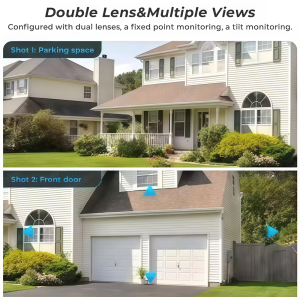
Double lens multiple views security camera, dual-screen monitoring residential house garage driveway
Dual-lens security camera showcasing double lens multiple views capability. Simultaneous wide-angle and zoomed coverage of residential property including house, garage, and driveway.

The KT-R13’s standout feature is its ability to capture two different perspectives at once. The fixed lens maintains a constant view of your property — ideal for monitoring entrances, driveways, or backyards. Meanwhile, the PTZ dome can be remotely controlled to investigate specific areas or automatically track moving subjects.

This dual-view capability eliminates the blind spots that single-lens cameras inevitably create. Whether you need to watch a wide area and a specific entry point, or monitor your yard while tracking a delivery driver, the KT-R13 handles both tasks simultaneously.


Smart Auto-Tracking That Actually Works

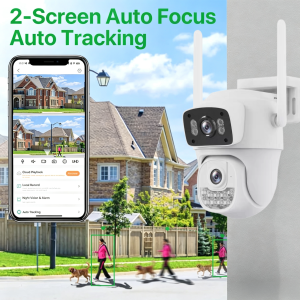
Dual-screen auto focus auto tracking security camera with Hi Easy app, gun-ball design, human detection tracking
Dual-lens security camera featuring auto focus, auto tracking, and dual-screen monitoring via Hi Easy app. Gun-ball design with fixed bullet + PTZ dome captures wide scene and tracked subject simultaneously.

Traditional motion detection floods your phone with false alarms from passing cars, swaying trees, or neighbourhood pets. The KT-R13 uses AI-powered human detection to filter out irrelevant movement and only alert you when a person is actually present.

When human activity is detected, the camera can automatically lock onto the subject and track their movement across your property. The PTZ dome smoothly follows the person while the fixed lens continues monitoring the wider scene — giving you complete situational awareness without manual intervention.


Built for Outdoor Conditions

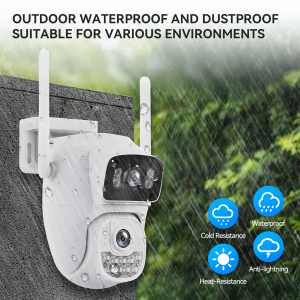
Outdoor waterproof dustproof security camera IP66 rated, gun-ball dual lens design, wall mounted
Dual-lens security camera with IP66 waterproof and dustproof rating. Suitable for harsh outdoor environments. Gun-ball design with dual WiFi antennas, wall-mounted installation.

Security cameras are only useful if they work reliably in all weather. The KT-R13 features an IP66-rated housing that shrugs off rain, dust, and temperature extremes. Whether installed under harsh summer sun or freezing winter conditions, this camera keeps recording.

The white plastic housing with dual WiFi antennas maintains a clean, modern appearance while providing robust protection against the elements. Wall-mount or ceiling-mount installation options give you flexibility in positioning for optimal coverage.


Two-Way Audio for Real Communication

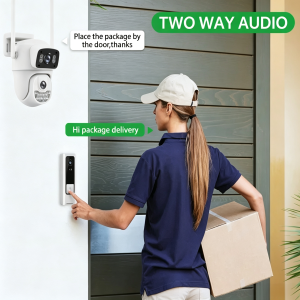
Two way audio security camera, delivery person talking to homeowner via camera intercom
Dual-lens security camera with built-in two-way audio. Speak with visitors, delivery drivers, or family members remotely through the Hi Easy app.

The built-in microphone and speaker transform the KT-R13 from a passive recording device into an active communication tool. When someone approaches your property, you can speak to them directly through the camera — whether it’s instructing a delivery driver where to leave a package, greeting a visitor, or warning off an intruder.

This two-way audio capability is particularly valuable for remote property management. Check in on elderly family members, communicate with service workers, or simply let your kids know you’re watching — all from your smartphone, anywhere in the world.


Flexible PTZ Control

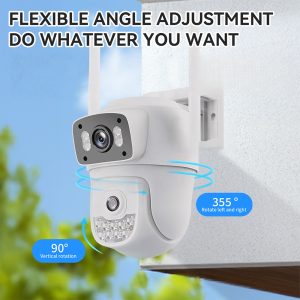
Flexible angle adjustment PTZ security camera, pan 355 tilt 90 degrees, do whatever you want
Dual-lens security camera with flexible angle adjustment. PTZ dome offers 355° horizontal pan and 90° vertical tilt for complete coverage without blind spots.

The PTZ dome offers impressive range: 355° horizontal pan and 90° vertical tilt. This near-complete coverage means you can remotely survey virtually every angle of your property without physically adjusting the camera.

Through the Hi Easy app, you can manually control the camera’s position with intuitive swipe gestures, set preset positions for quick navigation, or enable auto-tracking to let the camera follow movement automatically. The smooth motorised movement ensures you never miss critical details.


Complete Feature Summary

Feature Specification
Resolution 3MP×2 dual lenses (6MP total)
Night Vision Full-colour + IR, up to 30m
PTZ Range Pan 355° / Tilt 90°
Weatherproof IP66 rated
Storage Cloud + TF card (128GB max)
Network WiFi (2.4GHz) + Wired
App Hi Easy (free, no subscription)
Detection AI human detection + auto-tracking
Audio Two-way microphone & speaker
Power DC 12V

Who Should Buy the KT-R13?

The KT-R13 is ideal for:

  • Homeowners wanting comprehensive property coverage with minimal equipment
  • Small businesses needing affordable surveillance without monthly fees
  • Rental property owners monitoring multiple locations remotely
  • Anyone tired of false alarms from basic motion detection cameras

Final Verdict

The KT-R13 delivers exceptional value by combining two cameras into one. The dual-lens design genuinely solves the coverage-versus-detail compromise that plagues single-lens security cameras. With AI human detection, auto-tracking, IP66 weatherproofing, and a free app with no subscription required, it’s a complete security solution at a competitive price point.

If you’re looking to upgrade your property security without the complexity and cost of multi-camera systems, the KT-R13 deserves serious consideration.


Available now from 星辽 (Xingliao) Smart Home.

Model: KT-R13 | Resolution: 3MP×2 | PTZ: 355°/90° | Night Vision: 30m | App: Hi Easy (Free)

Posted on Leave a comment

Visiter le site — guide complet

Visiter le site pour découvrir un univers fascinant

Introduction à l’univers de la cuisine végétale

La cuisine végétale a gagné en popularité au cours des dernières années, attirant l’attention de nombreux gourmands, chefs et nutritionnistes. Cette tendance ne se limite pas seulement à une mode, mais représente un véritable changement de paradigme dans nos habitudes alimentaires. Les bienfaits pour la santé et l’environnement sont au cœur de cette révolution culinaire.

Les bienfaits de la cuisine végétale

Adopter une alimentation végétale peut apporter de nombreux bénéfices. Tout d’abord, elle est souvent riche en nutriments essentiels comme les fibres, vitamines et antioxydants. Une étude récente a montré que les régimes à base de plantes peuvent réduire le risque de maladies chroniques telles que le diabète et les maladies cardiaques.

Une approche durable

En plus des avantages pour la santé, la cuisine végétale a un impact significatif sur l’environnement. En réduisant la consommation de produits d’origine animale, nous contribuons à la diminution des émissions de gaz à effet de serre et à la préservation des ressources en eau. C’est une démarche à la fois saine et écoresponsable.

Comment intégrer la cuisine végétale dans son quotidien

Pour ceux qui souhaitent expérimenter la cuisine végétale, il existe plusieurs façons d’intégrer ces principes dans votre routine alimentaire. Commencez par remplacer un ou deux repas par semaine par des plats végétaux. Les publications et ressources en ligne, comme Billionairespin Casino, offrent une multitude de recettes délicieuses qui ne manqueront pas de vous inspirer.

Les défis de la transition vers une alimentation végétale

Malgré ses nombreux avantages, la transition vers une cuisine exclusivement végétale peut présenter certains défis. Par exemple, trouver des alternatives aux produits d’origine animale peut sembler compliqué au départ. Cependant, avec un peu de recherche et d’expérimentation, il est possible de découvrir des substituts savoureux et satisfaisants.

Conclusion et appel à l’action

En explorant ces nouvelles nouvelles aventures culinaires, nous enrichissons notre vécu alimentaire tout en prenant soin de notre santé et de notre planète. Visiter le site et plonger dans le monde de la cuisine végétale pourrait bien vous ouvrir les portes d’une nouvelle façon de savourer vos repas.