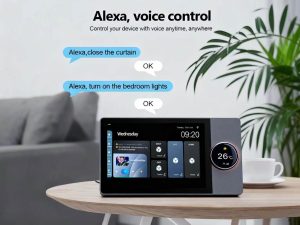
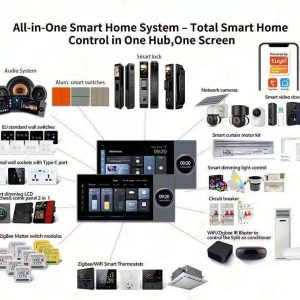
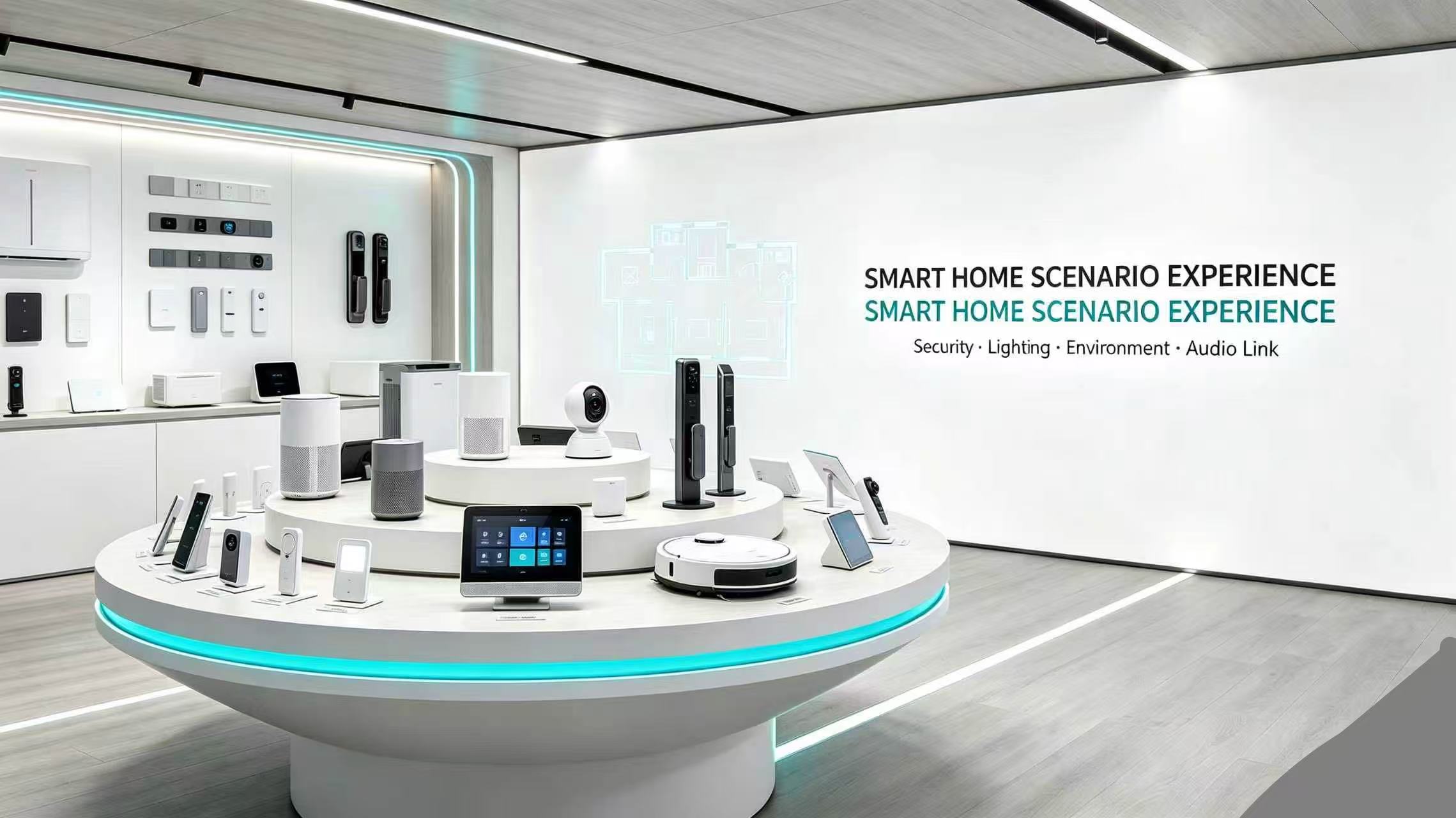
Shenzhen Xingliao Intelligent Technology Co., Ltd is a professional manufacturer of smart home hardware.
We supply smart wall switches, video doorbells, automatic pet feeders and various smart sensors.
We provide one-stop OEM & ODM services including appearance design, software & hardware development, mold opening and private packaging customization.
Our products support Tuya, eWeLink, Apple HomeKit, compatible with global multi-country power standards. Welcome global buyers for cooperation & sample testing.
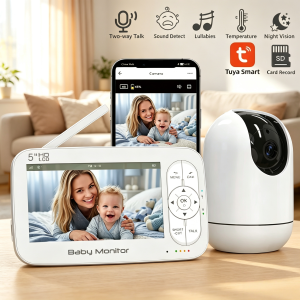
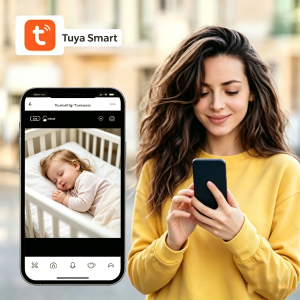
Tuya Smart Baby Monitor – 5-Inch HD Display with APP Control, SD Card Storage & Two-Way Audio
Short Description
Tuya Smart Baby Monitor with 5-inch HD display, 1280×720 resolution, two-way audio, cry detection, lullabies, temperature monitoring, and night vision. Supports Tuya Smart APP for remote viewing, SD card storage (8-128GB), and WiFi/No-WiFi dual modes. Multi-user sharing, split-screen feature, and 2x/4x digital zoom.
Product Description
Stay connected with your baby anytime, anywhere with the Tuya Smart Baby Monitor. Featuring a large 5-inch HD display, intelligent cry detection, and flexible connectivity options — use with or without WiFi, with or without the APP.
Key Features
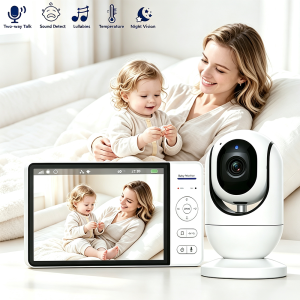
5 Core Functions for Complete Baby Care:
Feature
Description
🎤 Two-Way Talk
Built-in microphone and speaker for crystal-clear communication
😢 Sound Detect
Smart cry detection with instant VOX mode alerts
🎵 Lullabies
Soothing sounds and white noise to calm your baby
🌡️ Temperature
Real-time room temperature display (°F/°C)
🌙 Night Vision
Automatic infrared LEDs for clear video in darkness
💾 SD Card Storage
Local recording with 8-128GB micro SD card support
📱 Tuya APP
Remote viewing via Tuya Smart APP
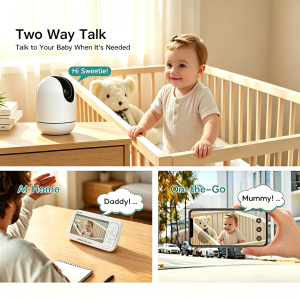
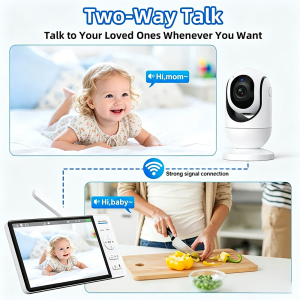
Two-Way Talk – Stay Connected Anytime
Talk to your baby from anywhere in the house or on-the-go. The Tuya Smart Baby Monitor features high-sensitivity microphone and speaker for crystal-clear two-way audio communication.
Key Benefits:
Strong 2.4GHz signal connection
No delay, real-time communication
Comfort your baby remotely at home or away
“Hi Sweetie!” – Talk to your baby instantly
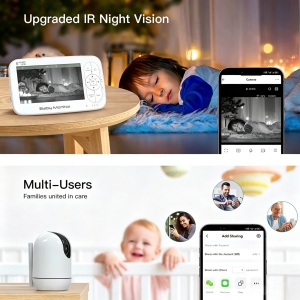
Upgraded IR Night Vision
Sleep Mode – Monitor your baby with audio-only mode for peaceful nights.
Upgraded IR Night Vision – Automatic infrared night vision ensures you can see your baby clearly even in complete darkness. The 5-inch HD display shows every detail, day or night.
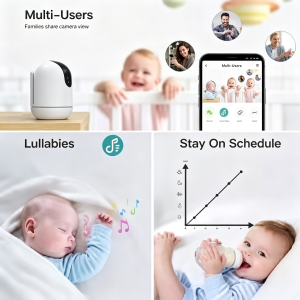
Multi-Users – Families United in Care
Share access with family members! The Tuya Smart APP allows multi-user sharing, so grandparents, parents, and caregivers can all monitor the baby from their own devices.
Add Sharing Options:
Share with Account
Share with Others (WeChat, Messages, Copy Link)
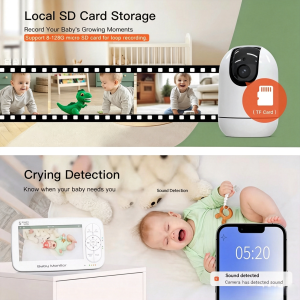
Local SD Card Storage
Record Your Baby’s Growing Moments
Support 8-128GB micro SD card for loop recording. Never miss a precious moment — save videos locally and review them anytime.
Automatic loop recording
Local storage, no cloud fees
Easy playback on parent unit or APP
Crying Detection – Know When Your Baby Needs You
Smart sound detection alerts you instantly when your baby cries. The Tuya APP sends push notifications to your phone, so you’re always connected.
Sound Detection Alert: “Camera has detected sound” at 05:20
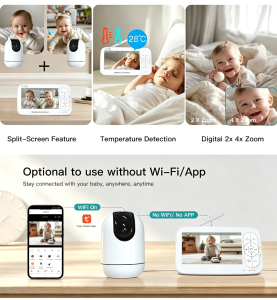
Split-Screen, Temperature & Zoom
Feature
Description
Split-Screen Feature
Monitor multiple cameras on one screen
Temperature Detection
Real-time room temperature (28°C shown)
Digital 2x 4x Zoom
See every detail with digital zoom
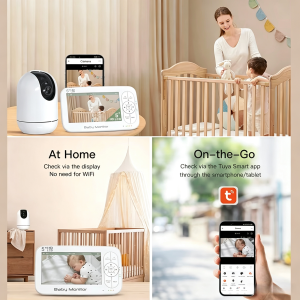
Optional to Use Without Wi-Fi/App
Flexible Connectivity Options:
Mode
Connection
Use Case
WiFi On
Tuya Smart APP + WiFi
Remote viewing from anywhere
No WiFi / No APP
Direct monitor connection
Simple plug-and-play at home
Stay connected with your baby, anywhere, anytime — with or without WiFi.
Specifications
Specification
Details
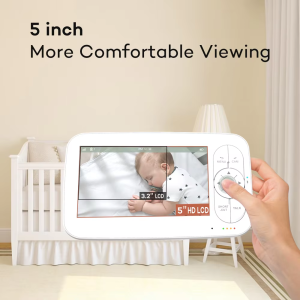
Display Size
5 Inch HD LCD
Resolution
1280 × 720 HD (720P)
APP Support
Tuya Smart APP (iOS & Android)
WiFi Support
Yes, 2.4GHz WiFi
SD Card Storage
8-128GB micro SD card (TF Card)
Wireless Range
Up to 300 Meters (direct mode)
Night Vision
Upgraded IR Night Vision
Temperature Display
°F / °C
Zoom
2x / 4x Digital Zoom
Multi-User
Yes, via Tuya APP
Split-Screen
Yes, supports multiple cameras
Two-Way Audio
Yes, built-in microphone & speaker
Cry Detection
Yes, with push notifications
Lullabies
Yes, built-in soothing sounds
Battery
Rechargeable (capacity varies by model)
What’s in the Box
1 × Parent Unit (5-Inch Monitor)
1 × Baby Unit (Camera)
2 × Power Adapters
1 × User Manual
Perfect For
Newborn nursery monitoring
Toddler sleep supervision
Nanny/babysitter monitoring
Travel and vacation use
Multi-room home coverage
Elderly care
Pet watching
Families who want flexible viewing options (APP or no APP)
Give yourself peace of mind and give your baby the best care with this professional-grade smart baby monitor system.
ABM780 5-Inch HD Smart Baby Monitor – 1280×720 Video Baby Camera with Two-Way Audio, Cry Detection and 300M Range
Short Description
ABM780 5-Inch HD Smart Baby Monitor with 1280×720 resolution, two-way audio, cry detection, lullabies, temperature monitoring, and night vision. 2.4GHz wireless up to 300M range. 8 languages support. No APP required. 5000mAh rechargeable battery. SD card not supported.
Product Description
Keep your baby safe and sound with the ABM780 5-Inch HD Smart Baby Monitor. Featuring a large 5-inch HD display, long-range 2.4GHz wireless transmission, and smart cry detection — no APP required, plug and play right out of the box.
Key Features
ABM780 5-Inch HD Smart Baby Monitor with 1280×720 HD camera, two-way audio, and cry detection – perfect for newborn care.
5 Core Functions for Complete Baby Care:
Feature
Description
🎤 Two-Way Talk
Built-in microphone and speaker for crystal-clear communication
😢 Sound Detect
Smart cry detection with instant VOX mode alerts
🎵 Lullabies
Soothing sounds and white noise to calm your baby
🌡️ Temperature
Real-time room temperature display (°F/°C)
🌙 Night Vision
Automatic infrared LEDs for clear video in darkness
Two-Way Talk – Stay Connected Anytime
Built-in microphone and speaker enable clear two-way communication.
Talk to your baby from anywhere in the house. The ABM780 features high-sensitivity microphone and speaker for crystal-clear two-way audio communication. Whether you are in the kitchen cooking or working in your home office, you can soothe your baby with your voice instantly.
Key Benefits:
Strong 2.4GHz signal connection
No delay, real-time communication
Comfort your baby remotely
Know When You Are Needed – Smart Cry Detection
ABM780 baby monitor alerts parents the moment baby cries – know when you are needed
Sleep Mode (Audio Only) – Monitor your baby with audio-only mode for peaceful nights.
VOX Mode (Crying Alert) – Instant alerts when your baby cries. The smart sound detection system notifies you immediately, so you never miss when your baby needs you.
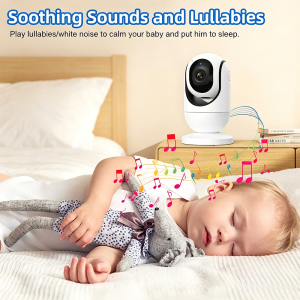
Soothing Sounds and Lullabies
Play lullabies and white noise to calm your baby and help them fall asleep peacefully. The built-in music plays directly from the camera unit, and you can control playback remotely from the parent unit.
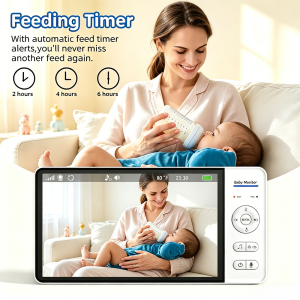
Feeding Timer – Never Miss a Feed
Customizable feeding alerts for your baby’s schedule.
With automatic feeding timer alerts, you will never miss another feed again. Set customizable reminders for:
2 hours
4 hours
6 hours
Perfect for maintaining your baby’s feeding schedule.
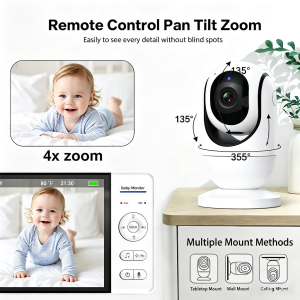
Remote Control Pan Tilt Zoom
Remote PTZ camera control covers the entire nursery.
Easily see every detail without blind spots:
355° Pan – Full horizontal rotation
135° Tilt – Complete vertical coverage
4x Digital Zoom – See every detail clearly
Multiple Mount Methods:
Tabletop Mount
Wall Mount
Ceiling Mount
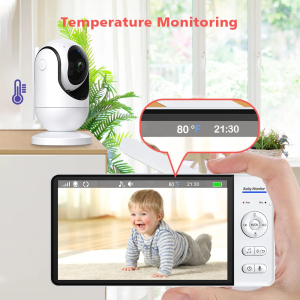
Temperature & Night Vision
Real-time room temperature monitoring with infrared night vision keeps baby’s room comfortable.
Always Comfortable:
Real-time temperature display (shown: 23°C / 80°F)
Automatic infrared night vision
Clear video even in complete darkness
Specifications
Specification
Details
Display Size
5 Inch HD LCD
Resolution
1280 × 720 HD (720P)
Battery
5000mAh Rechargeable Lithium
Wireless Transmission
2.4GHz FHSS
Outdoor Range
Up to 300 Meters
Memory Card
Not Supported
APP Required
No — Direct Monitor Connection
Languages
English, French, German, Italian, Portuguese, Japanese, Russian, Chinese
Night Vision
Automatic Infrared
Temperature Display
°F / °C
Zoom
4x Digital
Mount Options
Tabletop, Wall, Ceiling
What’s in the Box
1 × Parent Unit (5-Inch Monitor)
1 × Baby Unit (Camera)
2 × Power Adapters
1 × User Manual
Perfect For
Newborn nursery monitoring
Toddler sleep supervision
Nanny/babysitter monitoring
Travel and vacation use
Multi-room home coverage
Elderly care
Pet watching
Give yourself peace of mind and give your baby the best care with this professional-grade baby monitor system.
Best Kids Alarm Clock with Sleep Trainer: A Complete Parent’s Guide for 2026
As parents, we all know the struggle — your toddler wakes up at 5 AM thinking it’s playtime, or refuses to sleep because they’re afraid of the dark. After testing dozens of sleep solutions, we found one device that actually solves both problems: the XingLiao Kids Sleep Trainer Alarm Clock with Wake-Up Light, Sleep Sound Machine & Night Light.
Available now at XingLiao Smart Home (https://xingliaoshop.com), this 5-in-1 sleep companion has transformed our family’s bedtime routine. Here’s why it might be the best investment you make for your child’s sleep health this year.
What Is a Kids Sleep Trainer Alarm Clock?
A sleep trainer alarm clock is more than just a clock — it’s a visual teaching tool that helps young children understand when it’s time to sleep and when it’s okay to wake up. Instead of reading numbers (which toddlers can’t do), these devices use simple images like sun and moon icons to communicate bedtime status.
Furthermore, the XingLiao Kids Alarm Clock takes this concept further by combining five essential functions into one compact, child-friendly device: 12-color RGB night light with touch control — wake up light, mixed color, and solid color modes for a magical bedtime atmosphere.
Sleep Training Clock — Sun/moon visual cues
Wake-Up Light — Gentle sunrise simulation
RGB Night Light — 12 colors with touch control
Sleep Sound Machine — 8 soothing sounds
Voice-Activated Smart Light — Responds to your child’s needs
Kids Sleep Trainer Alarm Clock with RGB Night Light
How the Sleep Training Feature Works
The dual alarm design is brilliantly simple:
Night Mode: When the moon and stars appear on the display, your child knows it’s still bedtime — even if they wake up at 3 AM. The soft yellow glow provides comfort without being too stimulating.
Morning Mode: When the cheerful sun icon appears, it’s officially “Time to Wake Up!” No more 5 AM wake-up calls asking if it’s morning yet.
We noticed a difference within three nights. Our 3-year-old stopped coming into our room at 6 AM and instead waited for the sun to appear. The visual cue was easier for her to understand than us explaining “it’s still nighttime” for the hundredth time.
The RGB Night Light Features
The touch-controlled dome offers 12 light colors and 3 preset lighting modes:
Wake Up Light — Soft warm glow that gradually brightens
Mixed Color — Gentle rainbow transitions that mesmerize without overstimulating
Solid Color — Pick your child’s favorite hue for consistent comfort
What impressed us most was the touch sensitivity. Even in complete darkness, a simple tap on the dome changes colors or brightness. No fumbling for small buttons while holding a sleepy toddler.
Additionally, the color chart printed on the device helps older kids choose their preferred shade, making bedtime feel like a game rather than a battle.
Voice-Activated Smart Lighting
This feature alone justified the purchase for us. The built-in sound detection automatically turns on the night light when your child cries or makes noise at night — then auto-shuts off once they calm down.
No more stumbling down the hallway at 2 AM to turn on a lamp. The light responds instantly, providing just enough glow to comfort your child back to sleep without fully waking them (or you).
8 Soothing Sleep Sounds
The built-in sound machine includes:
Ocean Waves
Forest Ambience
Running Water
Birdsong
Creek Water
Gentle Rain
Nighthawk Crickets
Sound of Springs
Unlike cheap white noise machines that loop obvious patterns, these sounds are professionally crafted and mask household noise effectively. We particularly like the “Sound of Springs” for its gentle, rhythmic quality that mimics a parent’s heartbeat.
Bonus feature: You can record 1 custom voice message (up to 10 seconds). Hearing “Mommy loves you, go back to sleep” in your own voice works wonders for separation anxiety.
Why Choose XingLiao
After comparing with competitors like the Hatch Baby Rest and Mella Ready to Rise Clock, here’s where the XingLiao model stands out:
XingLiao vs Hatch Baby vs Mella:
Price: $29.99 vs $69.99 vs $49.99
RGB Colors: 12 vs 8 vs 5
Sleep Sounds: 8 vs 11 vs 3
Voice Recording: Yes vs No vs No
Voice Activation: Yes vs No vs No
Custom Ringtones: 8 + 1 custom vs 11 presets vs 3 presets
Voice-activated smart lighting automatically turns on when your child cries at night, and auto shuts off for peaceful sleep. 8 soothing sounds included.
At less than half the price of premium competitors, the XingLiao Kids Alarm Clock delivers comparable (or better) features with a child-safe, rounded design that’s perfect for little hands.
Parent Reviews
“We’ve tried three different sleep trainers. This is the first one our daughter actually pays attention to. The sun/moon icons are clearer than other clocks we’ve used.” — Sarah M., verified buyer
“The voice activation is genius. My son cries for 30 seconds, the light turns on, he sees the glow and goes back to sleep. We haven’t had to get out of bed once this week.” — David K., verified buyer
“For under $30, I expected cheap plastic. However, the build quality surprised me — solid, no sharp edges, and the touch dome is responsive.” — Jennifer L., verified buyer
Setup Tips for Maximum Success
Based on our experience and feedback from other parents, here are the best practices:
Week 1: Introduce the Concept
Show your child the sun and moon icons during the day
Practice “sun means wake up, moon means sleep” while they’re alert
Let them play with the touch light to build positive associations
Week 2: Implement Consistently
Set the alarm for your desired wake time (we started with 6:30 AM)
If they wake early, calmly walk them back to bed and point at the moon
Don’t negotiate — the clock decides, not parents
Week 3: Enjoy the Results
Most parents see improvement within 5-7 nights
Older toddlers (3+) adapt faster than younger ones
Be patient — consistency is more important than perfection
12 vibrant light colors with 3 lighting modes — wake up light, mixed color transitions, and solid color for the perfect bedtime atmosphere.
Technical Specifications
Display: LED digital clock with sun/moon sleep training icons
Light: 12-color RGB ring light with touch dimming (3 modes)
We offer free shipping on orders over $100 to the US, and $120+ for Europe. Every order includes our 30-day satisfaction guarantee — if your child doesn’t sleep better, we’ll refund your purchase.
Final Thoughts
Sleep training is one of the hardest parts of early parenting. The right tools don’t just help your child — they give you back your evenings and mornings.
The XingLiao Kids Alarm Clock isn’t a magic solution, but it’s the most effective sleep training device we’ve tested at this price point. The combination of visual cues, soothing sounds, and smart voice activation addresses the real challenges parents face at bedtime.
Ready to transform your family’s sleep routine? Order your XingLiao Kids Sleep Trainer Alarm Clock today at https://xingliaoshop.com and discover why thousands of parents are calling it their best parenting purchase of 2026. Touch-sensitive dome controls 12 RGB colors with romantic lighting effects — easy for kids and parents to adjust effortlessly in the dark.
Smart Living for Everyone — XingLiao
…(truncated)…
Best Smart Window Camera 2026: Easy Install Home Security Guide
Finding the right security camera for your home doesn't have to mean drilling holes or running cables. A smart window camera offers a simple, damage-free way to monitor your property from the inside out. In 2026, these compact devices have become one of the fastest-growing categories in home security.
This guide explains what a window camera is, why it beats traditional outdoor cameras for many homeowners, and what features to look for when choosing one.
What Is a Smart Window Camera?
A smart window camera is a compact security camera designed to mount on a window using adhesive or suction. It faces outward through the glass, capturing everything happening outside while staying protected indoors. Because it sits inside your home, it avoids weather damage, tampering, and complicated wiring.
Most modern window cameras connect via WiFi and integrate with apps like Tuya Smart or Smart Life, giving you live video, motion alerts, two-way audio, and cloud storage from your phone.
Why Choose a Window Camera Over an Outdoor Camera?
Window Camera
Traditional Outdoor Camera
3MP 2K QHD window camera with 2.4G/5G WiFi, motion detection, night mode, and two-way audio. Control via Tuya Smart / Smart Life app. Shop at xingliaoshop.com.
No drilling or wiring
Requires mounting brackets and cable routing
Protected from weather
Exposed to rain, dust, and extreme temperatures
No risk of theft or tampering
Can be damaged, blocked, or stolen
5-minute installation
Often needs professional installation
Works for renters
Usually permanent modification to property
Indoor power source
May need outdoor-rated power solutions
Install the Xingliao smart window camera in 5 minutes with peel-and-stick mounting. No tools or drilling required.
For apartments, rental homes, and anyone who wants security without construction, a smart window camera is the ideal solution.
Key Features to Look For
Resolution
Look for at least 3MP (2K QHD) resolution. At 2304 × 1296 pixels, you get 23% more detail than standard 1080p, making it easier to identify faces, license plates, and package details.
WiFi Connectivity
Dual-band WiFi (2.4G/5G) ensures a stable connection even in homes with many connected devices. The 5GHz band reduces interference and improves streaming quality.
Night Vision
Advanced cameras offer both infrared night vision for discreet monitoring and white light mode for full-color nighttime footage. Features like F1.0 aperture and BSI sensors dramatically improve low-light performance.
Weather Resistance
Even though the camera sits indoors, look for IP65 waterproof rating if you plan to use it in humid environments like kitchens, bathrooms, or near aquariums.
Motion and Sound Detection
Smart alerts notify you instantly when the camera detects movement or unusual sounds. This turns your window camera into an active security system rather than just a passive recorder.
Two-Way Audio
Built-in microphone and speaker let you talk to delivery drivers, warn intruders, or check in on pets from anywhere.
Easy Installation
The best window cameras use peel-and-stick mounting and can be installed in under 5 minutes with no tools.
Best Uses for a Smart Window Camera
Home Security
Monitor your front door, backyard, or driveway from a window inside your home. Get instant alerts when someone approaches.
Apartment Living
Renters can't drill into walls or install permanent fixtures. A window camera provides full security without violating lease agreements.
Storefront Monitoring
Small business owners can monitor shop entrances, displays, and parking areas from inside the store.
Pet and Wildlife Watching
Point a window camera at your backyard bird feeder or aquarium to capture animals in stunning 2K detail.
Baby and Elderly Monitoring
Use indoors to keep an eye on nurseries or elderly family members without intrusive camera placement.
Xingliao Tuya Smart Window Camera: Top Pick for 2026
At Xingliao Smart Home, our Tuya Smart Window Camera delivers professional-grade security with consumer-friendly simplicity.
Key features:
3MP 2K QHD resolution with 23% more detail than 1080p
2.4G/5G dual-band WiFi for stable, lag-free streaming
F1.0 aperture + BSI sensor for superior night vision
IP65 waterproof and dustproof design
5-minute peel-and-stick installation
Two-way audio for real-time communication
Motion and sound detection with instant phone alerts
Night mode + white light for full-color or infrared recording
Tuya Smart / Smart Life app control from anywhere
Whether you're securing a home, monitoring a shop, or watching wildlife, the Xingliao window camera adapts to your needs.
Control your Xingliao window camera from anywhere with the Tuya Smart / Smart Life app. Live view, playback, alerts, and settings.
Clean the window glass inside and out
Peel the backing from the mounting sticker
Attach the mounting base to the window
Connect the camera and plug in the USB power cable
Pair with the Tuya Smart app and start monitoring
Use the Xingliao window camera for home security, courtyard monitoring, shop surveillance, aquarium viewing, and bird watching.
Total setup time: under 5 minutes. No tools, no drilling, no damage.
Smart Window Camera vs Doorbell Camera
A doorbell camera shows you who is at the door. A window camera shows you everything happening across your property — driveways, gardens, side yards, and back entrances. For complete coverage, many homeowners use both.
Final Thoughts
A smart window camera is one of the easiest and most affordable ways to add security to any home. With 3MP resolution, dual-band WiFi, and 5-minute installation, there's no reason to leave your property unprotected.
For a reliable, feature-rich option at a competitive price, the Xingliao Tuya Smart Window Camera is a standout choice in 2026.
F6 Multi Functional Intelligent Central Control Screen
Best Tuya Smart Control Screen 2026: Wall-Mounted Central Panel for Modern Homes
The smart control screen has become the centerpiece of modern home automation. Instead of juggling multiple apps and switches, a single wall-mounted panel lets you control lights, curtains, temperature, music, security, and scenes from one elegant interface.
If you are building or upgrading a smart home in 2026, a Tuya smart control screen is one of the best investments you can make. In this guide, we’ll explain what to look for, compare size options, and introduce the Xingliao F6 / F8 Multi-Functional Intelligent Central Control Screen available in 6", 7", 8", 10", and 12" sizes.
What Is a Smart Control Screen?
A smart control screen, also called a smart home panel or central control screen, is a wall-mounted touchscreen that connects to your smart home ecosystem. It replaces traditional light switches and thermostats with a single interactive display.
With the right panel, you can:
Control lighting, air conditioning, and curtains
Adjust RGB lighting colors and brightness
Play music through built-in speakers
Monitor and answer video doorbells with two-way audio
Create one-touch scenes like "Leave Home" or "Movie Mode"
Manage everything through the Tuya Smart or Smart Life app
Why Choose a Tuya Smart Control Screen?
Tuya is one of the largest smart home ecosystems in the world. Choosing a Tuya-compatible control panel gives you access to thousands of devices that work together seamlessly.
Key advantages include:
F6 Smart Control Panel Rotary Knob Scene Control
WiFi, Zigbee, and RS485 support in one device
Voice control with built-in 4-microphone arrays
Scene automation for lighting, climate, and security
Mobile app control from anywhere
Hotel and real estate compatibility for commercial projects
6", 7", 8", 10", 12" — Which Size Is Right for You?
Size
Best For
Key Benefit
6 inch
Small rooms, hallways, bedrooms
Compact, affordable, fits standard 86 boxes
7 inch
Apartments, home offices
Balanced screen size and installation flexibility
F6 Smart Control Panel Tuya APP Remote Control
8 inch
Living rooms, master bedrooms
Larger display for music, video doorbell, and scenes
10 inch
Luxury homes, villas, showrooms
Premium visual experience and full home overview
12 inch
Commercial projects, hotels, real estate
Maximum impact and multi-user control
The right size depends on your room, budget, and how many devices you want to control from one panel.
Xingliao Multi-Functional Smart Control Screen: Features Breakdown
At Xingliao Smart Home, we offer a professional-grade Tuya smart control screen designed for both residential and commercial installations.
All-in-One Smart Home Control
The Xingliao control panel integrates voice control, gateway, music playback, lighting control, curtain control, air conditioning, and video intercom into one device.
Triple Connectivity
Support for WiFi, Zigbee, and RS485 means the panel works with nearly every smart device and building management system.
Built-In Music and Voice
Synchronize with your mobile phone to stream music directly. The built-in 4-microphone array supports voice commands for hands-free control.
Stunning Display
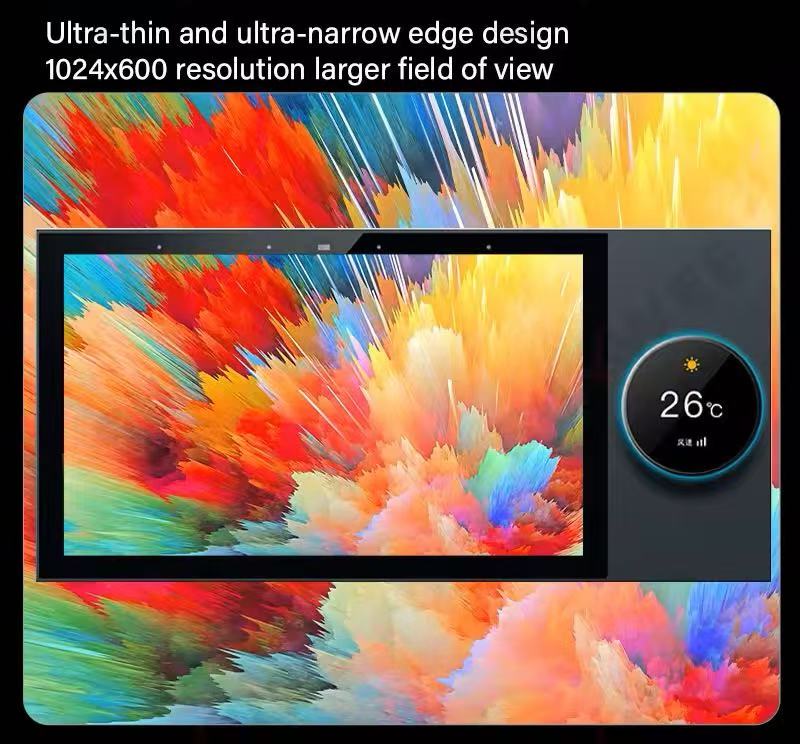
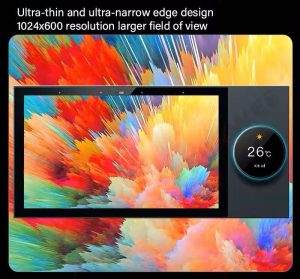
The ultra-thin, ultra-narrow bezel design delivers a premium look. Screen resolution up to 1280 × 800 IPS LCD ensures crisp visuals and responsive touch.
Easy Installation
The dual 86 bottom box design allows direct replacement of existing double 86 switches. No need to reroute wiring or rebuild walls.
Smart Scenes for Every Space
From hotels and shopping malls to real estate projects and private homes, the Xingliao smart control screen adapts to any environment.
Technical Specifications
Adjust RGB lighting colors and brightness directly from the Xingliao smart control panel. Shop smart home screens at xingliaoshop.com.
Control RGB lighting, temperature, and music without leaving the sofa. Create a "Movie Mode" scene that dims lights, closes curtains, and starts your playlist.
Smart Bedrooms
Use the panel as a bedside control center. Adjust temperature, set wake-up scenes, and check who is at the door through the video intercom.
Hotels and Commercial Buildings
The Xingliao smart control screen integrates with hotel management systems, giving guests centralized control over room lighting, climate, and entertainment.
How to Install a Tuya Smart Control Screen
Installation is simple for electricians and DIY enthusiasts:
Turn off power at the breaker.
Remove the existing double 86 switch.
Connect the panel according to the wiring diagram.
Secure the panel into the standard 86 box.
Power on and configure through the Tuya Smart app.
Because the panel uses a standard double 86 box, it fits most existing wall installations without modification.
Smart Control Screen vs Smart Switch: What’s the Difference?
A smart switch controls one or two circuits. A smart control screen controls your entire home. If you want centralized control, scene automation, music, video intercom, and app access, the control screen is the better choice.
Final Thoughts
A Tuya smart control screen is the fastest way to transform a regular home into a truly smart home. With sizes from 6 inch to 12 inch, the Xingliao multi-functional central control panel fits projects of every scale.
Xingliao Smart Home — Smart Living for Everyone. Discover premium smart home solutions including smart control screens, sensors, security cameras, and more at xingliaoshop.com.
Best Smart Rain Sensor 2026: A Complete Buyer's Guide
As smart home ecosystems become more connected, homeowners are looking beyond cameras and doorbells for devices that protect their property from the elements. One of the most underrated additions to any connected home is a smart rain sensor.
Whether you want to protect an open skylight, automate garden irrigation, or simply receive an alert before a storm soaks your balcony, a WiFi or Zigbee rain sensor can save you money and stress. In this guide, we’ll explain what a smart rain sensor does, what features to look for, and why the Xingliao Tuya Smart Rain Sensor stands out as one of the best options available today.
What Is a Smart Rain Sensor?
A smart rain sensor is a compact device that detects rainfall or standing water and sends real-time notifications to your smartphone. Most models connect through 2.4GHz WiFi or Zigbee 3.0 and integrate with apps like Tuya Smart or Smart Life, allowing you to create automated scenes with other smart devices.
For example, when rain is detected, your sensor can trigger:
Window or skylight motors to close automatically
Smart curtains to retract
Outdoor awnings to fold in
Garden irrigation systems to pause
Tuya Smart Rain Sensor – WiFi & Zigbee
This kind of home automation turns passive weather monitoring into active protection.
Why You Need a Smart Rain Sensor in 2026
Weather patterns are becoming less predictable. Even a short rainstorm can damage indoor furniture, electronics, or flooring if a window is left open. A WiFi rain detector gives you instant alerts no matter where you are, so you can react in seconds rather than hours.
Here are the top reasons homeowners are adding smart rain sensors to their setups:
Real-time alerts — Know the moment rain starts.
Automatic scene linkage — Connect with curtains, windows, sprinklers, and more.
Energy efficiency — Pause irrigation when nature does the watering.
Flood detection — Many models also detect standing water and leaks.
Affordable protection — A small investment compared to water damage repair costs.
What to Look for in a Smart Rain Sensor
When comparing models, focus on these key features:
Connectivity
WiFi rain sensors connect directly to your router and are easy to set up. Zigbee rain sensors require a hub or gateway but offer more stable mesh networking and longer battery life. If you already use a Tuya Zigbee hub, the Zigbee version is often the better long-term choice.
App Compatibility
Look for sensors that work with Tuya Smart or Smart Life. These apps support thousands of devices and offer powerful automation rules, also known as scenes.
Battery Life
Battery-powered sensors are easier to install outdoors. WiFi models typically last around one year, while Zigbee models can last up to three years on two AAA batteries.
Detection Sensitivity
A good sensor should detect light rain quickly without false alarms from humidity. Look for models that advertise high-precision detection.
Build Quality
Outdoor installation requires a device that can handle temperature changes. A reliable operating range of -10°C to 50°C is ideal.
Xingliao Tuya Smart Rain Sensor: Best Value Pick
At Xingliao Smart Home, we designed our Tuya Smart Rain Sensor to deliver professional-grade weather awareness at a price that fits everyday budgets.
The Xingliao rain sensor offers:
2-in-1 detection for both rainfall and water flooding
WiFi and Zigbee options to match your smart home setup
Smart Life / Tuya Smart app integration
Automatic scene linkage with windows, curtains, irrigation, and more
Compact design measuring just 70 × 24 × 21 mm
Long battery life — up to 1 year on WiFi, up to 3 years on Zigbee
Operating range of -10°C to 50°C for indoor or outdoor use
You can choose the version that fits your network: the WiFi model for simple setup, or the Zigbee model for stronger mesh performance and longer battery life.
Installation is straightforward. Most models can be mounted on a window frame, balcony railing, or outdoor wall using the included bracket or adhesive backing.
After setup in the Tuya Smart app, create simple automations:
If rain detected → close smart window opener
If rain detected → pause irrigation timer
If rain detected → send push notification to phone
These automations run locally or through the cloud depending on your hub, giving you flexibility and reliability.
Smart Rain Sensor vs Traditional Rain Gauge
A traditional rain gauge only measures how much rain has fallen. A smart rain sensor tells you when rain starts, sends alerts, and triggers actions. For home automation, the smart sensor is the clear winner.
Final Thoughts: Is a Smart Rain Sensor Worth It?
If you own smart curtains, motorized windows, a sprinkler system, or an outdoor balcony, a smart rain sensor is one of the easiest ways to add real value to your smart home. It protects your property, reduces manual monitoring, and works quietly in the background.
For a reliable, affordable, and feature-rich option, the Xingliao Tuya Smart Rain Sensor is a top choice in 2026.
Xingliao Smart Home — Smart Living for Everyone. Explore premium smart home devices, from intelligent security to climate-aware automation, at xingliaoshop.com.
How to Choose an Outdoor Security Camera in 2026: Don't Blind Yourself to the Truth
One blind spot. One missed threat. One decision that could cost you everything.
Wait — Is Your Security Camera Actually Securing Anything?
Let's confront an uncomfortable reality.
You've installed a security camera. You've got the app on your phone. You sleep soundly believing your property is protected. But here's the question that keeps security professionals awake at night:
How many blind spots does your camera have?
In 2026, the average outdoor camera leaves 40% of its coverage area in shadow — not literal shadow, but surveillance shadow. That corner where your garage meets the fence. The pathway behind your shed. The side entrance that delivery drivers use. All invisible. All unprotected.
A single-lens camera, no matter how high its resolution, is fundamentally limited by physics. One lens. One angle. One point of failure.
So before you buy another "4K security camera" that leaves half your property exposed, let's talk about what actually matters in 2026.
The 2026 Outdoor Camera Checklist: What Really Matters
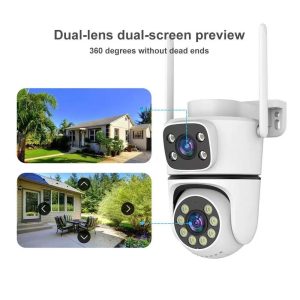
1. Dual Lens Technology: Two Eyes Are Better Than One
The biggest innovation in 2026 security cameras isn't 8K resolution or AI recognition — it's dual lens systems.
Here's why single-lens cameras fail:
Fixed perspective — one angle, one field of view
Zoom vs. wide angle dilemma — zoom in and lose periphery; go wide and lose detail
Blind spots by design — physics doesn't compromise
Dual lens cameras solve this permanently:
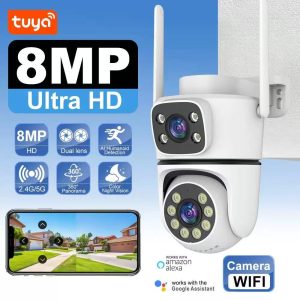
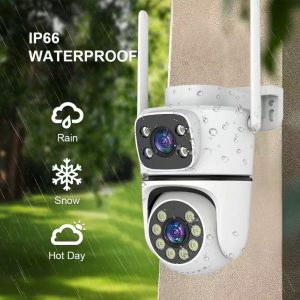
Tuya 8MP Dual Lens Security Camera – Ultra HD Outdoor Surveillance Dual Lens Technology – Two Views One Camera
Lens 1: Wide-angle overview — captures the full scene, detects motion across your entire property
Lens 2: Zoom/detail lens — automatically tracks and focuses on threats, delivering facial recognition-level detail
One device, two perspectives — no more choosing between coverage and clarity
The 2026 standard: If your outdoor camera doesn't have dual lenses, you're buying yesterday's technology.
2. True 360° Coverage: Pan, Tilt, and No Compromise
A camera that doesn't move is a camera that misses things. Period.
Minimum requirements for 2026:
Horizontal rotation: 355° — nearly full circle coverage
Vertical rotation: 75° — from ground level to roofline
Auto-tracking: Camera follows moving objects automatically
Preset patrol routes: Program specific paths for periodic scanning
Why this matters: A static camera catches what happens in its frame. A PTZ (Pan-Tilt-Zoom) camera catches what happens, period.
3. Night Vision: Color or Nothing
In 2026, "night vision" doesn't mean grainy black-and-white footage anymore. It means full-color night vision.
The evolution:
2019-2022: Infrared black-and-white — identifiable, but detail-poor
2023-2024: Starlight sensors — better low-light, still monochrome
2025-2026: Full-color night vision — daytime clarity, midnight conditions
What to look for:
Dual-light system — infrared for invisible illumination, white LED for color capture
Large aperture — F1.6 or wider (lower number = more light)
Advanced ISP — image signal processing that reduces noise without smearing detail
If your camera still switches to black-and-white at night, it's time to upgrade.
4. Weather Resistance: IP66 Is the Floor, Not the Ceiling
Outdoor cameras live in a hostile environment. Rain, dust, snow, direct sunlight, temperature swings from -10°C to 60°C.
2026 weatherproofing standards:
IP66 minimum — dust-tight, protected against powerful water jets
IP67 preferred — can survive temporary immersion
Operating range: -20°C to 60°C for northern climates, -10°C to 60°C standard
Lightning protection — surge protection for power and network lines
UV-resistant housing — won't degrade or discolor in direct sun
Pro tip: Check the actual operating temperature range, not just the IP rating. A camera that dies at -5°C is useless in Chicago winters.
5. Connectivity: 5G WiFi + PoE = Reliability
Wireless cameras are convenient. Wired cameras are reliable. In 2026, you shouldn't have to choose.
The ideal setup:
5G WiFi 6/6E — for wireless installations with maximum bandwidth
PoE (Power over Ethernet) — single cable for power and data, no WiFi congestion
Dual-band fallback — 2.4GHz when 5G signal is weak
Local storage + Cloud — SD card for local backup, cloud for off-site security
Avoid: Cameras that only work on 2.4GHz WiFi — increasingly congested and prone to interference.
6. Smart Detection: Not All AI Is Created Equal
"AI-powered detection" is marketing speak in 2026. Here's what actually works:
Essential detection types:
Human detection — distinguishes people from animals, vehicles, shadows
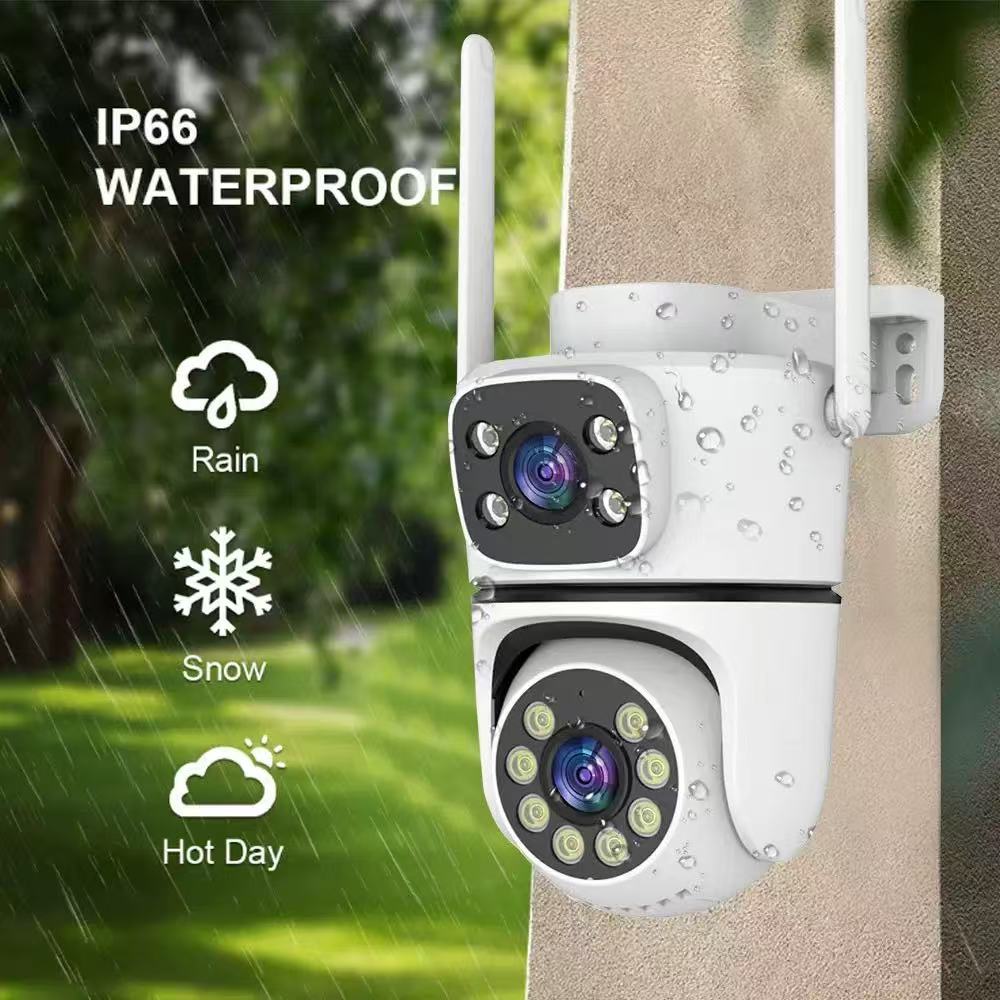
IP66 Weatherproof – Built for Outdoor Extreme Conditions
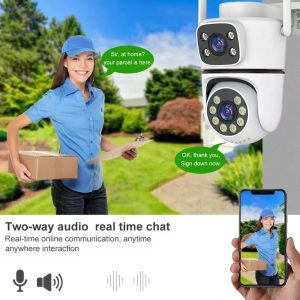
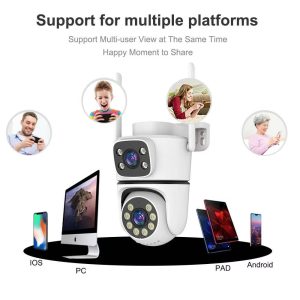
Two-Way Audio – Real-Time Voice Communication Multi-Platform Remote Access – Any Device, Anywhere
SD Card (Local)
No subscription, works offline
Limited capacity, physical theft risk
Cloud
Off-site backup, easy sharing
Subscription cost, bandwidth usage
NVR/DVR
Massive capacity, professional grade
Higher upfront cost, complex setup
Hybrid
Best of both worlds
Slightly more complex
Our recommendation: Hybrid. SD card for immediate local recording, cloud for backup and remote access. If someone steals the camera, you still have the footage.
The Hidden Costs of Cheap Cameras
Before you buy that $29 "4K security camera" from an unknown brand, consider:
Subscription traps — $5-15/month for basic features
Data privacy — who's watching your footage? Where is it stored?
App quality — buggy apps that crash when you need them most
Support — no customer service when something breaks
Lifespan — cheap cameras die in 6-12 months outdoors
Real cost of a "cheap" camera over 3 years:
Camera: $29
Subscription: $15/month × 36 months = $540
Replacements (2x): $58
Total: $627
Quality camera, no subscription, 3-year warranty:
Camera: $199
No subscription
No replacements
Total: $199
Math isn't hard. Quality pays for itself.
So, What's the Answer? Two Lenses. One Device. Zero Blind Spots.
After testing dozens of outdoor cameras across every price point, the conclusion is unavoidable: dual lens technology isn't the future — it's the present.
Single-lens cameras are compromise devices. They force you to choose between wide coverage and detail zoom. Between overview and inspection. Between seeing the threat and identifying it.
Dual lens cameras refuse that compromise.
This is where the Tuya-powered dual lens security camera approach stands apart in 2026. Instead of one lens trying to do everything, it uses two specialized lenses working in harmony:
Wide-angle lens (8MP): 355° panoramic coverage — sees everything happening across your property
Detail lens (8MP): 10× digital zoom with auto-tracking — locks onto threats and delivers identification-grade clarity
Both recording simultaneously — never miss the big picture or the critical detail
The technical foundation:
3264×2448 resolution — true 8MP clarity, not upscaled 4MP
CMOS sensor with backlit compensation — handles challenging light conditions
F4.0 aperture with full-color night vision — see faces, license plates, and colors at midnight
IP66 weatherproofing — survives rain, dust, snow, and temperature extremes
5G WiFi + PoE dual connectivity — wireless flexibility or wired reliability, your choice
Two-way audio with noise cancellation — crystal clear communication in any weather
But the real differentiator? The ecosystem.
This isn't just a camera — it's a node in the Tuya smart home network. Connect it to:
Smart door locks — see who's at the door, unlock remotely
Motion sensors — trigger recording before motion reaches the camera
Smart lights — floodlights activate when camera detects intrusion
Alarm systems — 110dB siren triggers automatically or manually
Smart displays — view camera feed on kitchen or living room panels
Everything works through one app. One interface. One system.
Final Verdict: What Should You Buy in 2026?
If you have a small property (apartment, townhouse):
A single dual-lens camera at the main entrance covers 80% of your needs. Add a second for the rear if accessible.
If you have a medium property (suburban home, small business):
Two dual-lens cameras — front and rear — with overlapping coverage zones. The auto-tracking feature means one camera can monitor multiple entry points.
If you have a large property (estate, farm, warehouse):
Three to four dual-lens cameras at key positions, supplemented by fixed cameras for perimeter coverage. Use the PTZ cameras as "active" responders and fixed cameras as "passive" recorders.
If you care about privacy:
Demand local storage options, end-to-end encryption, and clear data policies. Tuya's platform supports local SD recording with optional cloud backup — your choice, not forced.
If you want it to just work:
Choose a camera with broad smart home compatibility. Tuya works with Alexa, Google Home, SmartThings, and thousands of third-party devices. No vendor lock-in.
The Bottom Line
Choosing an outdoor security camera in 2026 isn't about megapixels or brand names. It's about eliminating blind spots — both physical and technological.
Ask the hard questions:
Does this camera see everything I need it to see?
Can it identify a face at 20 meters, day or night?
Will it survive my local weather for 3+ years?
Can I access footage without paying a monthly ransom?
Does it work with the smart home devices I already own?
Get those answers right, and your camera becomes a guardian, not just a gadget.
Two lenses. One device. Zero blind spots. One decision that protects everything.
What's your current security setup? Are you still relying on single-lens cameras, or have you upgraded to dual-lens technology? Share your experience in the comments — I'd love to hear what's working (and what isn't) in your area.
Ready to eliminate your blind spots? Explore the full range of Tuya-powered dual lens security cameras and find your perfect fit.
Location: Shenzhen, China — Global shipping available
From 8MP dual-lens PTZ cameras to complete smart home security systems — all built on the Tuya ecosystem with One Screen One System integration.
About the author:Security technology consultant and smart home integrator with 10+ years of experience designing surveillance systems for residential and commercial properties. Currently maintaining a 24-camera setup across three locations — all dual-lens, zero blind spots.
How to Choose a Smart Home Control Panel in 2026: A Buyer's Guide
One screen. One system. One decision that changes everything.
Wait — Do You Actually Need a Smart Home Control Panel?
Let's start with the uncomfortable question.
You've got a smartphone. You've got a tablet. You've got voice assistants in every room. So why on earth would you spend money on a dedicated smart home control panel?
Here's the thing: in 2026, the average smart home has 47 connected devices. Forty-seven apps, forty-seven interfaces, forty-seven ways to forget which switch controls what. Your phone? It's great for Instagram, terrible for quickly dimming the living room lights while your hands are covered in pizza dough.
A wall-mounted control panel isn't a luxury anymore — it's the command center your smart home desperately needs. But not all panels are created equal. Choose wrong, and you've just installed an expensive paperweight.
So let's break down what actually matters in 2026.
The sweet spot for most homes in 2026? A 10-inch IPS display with at least 1280×800 resolution. But Xingliao (星廖) offers the full range — from a compact 6-inch for tight spaces to a commanding 12-inch for open-plan living areas. The 7-inch and 8-inch models hit the perfect balance for kitchens and hallways where you want control without dominance.
Pro tip: Look for IPS panels, not TN. Viewing angles matter when you're approaching from the side, and IPS delivers consistent color and clarity from any angle.
2. Touch Response: The 2026 Standard
Capacitive multi-touch is baseline now. But here's what separates good from great:
2.5D curved glass — feels premium, easier to swipe
Anti-fingerprint coating — because nobody wants a smudged screen
Glove-friendly mode — surprisingly useful in garages and workshops
Wet hand operation — essential for bathroom-adjacent installations
If a panel doesn't support at least 5-point multi-touch in 2026, keep shopping.
3. Protocol Support: The Compatibility Game
This is where most buyers mess up. You buy a gorgeous panel, mount it, and discover it only speaks Zigbee while your lights are all Z-Wave. Oops.
The 2026 connectivity checklist:
✅ Wi-Fi 6/6E — baseline for everything
✅ Zigbee 3.0 — still the king of low-power device mesh
✅ Bluetooth 5.2+ — for direct device pairing and BLE sensors
✅ Matter/Thread — the protocol of 2026; if your panel doesn't support Matter, it's already outdated
⚠️ Z-Wave — nice to have, but declining in 2026
⚠️ RF 433MHz — legacy support for older devices
The golden rule: The more protocols, the better. A panel that only supports one or two protocols will limit your device choices forever.
4. Operating System: Android vs. Proprietary
In 2026, most quality panels run on Android 11 or higher (some are on Android 13). Here's why that matters:
Android-based panels:
Access to Google Play Store for compatible apps
Regular security updates
Easier integration with third-party services
Familiar interface for most users
Proprietary OS panels:
Often more stable for basic functions
Limited app ecosystem
Vendor lock-in risk
May become unsupported
Our recommendation? Go Android, but make sure the manufacturer commits to at least 3 years of security updates. A smart panel with unpatched vulnerabilities is a hacker's dream.
5. Processor & Memory: Don't Skimp Here
A laggy control panel is worse than no panel at all. Minimum specs for 2026:
Component
Minimum
Recommended
CPU
Quad-core 1.5GHz
Octa-core 2.0GHz+
RAM
2GB
4GB+
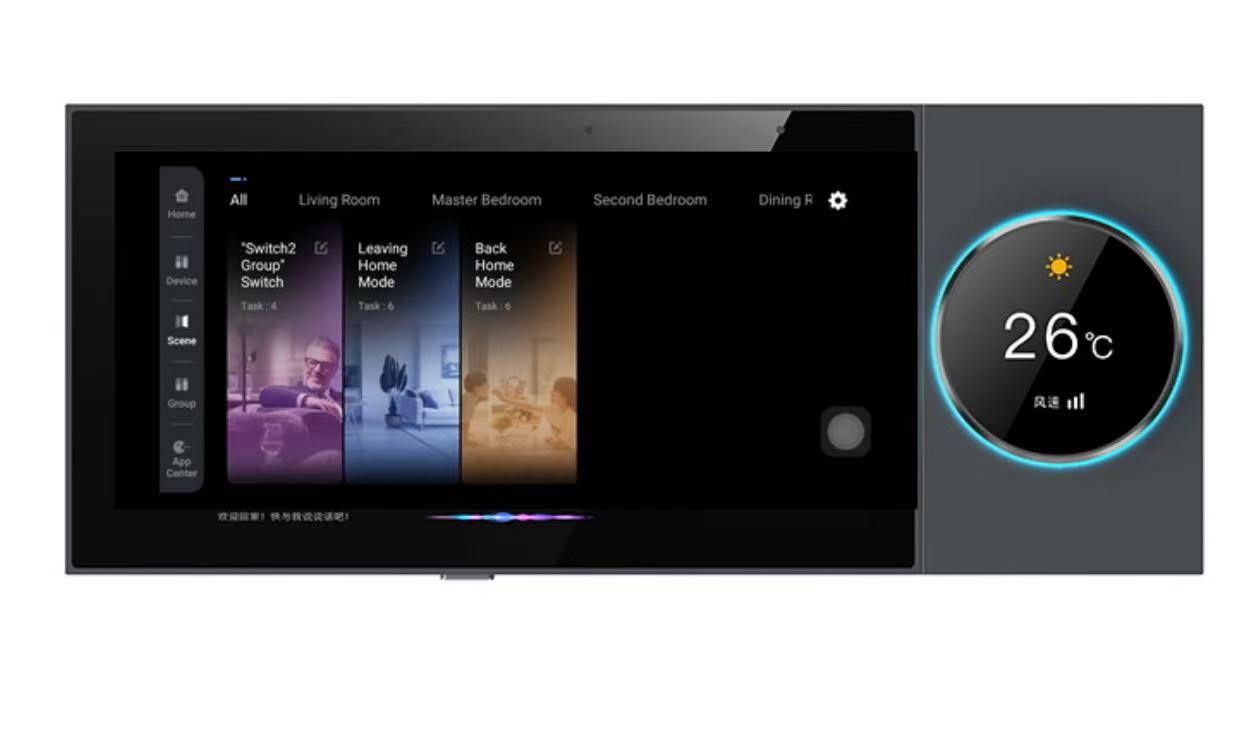
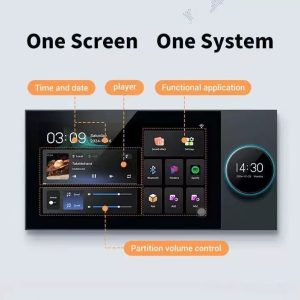
One Screen One System – Xingliao Smart Hub
Storage
8GB
16GB+
GPU
Mali-G31
Mali-G52 or better
Why does GPU matter? Because in 2026, panels animate everything — room transitions, device status changes, weather widgets. A weak GPU means stuttery animations and frustrated family members.
6. Physical Design: It's Furniture, Not Just Tech
This is the part most tech reviews ignore. Your control panel will be on your wall, visible to everyone, every day.
2026 design trends:
Ultra-thin bezels — the 2020s thick-border look is dead
Flush wall mounting — no protruding boxes
Multiple color options — white, black, silver, gold accents
Customizable UI themes — match your interior design
Physical buttons — yes, really. A few tactile buttons for common actions (lights on/off, scene activation) are making a comeback
7. Power & Installation: PoE is King
Power over Ethernet (PoE) has become the standard for fixed control panels in 2026. Here's why:
Single cable for power AND data
No Wi-Fi congestion for the panel itself
More reliable than wireless
Easier installation (especially in retrofit scenarios)
Alternative: Some panels support 24V DC or standard USB-C PD (Power Delivery). Avoid panels that only work with proprietary power adapters — replacement adapters become impossible to find.
8. Voice Control: Built-in vs. Integration
In 2026, voice control is non-negotiable. But there's a difference:
Built-in microphones/speakers — the panel itself responds to voice
Integration with external assistants — works with Alexa, Google Assistant, Siri
Best case? Both. The panel should have its own wake word for local commands, plus full integration with your existing voice ecosystem.
9. Privacy: The Feature Everyone Forgets
A control panel with cameras and microphones is a potential surveillance device. 2026's best panels include:
Physical camera shutter — slide to cover
Hardware microphone mute switch — not software, physical
Local processing — voice commands processed on-device, not in the cloud
End-to-end encryption for remote access
If a panel doesn't have these, ask yourself: do you trust the manufacturer with a live feed of your living room?
The Hidden Costs Nobody Talks About
Before you buy, factor in:
Installation — DIY vs. professional ($50-300)
Wall bracket — often sold separately ($15-50)
PoE injector/switch — if you don't have one ($30-100)
Cloud subscription — some advanced features require monthly fees ($5-15/month)
Future-proofing — will this panel still be relevant in 2028?
So, What's the Answer? One Screen, One System.
After testing dozens of panels and living with them in real homes, the pattern is clear: the best smart home experience comes from a single, unified control point.
Not a phone app. Not scattered voice assistants. Not a dozen different apps for a dozen different brands.
One screen that controls everything.
This is where Xingliao's One Screen One System approach stands out in 2026. Instead of forcing you to choose between protocols, between ecosystems, between convenience and compatibility — it brings everything together.
Here's what that actually means:
Multi-protocol by design — Zigbee, Wi-Fi, Bluetooth, Matter/Thread, all in one panel. No more "will this work with that?"
Android-based with real update commitment — not a forked, frozen version, but genuine Android with ongoing security patches
Local-first processing — your commands stay in your home, not someone's cloud
Flush-mount, ultra-thin design — looks like it belongs in a modern home, not a server room
The 10-inch flagship panel checks every box on our 2026 checklist: IPS display, octa-core processor, 4GB RAM, Matter support, physical privacy controls, and a UI that actually makes sense to non-technical family members.
But here's the real differentiator: the ecosystem. Xingliao doesn't just make panels — they make the sensors, the switches, the cameras, the locks that connect to them. Everything is designed to work together, out of the box, without third-party bridges or workarounds.
Final Verdict: What Should You Buy in 2026?
If you're just starting your smart home journey:
Start with a 10-inch main panel in your living area, plus a 6-inch or 7-inch panel by the front door. This covers 80% of daily interactions.
If you already have a mix of devices:
Prioritize protocol support above all else. A panel that only speaks Zigbee when half your devices are Z-Wave or Matter is a recipe for frustration.
If you care about privacy:
Demand physical privacy controls and local processing. Anything less is a compromise you shouldn't make in 2026.
If you want it to just work:
Look for a complete ecosystem — panel, devices, app, cloud (optional) — from a single manufacturer. The integration quality is almost always better than cobbling together devices from five different brands.
The Bottom Line
Choosing a smart home control panel in 2026 isn't about finding the most features or the lowest price. It's about finding the right balance of compatibility, performance, design, and trust.
Ask the hard questions:
Xingliao Smart Home team meeting with international partners at global trade exhibition
Will this still work with my devices in 3 years?
Can my parents use it without calling me?
Does the manufacturer respect my privacy?
Does it look like it belongs in my home?
Get those answers right, and that "expensive paperweight" becomes the nerve center of a home that actually feels smart.
One screen. One system. One decision that changes everything.
What's your smart home setup like? Are you team "one panel to rule them all" or do you prefer scattered control points? Drop a comment below — I'd love to hear what's working (and what's not) in your home.
Xingliao Smart Home manufacturing facility in Shenzhen, China
Ready to upgrade your home? Explore the full range of Xingliao (星廖) smart home control panels and find your perfect fit at xingliao.com — from 6-inch compact controllers to 12-inch flagship hubs, all built on the One Screen One System philosophy.
About the author:Smart home enthusiast and former systems integrator. I've installed, broken, and fixed more smart home devices than I care to count. Currently running a 60+ device setup with — you guessed it — one main control panel.
WiFi Smart Smoke and Carbon Monoxide Detector | Xingliao Smart Home
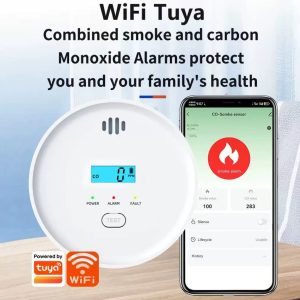
Protect What Matters Most — 24/7 Intelligent Safety for Your Family
At Xingliao Smart Home, we believe smart living starts with safety. Our WiFi-enabled Smoke & CO Combo Alarm combines dual-sensor protection with Tuya Smart app connectivity, giving you real-time alerts and complete peace of mind — whether you're home or away.
Shop now at xingliaoshop.com — your trusted source for premium smart home security devices.
Why Choose Xingliao's WiFi Smoke & CO Detector?
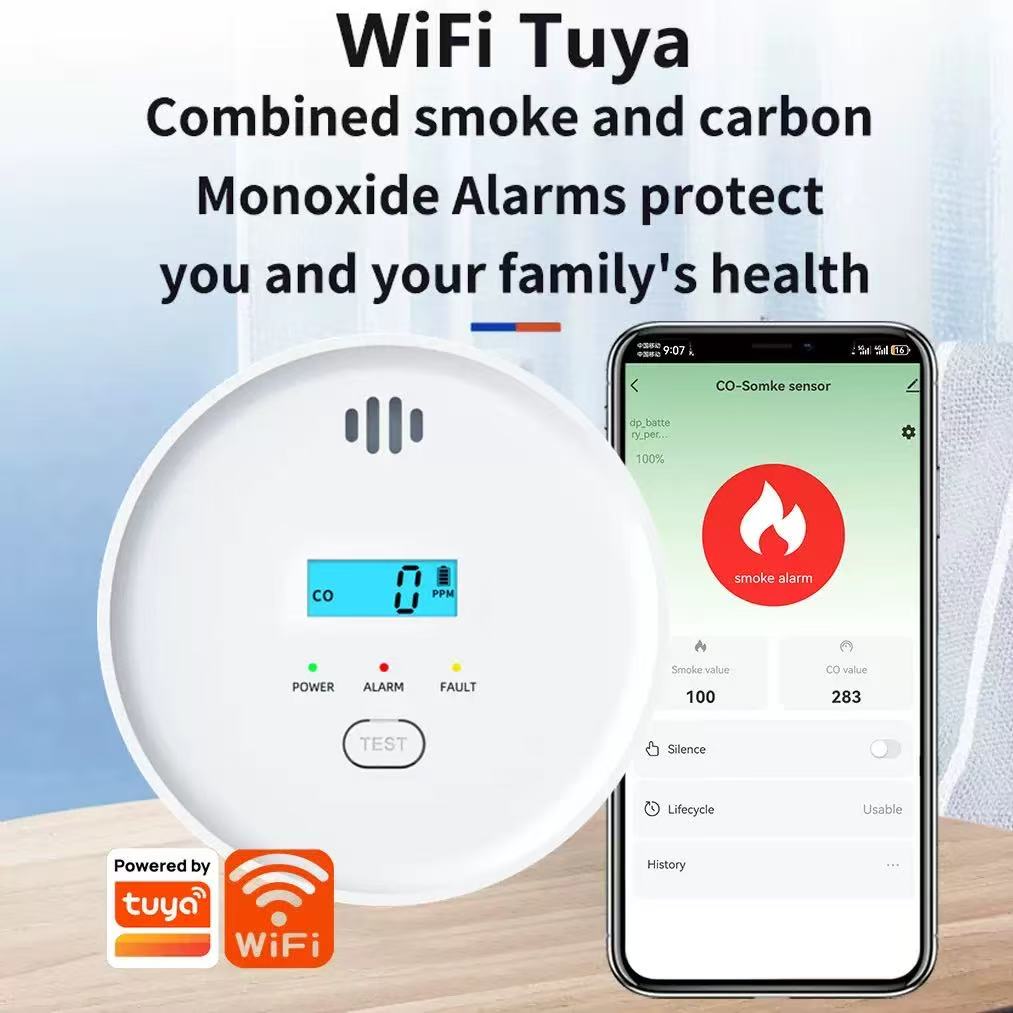
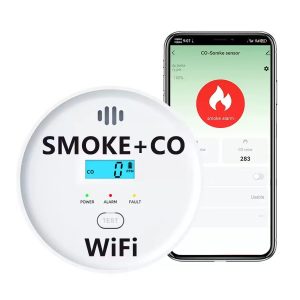
WiFi Smoke CO Detector – Xingliao Smart Home
Dual-Sensor Protection — Detects both smoke/fire AND carbon monoxide in one device
Tuya Smart App Control — Get instant phone alerts, check sensor status, and monitor battery life remotely
LCD Digital Display — Real-time CO PPM readings and system status at a glance
360° Omnidirectional Detection — Comprehensive coverage with no blind spots
85dB High-Pitch Alarm — Loud enough to wake the deepest sleeper
10-Year Sensor Lifespan — Long-term reliability you can count on
Extra-Long Battery Standby — Energy-efficient design with simple battery replacement
One-Click Test Button — Weekly testing made effortless
Simple Installation — Mounts in minutes, no electrician needed
Smart Protection, Smarter Living
When fire or hazardous gas is detected, the alarm instantly triggers audible and visual alerts while simultaneously sending notifications to your smartphone via the Tuya app. Whether you're at work, on vacation, or asleep upstairs, you'll know the moment danger strikes.
Xingliao Smart Home — Smart Living for Everyone. Explore our full range of intelligent safety solutions at xingliaoshop.com.
1× WiFi Smoke & CO Combo Detector
1× Mounting Bracket
1× User Manual
Batteries included
Order Your Smart Safety Upgrade Today
Don't compromise on your family's safety. The Xingliao WiFi Smoke & CO Detector delivers professional-grade protection with consumer-friendly smart features — all at a price that makes sense.
Shop Now at xingliaoshop.com
Xingliao Smart Home — Premium smart home devices designed for modern living. From smart security to intelligent comfort, we make your home smarter, safer, and more connected.
SEO Keywords: WiFi smoke detector, smart CO alarm, Tuya smoke alarm, carbon monoxide detector, smart home safety, WiFi fire alarm, Xingliao smart home, best smoke and CO combo detector 2026
Essential Smart Home Devices: What You Actually Need in 2026
Published: July 12, 2026 Updated: July 12, 2026 Reading Time: 15 minutes
What Smart Home Devices Do I Actually Need?
Setting up a smart home can feel overwhelming. With hundreds of devices on the market, how do you know which ones are actually worth buying?
The truth: You don't need everything. You need the right devices for your specific needs.
This guide breaks down essential smart home devices by category, budget, and use case. Whether you're a beginner or upgrading your setup, you'll find exactly what you need.
Smart Home Starter Kit: The Basics (Under $300)
For beginners, start with these 5 devices:
1. Smart Speaker/Hub
Why you need it: The brain of your smart home Top picks:
Amazon Echo Dot (5th Gen) – $50
Google Nest Mini – $49
Apple HomePod Mini – $99
What it does:
Voice control for all devices
Music streaming
Weather, timers, alarms
Smart home automation hub
2. Smart Bulbs
Why you need it: Instant ambiance and energy savings Top picks:
Philips Hue White & Color – $45/bulb
LIFX Mini – $35/bulb
Wyze Bulb Color – $20/bulb
What it does:
Remote on/off control
Dimming and color changing
Scheduling and routines
Energy savings (up to 80%)
3. Smart Plugs
Why you need it: Make any device smart Top picks:
TP-Link Kasa Smart Plug – $15
Amazon Smart Plug – $25
Wyze Plug – $12
What it does:
Turn devices on/off remotely
Monitor energy usage
Set schedules
Voice control non-smart devices
4. Smart Doorbell
Why you need it: Security and convenience Top picks:
Ring Video Doorbell 4 – $200
Nest Doorbell (Battery) – $180
Xingliao UOBX WiFi Doorbell – $89
What it does:
See who's at the door
Two-way talk
Motion detection
Package alerts
5. Smart Thermostat
Why you need it: Comfort and energy savings Top picks:
Nest Learning Thermostat – $250
Ecobee SmartThermostat – $230
Honeywell Home T9 – $200
What it does:
Auto-adjust temperature
Learn your schedule
Remote control
Energy reports (save 10-15% on bills)
Starter Kit Total: $285-$480
Room-by-Room Smart Home Setup
Living Room
Essential devices:
Smart TV or streaming stick ($30-$500)
Smart speaker ($50-$100)
Smart bulbs ($20-$45)
Smart blinds ($100-$300)
Universal remote ($50-$250)
Nice to have:
Smart air purifier ($100-$300)
Robot vacuum ($200-$800)
Kitchen
Essential devices:
Smart display ($90-$230)
Smart plugs for appliances ($15-$25)
Smart refrigerator ($1,500-$3,000)
Smart coffee maker ($100-$300)
Nice to have:
Smart oven ($800-$2,000)
Smart dishwasher ($700-$1,500)
Bedroom
Essential devices:
Smart bulbs ($20-$45)
Smart speaker ($50-$100)
Smart alarm clock ($50-$150)
Sleep tracker ($50-$300)
Nice to have:
Smart mattress ($1,000-$3,000)
Smart air purifier ($100-$300)
Bathroom
Essential devices:
Smart scale ($30-$150)
Smart mirror ($100-$400)
Smart toothbrush ($50-$200)
Nice to have:
Smart toilet ($500-$2,000)
Smart shower ($300-$1,000)
Home Security
Essential devices:
Smart doorbell ($89-$250)
Smart locks ($150-$300)
Security cameras ($50-$200)
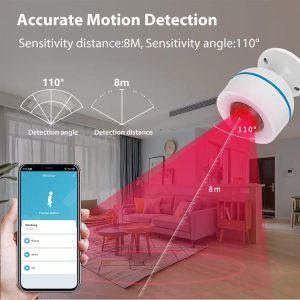
PIR motion sensors with accurate human detection ($20-$50)
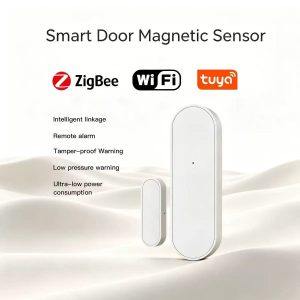
Door/window magnetic sensors ($15-$30)
Smart smoke detector ($50-$120)
Nice to have:
Smart garage door opener ($100-$300)
Glass break sensors ($30-$60)
Water leak detectors ($20-$50)
Smart Home Devices by Budget
Budget Setup ($500-$1,000)
Smart speaker: $50
Smart bulbs (4): $80
Smart plugs (4): $60
Smart doorbell: $89
Smart thermostat: $200
Security camera: $50
Smart lock: $150
Total: $679
Mid-Range Setup ($1,000-$2,500)
Everything in budget setup
Smart display: $150
Robot vacuum: $300
Smart blinds (2): $400
Additional cameras (2): $100
Smart garage door: $200
Smart sprinkler: $150
Total: $1,979
Premium Setup ($2,500-$5,000)
Everything in mid-range setup
Smart refrigerator: $2,000
Smart oven: $1,500
Smart washer/dryer: $1,500
Smart mattress: $1,500
Whole-home audio: $1,000
Smart irrigation: $500
Total: $9,979
Smart Home Protocols: Which One to Choose?
WiFi
Pros:
No hub needed
Wide compatibility
Easy setup
Cons:
Can slow down network
Higher power consumption
Security risks
Best for: Beginners, small setups
Zigbee
Pros:
Low power consumption
Mesh network (better range)
Reliable
Cons:
Needs hub
Less common
Best for: Medium setups, battery-powered devices
Z-Wave
Pros:
Dedicated frequency (less interference)
Mesh network
Reliable
Cons:
Needs hub
Fewer devices available
Best for: Large setups, security systems
Matter (New Standard)
Pros:
Universal compatibility
Works with all major platforms
Future-proof
Cons:
Still rolling out
Limited devices
Best for: New setups, future-proofing
Recommendation: Start with WiFi, add Zigbee/Z-Wave for larger setups, choose Matter for new devices.
Smart Home Automation Ideas
Morning Routine
6:30 AM: Lights gradually turn on
6:35 AM: Thermostat adjusts to 72°F
6:45 AM: Coffee maker starts
7:00 AM: News briefing plays on smart speaker
7:15 AM: Security system disarms
Leaving Home Routine
Lock smart door
Turn off all lights
Adjust thermostat to eco mode
Arm security system
Close smart blinds
Evening Routine
6:00 PM: Lights turn on at 70%
6:30 PM: Thermostat adjusts to 70°F
7:00 PM: Entertainment mode (dim lights, TV on)
10:00 PM: Night mode (lights off, security armed)
Vacation Mode
Random light schedule
Security cameras record all motion
Thermostat in eco mode
Smart sprinklers maintain lawn
Notifications for any door/window activity
Common Smart Home Mistakes to Avoid
1. Buying Incompatible Devices
Solution: Check protocol compatibility before buying. Choose Matter-certified devices when possible.
2. Ignoring Security
Solution:
Change default passwords
Enable two-factor authentication
Update firmware regularly
Use guest network for IoT devices
3. Overcomplicating Setup
Solution: Start with 3-5 devices. Add more gradually.
4. Not Planning for Power Outages
Solution:
Choose devices with battery backup
Have manual overrides
Consider UPS for critical devices
5. Forgetting About Guests
Solution:
Create guest WiFi network
Have manual controls available
Set up visitor modes
Smart Home Privacy & Security
Essential Security Measures
Strong passwords on all devices
Two-factor authentication enabled
Regular firmware updates
Guest network for IoT devices
Disable unused features (microphone, camera)
Review privacy settings monthly
Privacy Tips
Read privacy policies before buying
Choose local processing over cloud when possible
Regularly delete voice recordings
Use privacy-focused alternatives (Apple HomeKit)
FAQ: Smart Home Devices
Q: How much does a basic smart home cost?
A: $500-$1,000 for essential devices (speaker, bulbs, plugs, doorbell, thermostat).
Q: Do I need a hub?
A: Not for WiFi devices. Yes for Zigbee/Z-Wave. Matter devices work without hub.
Q: Can I install smart home devices myself?
A: Most devices are plug-and-play. Smart locks and thermostats may need basic DIY skills.
Q: Will smart devices work without internet?
A: Some basic functions work locally, but most features require internet.
Q: Are smart home devices secure?
A: Generally yes, if you follow security best practices (strong passwords, updates, guest network).
Q: Which smart home ecosystem is best?
A: Amazon Alexa (most compatible), Google Home (best AI), Apple HomeKit (most private).
Q: Can I mix different brands?
A: Yes, especially with Matter protocol. Otherwise, check compatibility.
Q: How long do smart devices last?
A: 5-10 years for most devices. Bulbs last 15,000-25,000 hours.
Q: Do smart home devices save money?
A: Yes! Smart thermostats save 10-15% on heating/cooling. Smart bulbs use 80% less energy.
Q: What's the first smart home device I should buy?
A: Start with a smart speaker/hub. It controls everything else and provides immediate value.
2026 Smart Home Trends
Emerging Technologies
Matter Protocol – Universal compatibility
AI Integration – Smarter automation
Energy Management – Solar integration, load balancing
Health Monitoring – Air quality, sleep tracking
Elderly Care – Fall detection, medication reminders
Future Devices
Smart windows (self-tinting)
Robot chefs
AI personal assistants
Predictive maintenance systems
Whole-home health monitoring
Recommended Smart Home Brands
Best Overall: Xingliao Smart Home
Wide product range
Affordable prices
OEM/ODM available
Matter-compatible
Global shipping
Best for Beginners: Amazon
Easy setup
Wide compatibility
Affordable
Good support
Best for Privacy: Apple
Local processing
Strong encryption
No data selling
Premium quality
Best for Customization: Samsung SmartThings
Advanced automation
Wide protocol support
Developer-friendly
Smart Pet Care Devices
Essential pet care devices:
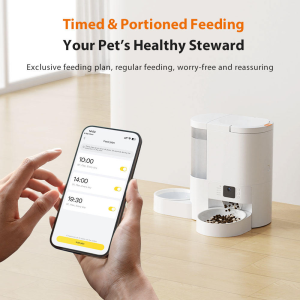
Automatic pet feeders with scheduled feeding and portion control ($50-$150)
Video bird feeders with HD camera and motion detection for bird watching ($80-$200)
Smart water fountains with circulating filtration ($30-$80)
Pet monitoring cameras with two-way audio ($40-$100)
GPS pet trackers for location monitoring ($30-$80)
Smart Pet Care Features:
Remote feeding control via smartphone app
HD video monitoring with night vision
Motion detection alerts for pet activity
Environmental sensors (temperature, humidity)
Automatic feeding schedules and portion control
Smart Control Devices
Essential control devices:
Smart light switches (WiFi/Zigbee/Matter) with dimming and scheduling ($15-$50)
Smart water heater switches with high power capacity ($25-$60)
Smart control panels (4"/6"/10") with touch display ($80-$300)
Smart plugs and outlets with energy monitoring ($12-$30)
Keywords: smart home devices, essential smart home devices, what smart home devices do I need, smart home starter kit, best smart home devices 2026, smart home setup, smart home automation, smart home budget, smart home protocols, smart home security, video bird feeder, pet feeder, smart switch, PIR motion sensor, ODM OEM smart home manufacturer, smart home factory, white label smart home products